January 13, 2026

Build an AI-powered Weekly Execution Blueprint

Plus: Gmail's Gemini era and Claude Cowork.
Evelyn Le
By
Evelyn Le
Strategic Product Lead

Create a Sunday Blueprint (during your weekend walk)

Presented by

A strong week starts with a clear view of what matters, what needs to happen, and what success looks like by the end of the week. This approach lets you build a winning plan for the week without sitting at a desk. You take a walk, use your phone and voice, and turn everything on your mind into a concrete plan before Monday begins.

Step 1: Set the stage (use voice, not typing)

Open ChatGPT Voice on your phone and explain what you are about to do. Tell it that you are going to share everything you have going on and that you want help turning this into a clear, realistic plan for the week ahead. Be explicit that you are not looking for encouragement or generic productivity advice, but for structure and decisions.

Step 2: Voice-triage your inbox

While staying on your phone, switch to your email app and scan your inbox.

For each open loop, dictate:

  • The next action
  • Who owns it
  • The deadline

Do not reply to emails at this stage. The goal is to extract decisions and commitments, not to start working through messages.

Step 3: Walk through your calendar day by day

Next, open your calendar and go through the week in order.

As you walk, describe:

  • What each meeting requires you to prepare
  • Where preparation is unnecessary
  • Who you need help from
  • Any risks, conflicts, or additional work that becomes visible as you look ahead

This step helps surface overload and hidden work before the week begins.

Step 4: Ask for a weekly execution blueprint

Once you have shared your notes, use the prompt below to guide ChatGPT in creating a clear and actionable.

You now have my raw voice notes covering:
- Open loops from email
– Upcoming meetings and preparation needs
– Ideas, risks, and unfinished work
– Constraints on my time and energy
Your task is to turn this into a realistic weekly execution blueprint, not a motivational plan.
Specifically:

Identify the single highest-leverage task I should do first on Monday morning that unlocks the rest of the week.
Design a day-by-day schedule that fits around my existing meetings and avoids overload.
Clearly separate: – What I must personally do – What should be delegated – What can be deferred or dropped
Flag risks, bottlenecks, or conflicts in the plan and propose fixes.
Draft clear delegation briefs for each task to hand off, including: – Objective – Context – Owner – Deadline – Definition of “done”
Constraints:

– Be realistic about time and energy.
– Prioritize outcomes over activity.
– If something doesn’t matter this week, say so.
Output the result in a structured, skimmable format suitable for a Monday morning review.

Step 5: Turn it into a one-page plan and share it

Finally, ask ChatGPT to convert the proposed schedule into a downloadable Excel or Docs one-pager. You can also paste ChatGPT's response to NotebookLM to create an infographic of your execution blueprint.

Review it, make small adjustments if needed, and share it with your team so everyone starts the week with the same context, priorities, and expectations.

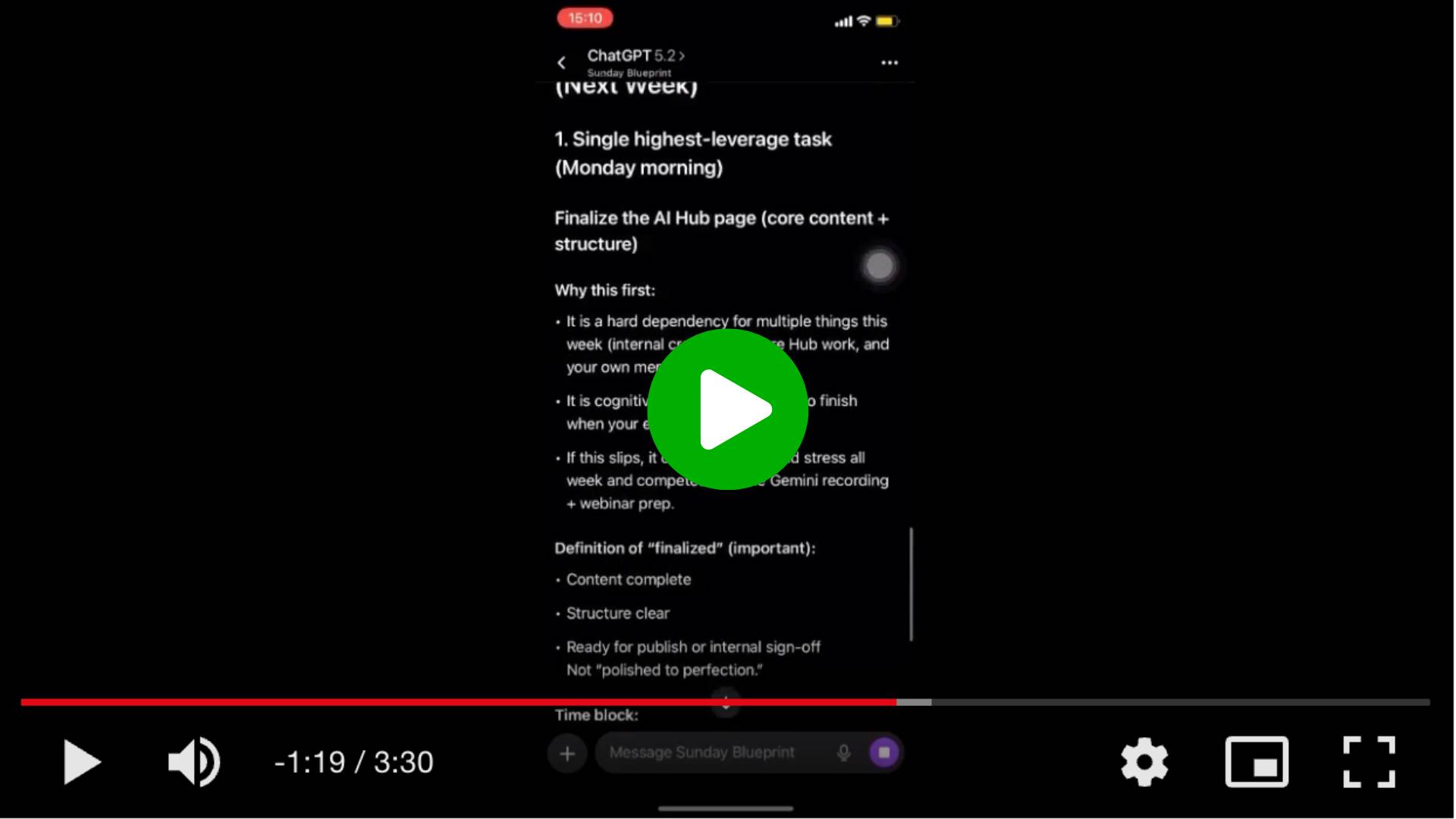
PRO Members: watch the video tutorial here: ​In 5 Steps: Create a Sunday Blueprint to Plan the Week​

Flagship AI Newsletter
The AI Newsletter That Makes You Smarter, Not Busier
Join over 30,000 leaders and receive our insights on AI platforms, implementations, and organizational change management.
FlexOS Course - AI Content Accelerator - Testimonial Badge

Most Practical AI Use Cases For 2026 From Non-Technical Leaders

See how leaders like you build AI assistants that help them get their time back.

Upcoming Thursday, January 15 (11:00 CET), we’re hosting three senior business leaders who will share with you how they use AI in their daily work to automate repetitive tasks and focus on work that matters.

👉 Register to join the 45-minute demo session: ​Most Practical AI Use Cases For 2026 From Non-Technical Leaders​

Event Details:📅 Date: January 15, 2026🕒 Time: 11:00 CET | 18:00 SGT | 19:30 ACT📍 Live Online (Zoom)

PS: Can’t make it? Register anyway, and we’ll send you the recording afterwards!

Want to reach 30,000+ business leaders applying AI in their work, teams, and organizations?​
Advertise with us​​.

Your AI Team: Gmail’s Gemini era, ChatGPT Health, and Claude Cowork.

Every week, I report on the top updates to your favorite AI tools.

Gmail is entering the Gemini era

Email volume is at an all-time high, and Google is reframing Gmail from a message list into a proactive assistant. With the introduction of AI Overviews and AI Inbox, Gmail starts helping users understand, prioritize, and act on information.

Here are the key updates:

  • AI Overviews summarize long conversations (available to all users): Gmail can now generate a concise summary of key points, decisions, and context, reducing the need to read through the full thread.
  • Ask your inbox questions in natural language (available to AI Pro and Ultra users): You can ask Gmail questions like “Who was the plumber that quoted my bathroom renovation last year?” Gemini searches across your emails and returns a direct answer instead of a list of results.
  • Improved writing support with context (available to all users): Help Me Write and the new Suggested Replies use the context of the conversation to draft or refine responses in your tone. For Pro and Ultra users, Proofread adds advanced grammar, tone, and style checks.
  • AI Inbox surfaces what actually matters (available to trusted testers): Instead of a purely chronological inbox, AI Inbox highlights important to-dos and priority messages based on signals like frequent contacts, inferred relationships, and urgency, while keeping data processing private and secure.

These features are enabled by Gemini 3 and are starting to roll out in the U.S., in English, with broader language and regional support planned.

Try out new AI features in your Gmail

ChatGPT introduces ChatGPT Health for more personalized health support

OpenAI has launched ChatGPT Health, a dedicated experience designed to help users understand and organize health information by securely connecting medical records and wellness data, with context-aware explanations and stronger privacy controls to support practical use cases like preparing questions before doctor visits, clarifying lab results, and tracking health trends over time.

Explore ChatGPT Health

Claude introduces Cowork, a “shared folder” workspace that lets Claude work across your files

Anthropic has launched Cowork (research preview), a shared workspace where Claude can work directly with your files and folders to organize messy inputs, draft and edit documents, build spreadsheets, and move multi-step research or analysis forward with a clear plan and progress updates. Cowork is available as a research preview for Claude Max subscribers.

Read more about Claude Cowork

Want to reach 30,000+ business leaders applying AI in their work, teams, and organizations?​
Advertise with us​​.