
Let AI Audit Your Workload for Automation
Presented by

Do you feel AI should be able to do more, but can't figure out what?
With this simple prompt, you'll let AI identify your "operational drag" and form an AI automation strategy.
What this gives you: A table of the automation impact ranking for your daily tasks and a suggested automation SOP.
How to do it (60 seconds):
- Open ChatGPT on your phone
- Open ChatGPT Apps and connect to Drive, Gmail, and Calendar
- Paste this prompt 👇
Act as my Chief of Staff and conduct a deep dive into my activity over the last 30 days. Please provide:
> Gmail: List the subjects and primary recipients of all emails I sent.
> Calendar: List all my meeting titles, dates, and durations.
> Drive: List the titles and file types of all documents, sheets, or presentations I created or edited.
Structure the output as follows:
> Grouping: Organize all activities by week.
> Categorization: For each item, guess if the task was ‘Administrative’ (maintenance) or ‘Strategic’ (high-value).
> Format: Present this as a single, long-form, structured list in Markdown.
> Create a data table to audit my last 30 days of work. Use the following columns: Recurring Task, Estimated Weekly Hours (based on frequency), Boredom Level (High/Low), Impact of Automation (High/Medium/Low), and suggest automation SOP.
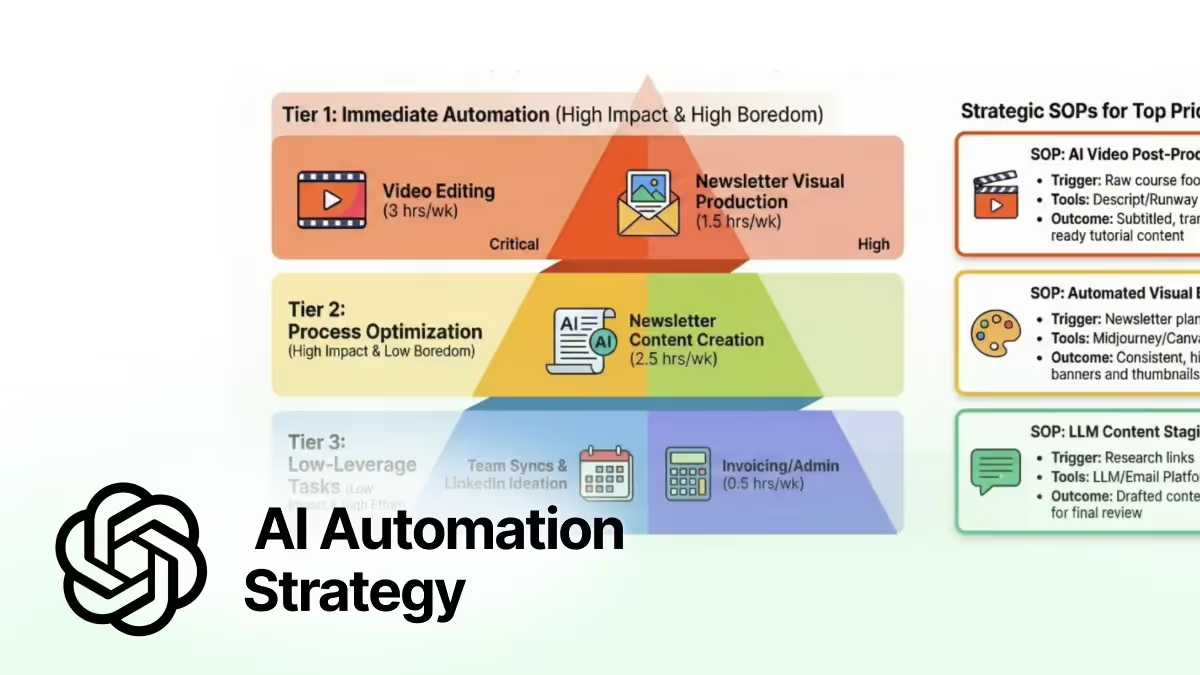
BONUS: You can then turn the data table into an infographic in NotebookLM using this prompt:
Using the 30-Day Work Audit and Automation file:
• Rank tasks by automation priority (impact × frequency × effort).
• Visualize the ranking in one clean infographic (highest → lowest priority).
• For each top-priority task, add a short SOP covering: trigger, automated steps, tools, and outcome.
Keep the output clear, visual, and executive-ready.
That’s it.
You now have the clarity to align with your team and design a smart AI and automation strategy that reduces operational drag and frees time for strategic work.
PRO Members:
Watch the video walkthrough here: In 5 Steps: Audit Your Workload for Automation