December 9, 2025

Craft an outreach email with Gemini in Gmail

Plus: ChatGPT's "code red," Gemini 3 Deep Think
Evelyn Le
By
Evelyn Le
Strategic Product Lead

Craft an Outreach Email Campaign with Gemini in Gmail

Presented by

With ​Gemini in Gmail​, users can now bring AI directly into the inbox to summarize threads, draft messages, reference Drive documents, and coordinate next steps without switching tools.

It turns Gmail into a practical workspace for communication and decision-making.

Below is a practical demo using one concrete scenario: preparing a cold outreach email to a senior operator about AI at Work.

Step 1: Understand your audience

Start by opening the Gemini side panel in Gmail and selecting the premade Outreach Specialist Gem.

Even without prior interaction, Gemini can generate useful insight based on the recipient’s role and organization.

Prompt:

“This email is for a cold outreach to a Chief Operating Officer at a mid-size consulting firm. Identify the priorities someone in this role is likely focused on regarding AI adoption, workflow automation, and productivity. Suggest the outreach angle that will resonate most.”

This gives you a clear message orientation before any drafting begins.

Step 2: Draft the first version of your outreach email

Once you have the angle, ask Gemini to produce a concise, executive-ready draft.

Prompt:

“Draft an outreach email introducing our AI at Work offering. Keep it concise and focused on practical workflow improvements, not abstract AI transformation.”

You now have a structured draft that reflects the recipient’s context and expectations.

Step 3: Strengthen the message

A huge advantage of Gemini in Gmail is the ability to pull from Drive and improve your message with concrete arguments.

Reference the file directly using @.

Prompt:

“Improve this draft using key points from @oai-workforce-blueprint-oct-2025.pdf @zkiziltan_Hassel_AIoverview.pdf especially the sections on automation use cases, knowledge workflows, and measurable productivity gains.”

Gemini reads the deck, extracts relevant insights, and sharpens your outreach with evidence instead of generic statements.

Step 4: Generate a clean banner to elevate the outreach

For senior audiences, small visual improvements make a difference.

Use Gemini’s image generation inside Gmail to keep everything in one place.

Prompt:

“Create a simple banner for an outreach email with the theme ‘AI at Work: Reclaim High-Value Capacity’. Minimalist design, soft colors, clean typography.”

Gemini will generate 4 options, while you can also ask it to generate more.

Insert the banner you like directly above your opening paragraph.

Step 5: Create a follow-up flow to close the loop

Great outreach doesn’t end with one email. Gemini can help you schedule follow-up reminders.

“Set a reminder next Tuesday at 9 AM to check whether they’ve replied.”

This builds a complete communication workflow, end-to-end, inside your inbox. Here are some other practical ways you can use Gemini in Gmail

  • Turn long threads into a briefing note by asking Gemini to extract decisions, open questions, and next steps.
  • Prepare meeting talking points by condensing key themes from a thread into 3–5 points you can use immediately.
  • Draft internal updates by summarizing all emails from the week related to a specific project or topic.
  • Convert an email into a LinkedIn post to share an insight or perspective with your network.
  • Extract operational tasks and turn them into a simple checklist with owners and deadlines.

PRO Members: watch the video tutorial here: ​In 5 Steps: Craft an Outreach Email campaign with Gemini in Gmail​

Flagship AI Newsletter
The AI Newsletter That Makes You Smarter, Not Busier
Join over 30,000 leaders and receive our insights on AI platforms, implementations, and organizational change management.
FlexOS Course - AI Content Accelerator - Testimonial Badge

Turn AI Into Action for Your 2026 HR Strategy. Your HR AI Roadmap in 4 Weeks

AI is changing every function, and HR is next in line. From hiring and onboarding to performance and retention, leaders who know how to use AI to scale people's impact will define the next decade of HR.

That’s why we built Lead with AI Boot Camp: HR Edition, a 4-week intensive designed to help you enter 2026 with a sharp, credible, execution-ready AI strategy.

You’ll walk away with:

✅ A live AI pilot connected to a real HR use case

✅ An adoption playbook with comms, training, and measurement tools

✅ A 90-day rollout plan ready to launch

Led by Johannes Sundlo, former HR leader at Spotify, this is practical, non-technical training built for HR leaders driving transformation.

Only 25 seats at 50% off. Cohort starts January 8, 2026. 👉 ​Reserve Your Seat​

Or join the Info Webinar to see how it works 👉 ​Sign Up Here

Want to reach 30,000+ business leaders applying AI in their work, teams, and organizations?​
Advertise with us​​.

Your AI Team: ChatGPT’s “Code Red,” Gemini 3 Deep Think, and Google’s unified AI search.

Every week, I report on the top updates to your favorite AI tools.

ChatGPT “Code Red”: OpenAI speeds up GPT-5.2 after Gemini 3 released

OpenAI has reportedly invoked an internal “code red” following the launch of Google’s Gemini 3, accelerating the release of GPT‑5.2. This move signals a renewed urgency to defend ChatGPT’s lead before enterprise workflows shift toward competing AI services.

Here are the key updates:

  • New release timeline moved forward: GPT-5.2, initially slated for later in December, is now expected to be out earlier.
  • Refocus on ChatGPT’s core: speed, reliability, customizability: Rather than a slew of new features, GPT-5.2 aims to strengthen fundamentals, including faster performance, more dependable outputs, and better integration, to retain enterprise trust.
  • Strategic repositioning amid rising competition: With rivals like Gemini 3 (and other models) gaining traction, OpenAI seems to prioritize holding onto its user base and enterprise customers before doubling down on more experimental projects.

More on GPT-5.2 and Code Red

Google launches Gemini 3 Deep Think

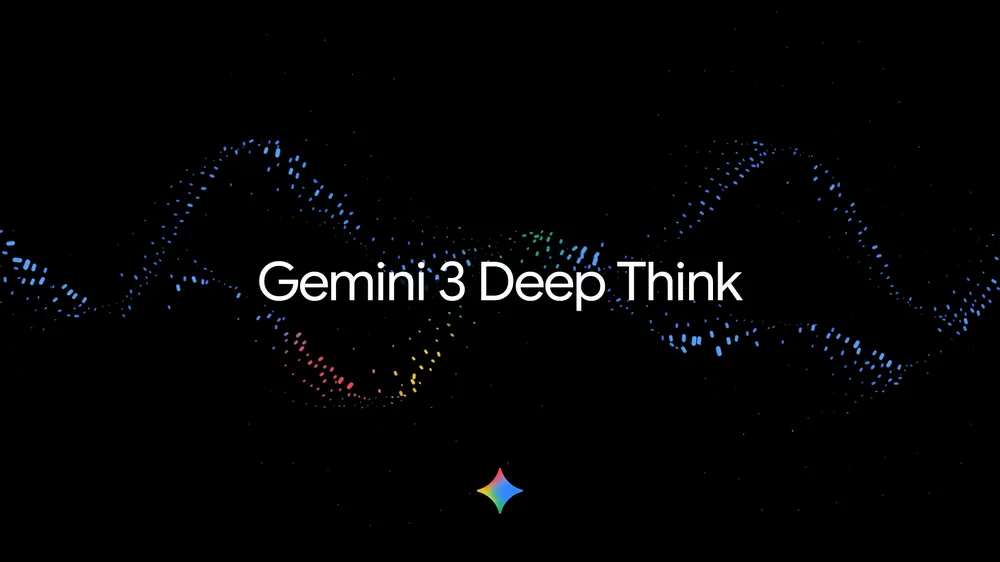
Gemini 3 Deep Think text with Gemini logo

Google introduced Gemini 3 Deep Think, a new reasoning system designed for long-form, multi-step problem solving.

It can plan, draft, analyze, and revise work over extended sessions, effectively acting more like a collaborator than a single-prompt model.

Use Gemini 3 Deep Think for any work where the value is in the quality of thinking, not just the speed of drafting.

Explore Gemini 3 Deep Think

Google tests merging AI Overviews with “AI Mode” in Search

Google is experimenting with a unified experience that blends AI Overviews and AI Mode, allowing users to shift between traditional search results and AI-generated answers in one interface.

This is an early sign that Search may gradually move toward a more assistant-first experience.

Read more on AI Mode + AI Overviews

Exclusive for PRO Members: LIVE Q&A Cisco CPO: Transforming a $220 billion company

In this Masterclass, guided by Phil Kirschner (Workplace & Future of Work expert, ​The Workline​ author), Jeetu Patel, President & Chief Product Officer at Cisco will join Lead with AI PRO for an exclusive Fireside Chat on December 10th at 1PM PT/ 4PM ET/ 9PM GMT.

Jeetu leads product, strategy, and innovation at Cisco, a $220B legacy tech giant that he is transforming into an AI-forward organization. Under his leadership, Cisco is embedding AI into products, culture, and customer value at a massive scale.

Join to explore:

  • How Jeetu led AI transformation in one of the world’s largest legacy technology companies
  • What it takes to embed AI into strategy, culture, and customer experience
  • Lessons leaders can apply to turn legacy into leadership in the AI era

Members, the invite is on your calendar.

Not a member yet and want to join this exclusive Masterclass?

Or get a 14-day free trial of the world's leading executive AI community ​here​.

Want to reach 30,000+ business leaders applying AI in their work, teams, and organizations?​
Advertise with us​​.