
Create Your Own 2025 ChatGPT Wrapped

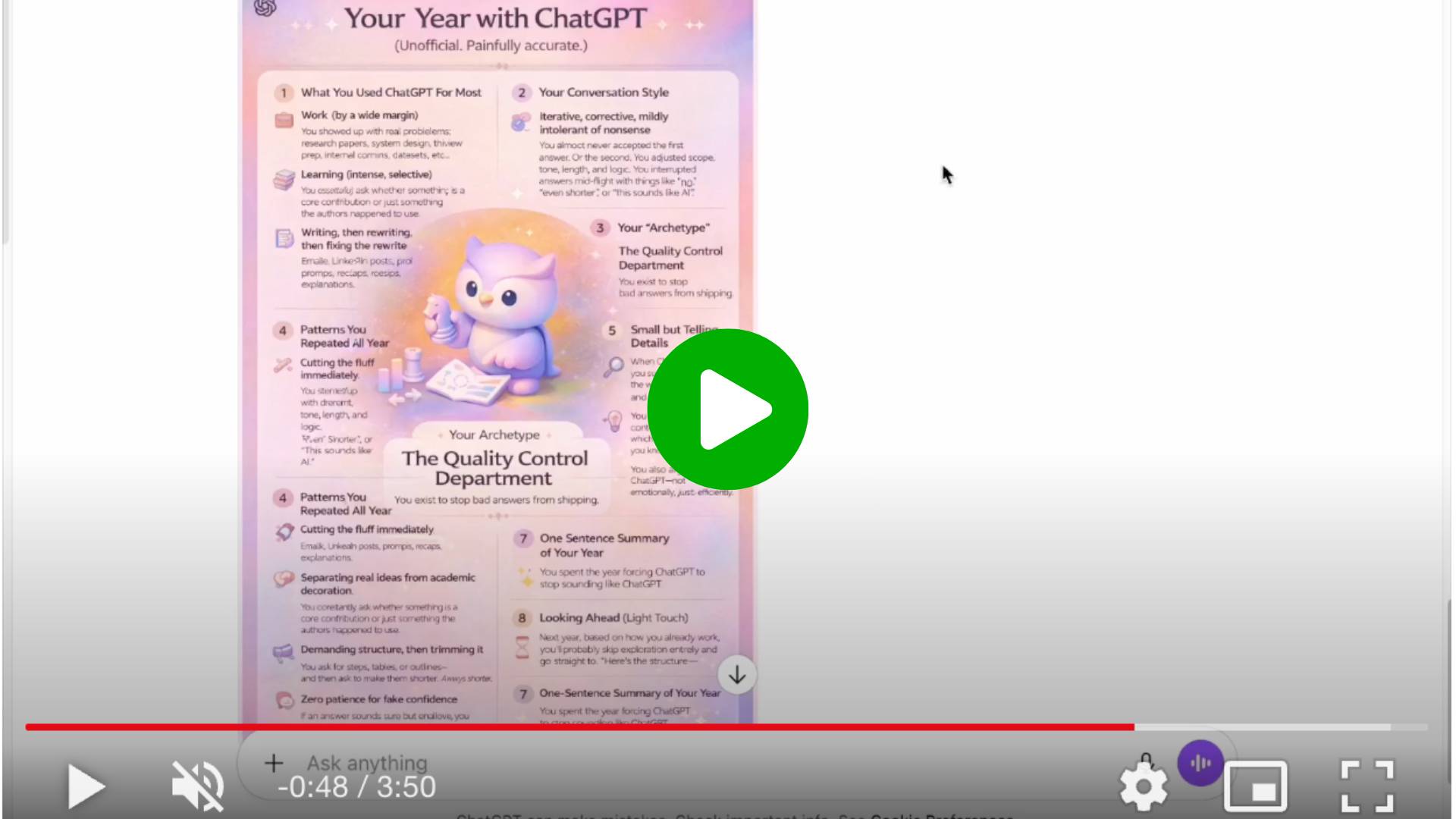
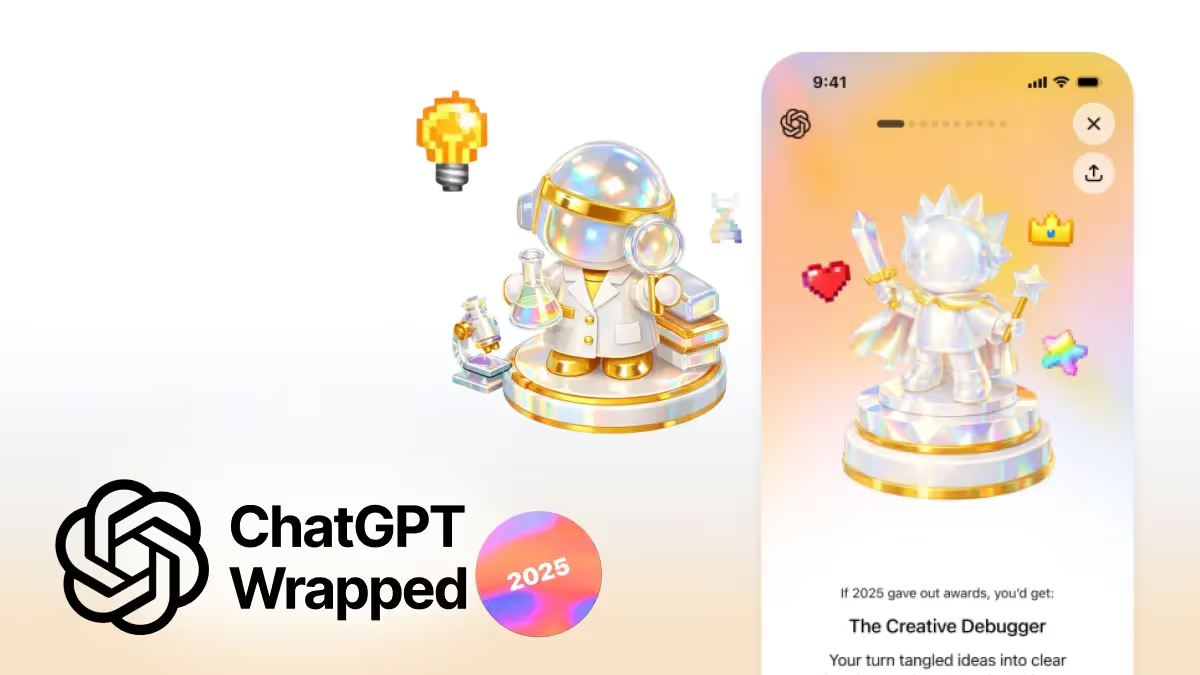
Last week, ChatGPT rolled out “Your Year with ChatGPT,” a year-end recap that looks back at how people used the tool over the past year. Similar to Spotify Wrapped or YouTube Rewind, it highlights personal metrics like top topics, chat frequency, and even playful details like your most active day or pixel art based on your conversations.
You can watch the video here.
It’s available in the U.S., Canada, the U.K., Australia, and New Zealand. You’ll find it when you open ChatGPT as “Your Year with ChatGPT” (usually surfaced on the home screen).
If you’re in some EU markets and don’t see it yet, no worries. In this tutorial, we’ll make our own version to visualize how you’ve been using ChatGPT over the past year.
Share your version in the community or reply this email with the poster and one line that best sums up your year with ChatGPT!
Step 1: Ask ChatGPT to summarize your year
Start by asking ChatGPT to generate a year-end recap based only on what it can observe from your chats. The goal here is accuracy.
Use the prompt below as-is:
You are generating “Your Year with ChatGPT”, inspired by the official end-of-year recap experience.
Your job is to approximate the official experience as faithfully as possible using patterns observable from our chats only.
Rules you must follow:
• Do not invent numeric stats (message counts, exact dates).
• Use relative language instead (e.g. “often,” “rarely,” “consistently”).
• Separate observable patterns from interpretation.
• If something is inferred, say so explicitly.
• Avoid hype, praise, or generic self-help language.
• Tone: conversational like a close friend, commentary, funny, slightly sarcastic, clean, slightly playful, grounded.
• Style: product-style recap, not emotional journaling.
⸻
Your Year with ChatGPT
1. What You Used ChatGPT For Most
List the dominant categories of conversations (work, learning, reflection, planning, etc.) and briefly explain what I kept returning to.
2. Your Conversation Style
Describe how I typically interact with ChatGPT (e.g. iterative, corrective, directive, exploratory), based on how I phrase and refine prompts.
3. Your “Archetype”
Assign a short archetype label (1–3 words).
Explain why this label fits using concrete conversational behavior, not personality traits.
4. Patterns You Repeated All Year
Identify 3–5 recurring behaviors (e.g. pushing for clarity, asking for structure, rejecting vague answers).
Each must be grounded in chat behavior, not assumptions.
5. Small but Telling Details
Call out 2–3 subtle habits (for example: how I react to uncertainty, how I respond when answers are wrong, or how I steer conversations).
6. One Playful Stat (Approximated)
Include one light, non-numeric stat (e.g. “You rarely accepted first drafts” or “Most sessions ended with refinement, not closure”).
7. A One-Sentence Summary of Your Year
A single sentence that feels product-accurate and slightly uncomfortable in its honesty.
8. Looking Ahead (Light Touch)
One grounded observation about how my use of ChatGPT might evolve next year, based only on current patterns.
This prompt does a few important things:
- It prevents ChatGPT from making up numbers or timelines.
- It forces a clear line between what’s observable and what’s inferred.
- It sets a grounded, conversational tone rather than a motivational one.
If you skip this and ask for a generic summary, the result will likely feel vague and interchangeable. This prompt is what keeps it specific.
Step 2: Adjust the tone
The first version is rarely the one you keep.
Ask ChatGPT to refine the output:
- Make it a bit more humorous or slightly sarcastic.
- Cut anything that sounds overly polished or generic.
- Add small observations or commentary.
You can do that by sending these simple follow-ups:
- “This feels too polite, make it more honest.”
- “Rewrite this in a more casual, conversational way.”
- “Keep the insight, but make it sound less like advice.”
You’re not changing the structure here, just nudging the voice until it feels natural.
Step 3: Turn the text into a poster
Once the content feels right, switch to ChatGPT Images and ask it to create a poster using the recap.
Now I want to turn it into a one-page poster to include all content above. The style should be exactly like Your Year with ChatGPT visual style. Make my archetype illustration the central/highlighted element.
Share clear visual preferences, in this demo, I’m using the Your Year with ChatGPT visual reference.
Step 4: Refine the image
Treat the first image as a draft.
Re-activate images and give direct, simple feedback, such as:
- “Make the one-sentence summary more prominent.”
- “The archetype should be the main focus.”
- “This feels crowded, add more spacing.”
- “Tone this down; it should feel lighter.”
Once you’re happy with the poster, download it and share with your network!
Step 5: Have fun with it
If you want to go further, you can:
- Generate a more minimal or more playful version of the poster
- Turn it into a digital holiday card
- Turn the one-sentence summary into a standalone visual
- Generate different thematic variants
PRO Members: watch the video tutorial here: In 5 Steps: Create Your Own 2025 ChatGPT Wrapped