This step-by-step guide is exclusively available for Lead with AI PRO membership. 🚀 With Lead with AI PRO, you’ll get: ✅ Access to expert-crafted step-by-step guides ✅ AI-powered workflows to boost productivity ✅ Exclusive tools and resources for smarter work Upgrade to Lead with AI PRO and access all premium content instantly.
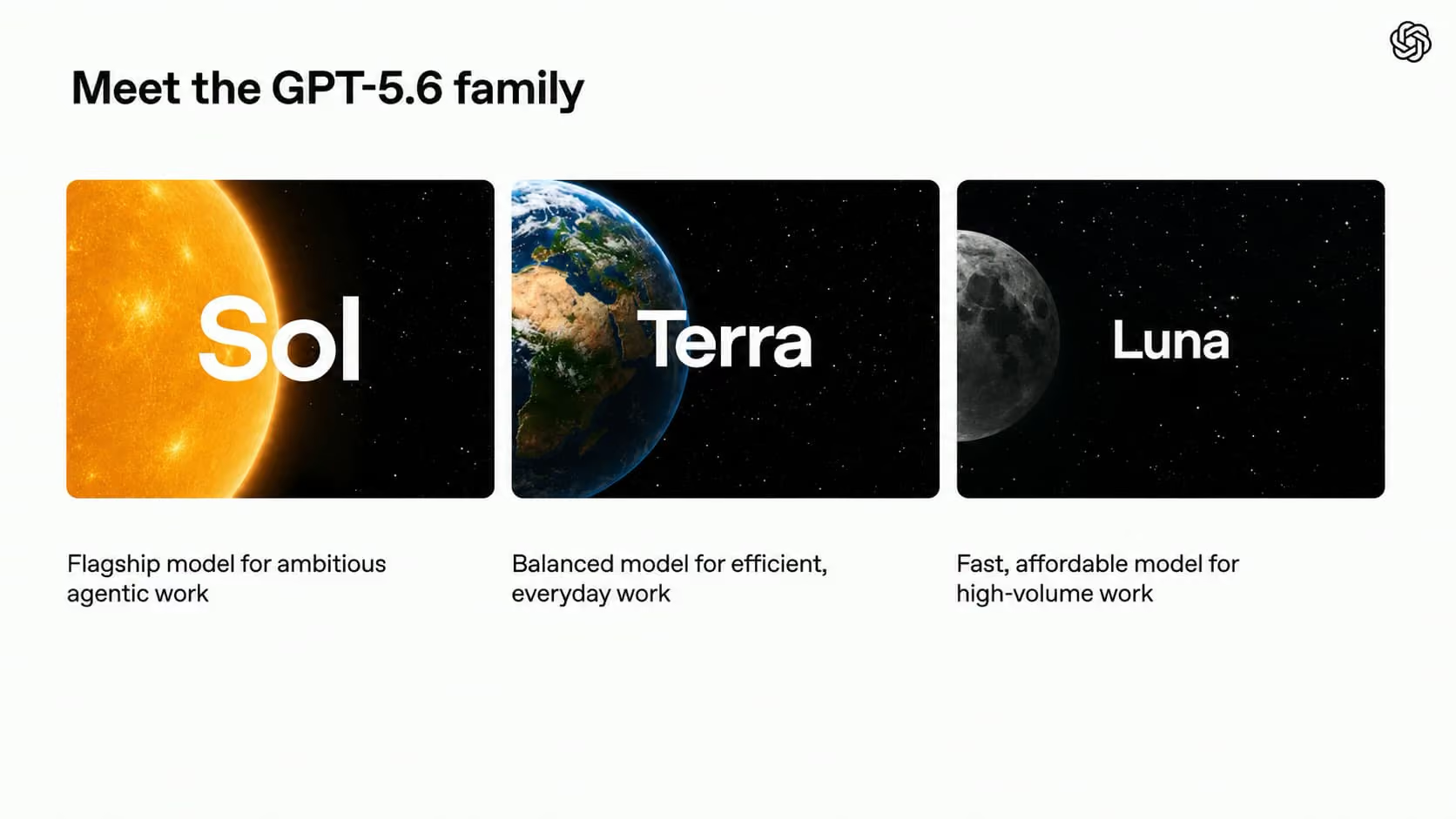
If you have not been following the version numbers, GPT-5.6 is OpenAI's newest and strongest model family, and it is the engine that now runs ChatGPT. It comes in three tiers: Sol for the hardest work, Terra for balanced everyday tasks, and Luna for fast, low-cost jobs.
GPT-5.6 is here: Sol for ambitious agentic work, Terra for everyday work, Luna to be fast and affordable
It lands in the same week OpenAI shipped ChatGPT Work, its answer to handing real work across your apps, and GPT-Live, which turns voice into a genuine thinking partner. GPT-5.6 is the engine underneath all of it.
GPT-5.6 does more with every token. You get more finished work for the same money, or the same quality for less.
Flagship AI Newsletter
The AI Newsletter That Makes You Smarter, Not Busier
Join over 30,000 leaders and receive our insights on AI platforms, implementations, and organizational change management.
Efficient and Connected
Efficiency is the real story, and it shows up as cost. GPT-5.6 does frontier-level work with far fewer tokens. Early benchmarks put it roughly level with Claude's Fable 5 on raw intelligence, at a fraction of the cost, and the cheaper Terra and Luna tiers drop the price further still.
This is the same shift our Chief AI Officer Gary Tate wrote about in token maxing to budget maxing: the thing that limits using AI at scale is no longer capability, it is cost. When frontier work stops costing frontier money, the budget conversation gets a lot easier.
It turns messy context into finished work. GPT-5.6 pulls from your connected tools, your documents, Slack, Notion, Microsoft 365, and Google Drive, and hands back something close to done rather than a rough first draft. It can even check its own work on screen and fix the obvious problems before you see them, so there is less for you to clean up.
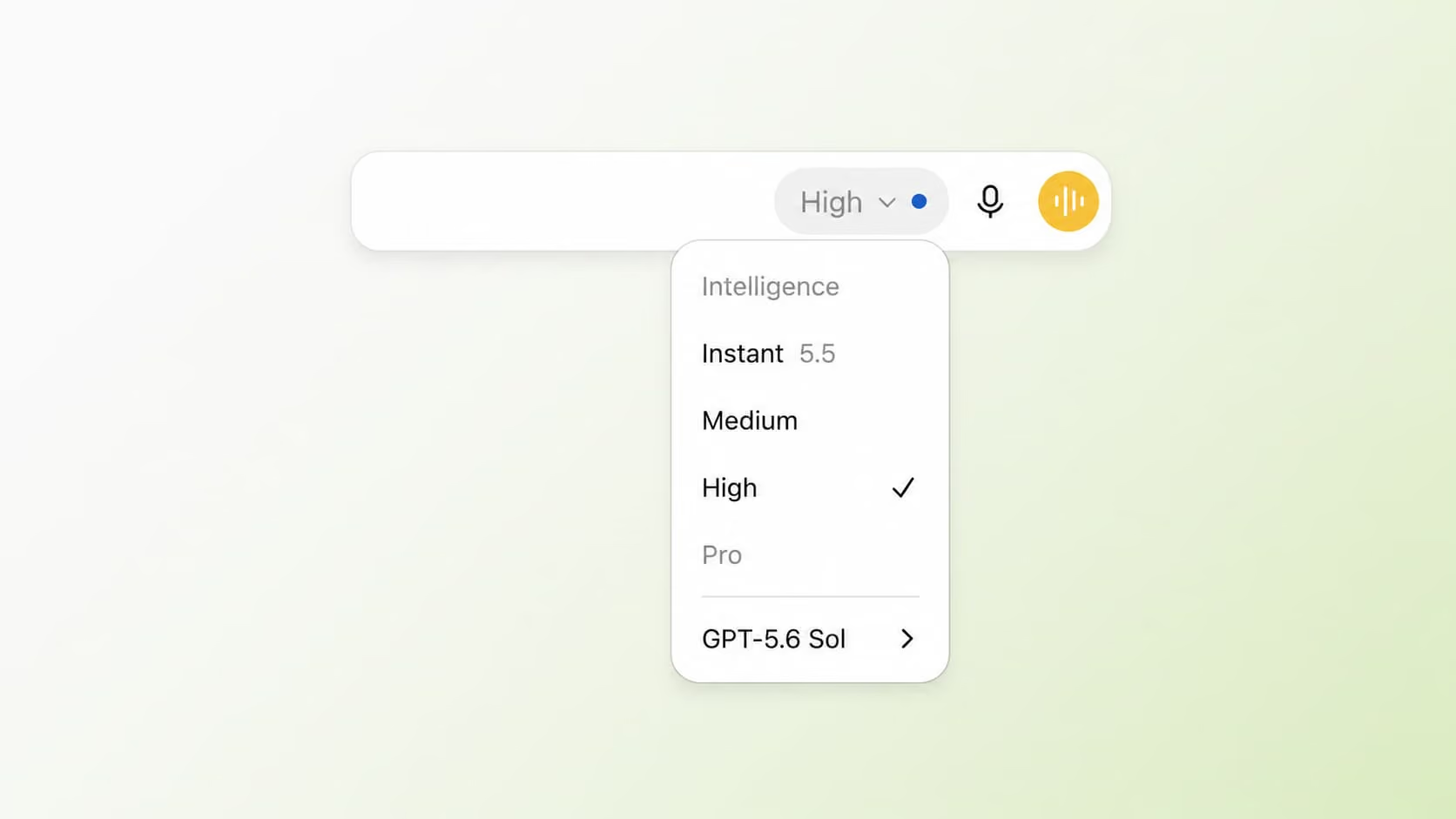
You can switch GPT-5.6 Sol to Medium and High (plus on other plans, Extra High and Pro)
You control how much reasoning power you need: within Sol, you can choose between Medium and High (on most plans) plus Extra High and Pro.
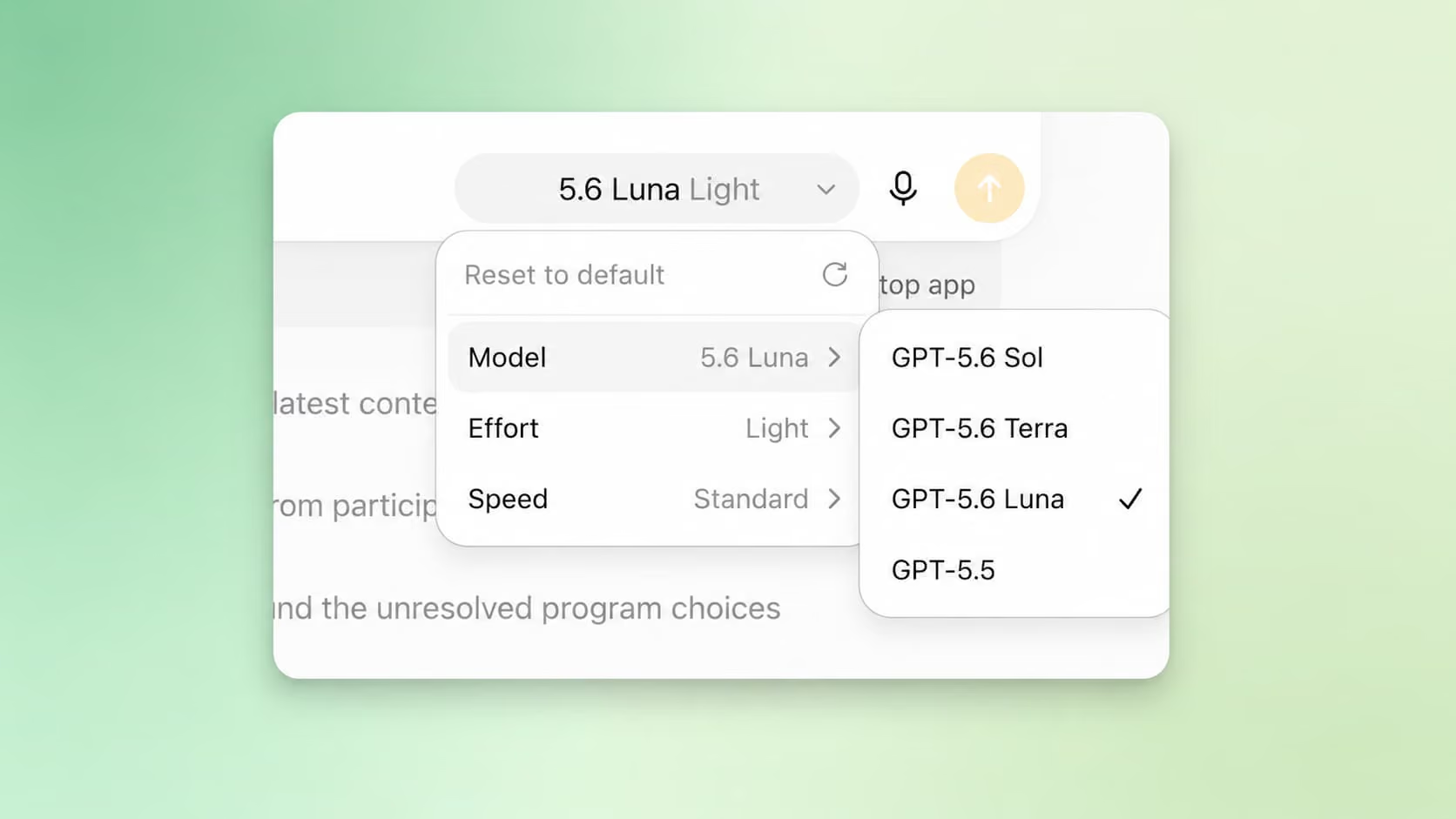
In ChatGPT Work, OpenAI's answer to Claude Cowork, you have an incredible amount of choice, including Terra (balance) and Luna (cost-effective) plus advanced control over speed and depth:
GPT-5.6 Sol, Terra, and Luna in the new ChatGPT Work
For more day-to-day tasks, you can also switch back to 5.5 (Instant).
For most of your day you will not need the flagship, and that is the point.
Way Smarter, Way More Focused
Another benefit of 5.6 became clear with an experiment I ran.
I have been wanting to send my team a simple end-of-week update on what I actually shipped. To do that properly, the model has to pull everything together: my full calendar, every email I sent, and every Slack message I posted, and then find the signal in all of it.
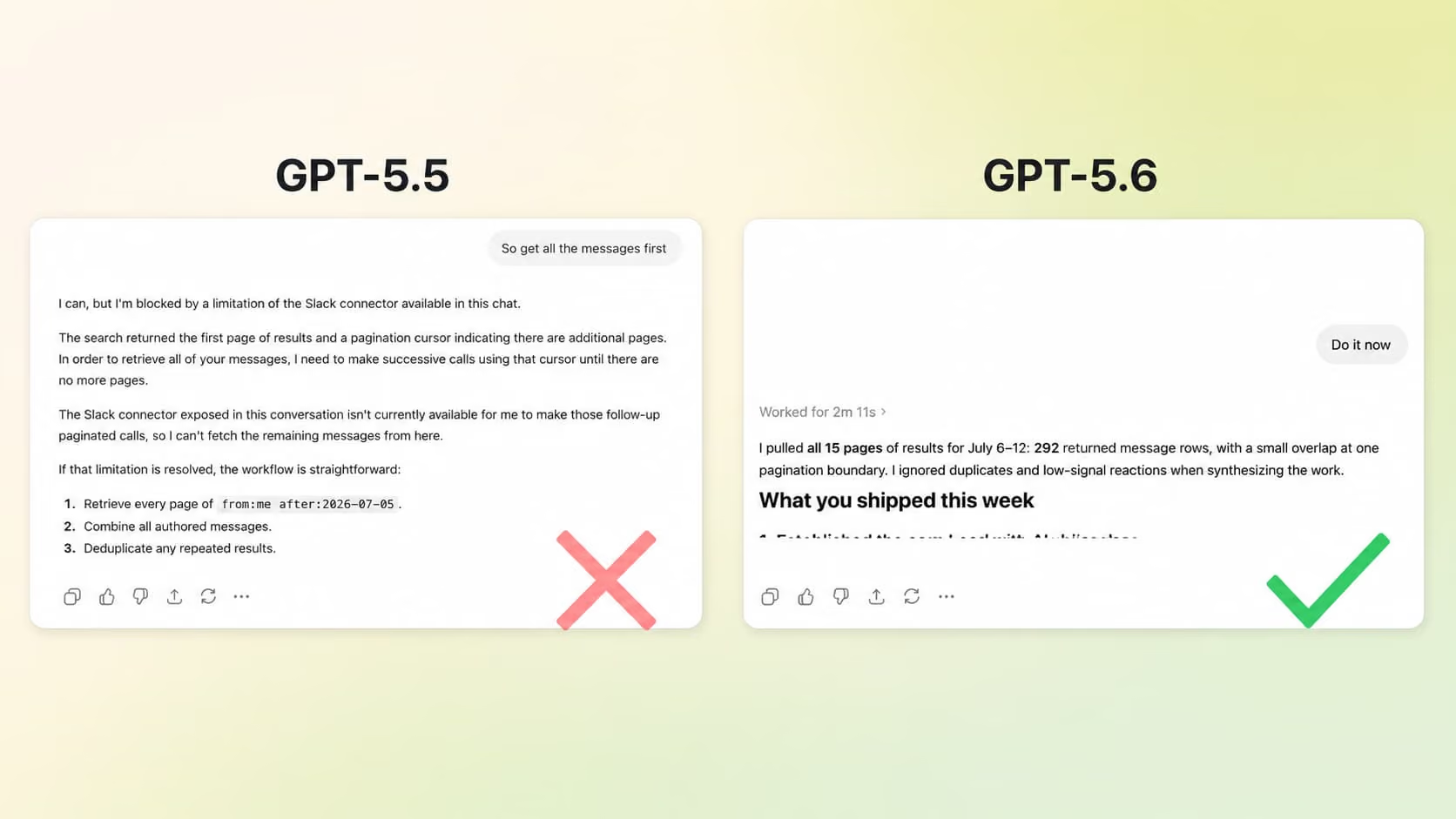
I tried it with GPT-5.5 first, and it refused to reach past the latest ten Slack messages.
GPT 5.5 versus 5.6 Sol (High)
GPT-5.6 on the high setting pulled in hundreds of Slack messages and, within seconds, distilled the whole pile into a clean list of what I had shipped. Then it went a step further and flagged patterns in how I was spending my time, and where I could be sharper with it.
That is the connector reaching into everything, the power to process hundreds of messages at once, and the intelligence to turn all of it into something useful, in a single pass. It is a real step up from where we were.
Also on Copilot: Where Most Leaders Will Meet This
The best news for most of our readers: GPT-5.6 is now the preferred model inside Microsoft 365 Copilot, even across apps like Word, Excel, PowerPoint, Copilot Chat, and Cowork.
Microsoft is putting OpenAI's newest model straight into the apps you already open every day.
Here is what that looks like in the tools themselves:
In Word, it can draft and refine documents with fewer rounds of prompting.
In Excel, it can run deeper analysis and get you from raw data to a clear answer faster.
In PowerPoint, it can turn a rough idea into a polished deck with far less direction from you.
In Cowork, it can carry complex, cross-functional work with less hand-holding between steps.
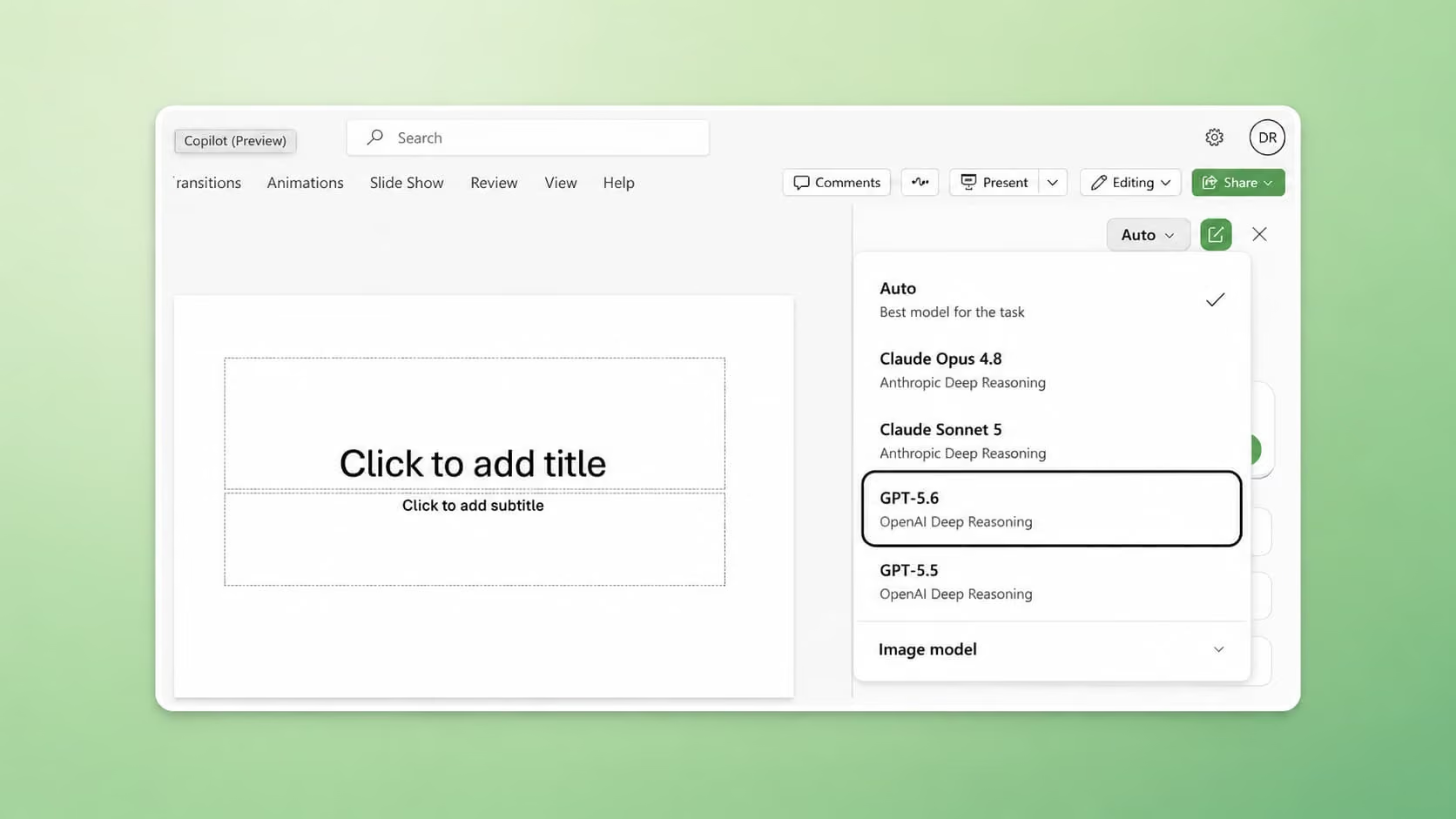
In order to access this advanced model, you need to change 'auto' in the model picker to your model of choice. Microsoft always renames models slightly, so in this case you're looking for "GPT-5.6 "OpenAI Deep Reasoning".
ChatGPT 5.6-Sol ("Deep Reasoning") in Microsoft PowerPoint
It's pretty great, because simply because the model quietly gets better underneath the software you already pay for, you get more without learning something new.
The results were remarkably better than what I've seen from Copilot in PowerPoint before, and may just help it become one of the best AI PowerPoint generators. So without switching tools or learning new features, your Copilot simply got better at building a deck overnight.
Flagship AI Newsletter
The AI Newsletter That Makes You Smarter, Not Busier
Join over 30,000 leaders and receive our insights on AI platforms, implementations, and organizational change management.
Prompting GPT-5.6
As always, what you get out of AI is just as much about the model as it is your prompt.
The general best practices of prompt engineering stand, but prompting frontier models can be a bit different, exactly because they are so smart. So after switching from the default model to one of the new 5.6 models, follow these tips from OpenAI:
Be specific. It's concise by default, so broad instructions like "be concise" may now be unnecessary and can sometimes make responses too brief.
Set personality and collaboration style. To get the right outputs, define personality (controls tone, warmth, directness, formality, humor, empathy, and polish), and collaboration style (when the model asks questions, makes assumptions, takes initiative, explains tradeoffs, checks work, and handles uncertainty).
Prompt less. These models are smart, so tell them what you're trying to achieve (the 'Objective' in the CODO prompt framework), and let them choose the path.
Autonomy/approval boundaries. These models are programmed to be fairly autonomous, so set clear boundaries of when the tools should stop and let you review work before heading to the next steps.
Get that right, and every task you hand off becomes a real lift to your Impact per Hour.