

As a designer, I'm notorious for struggling with having a clear action plan.
Imagine you're tackling a big project.
You need a roadmap, right? That's where an action plan steps in.
I see it as my project GPS, guiding me from the start to the finish.
If you wonder, "Isn't this just a fancy to-do list?," it is, and isn’t.
An action plan zeroes in on one specific goal. At the same time, a to-do list juggles multiple tasks and objectives.
Action plans are game-changing strategic guides that help you and your team efficiently use resources, adhere to deadlines, and reach your goal.
That's why I designed the "Small Steps" AI Task Breakdown Tool.
Why We Need Action Plans
Studies have shown that people perform better when writing down what they need to do.
According to Wake Forest University research, just planning to complete tasks that we haven't yet done can alleviate our distracting anxiety.
The professors found that people tend to underperform on a task if they cannot complete a warm-up activity that typically comes before it.
However, if participants were given the opportunity to create and record specific plans for finishing the warm-up activity, their performance on the next task significantly improved.
As one of the professors points out, even just writing down tasks can increase overall effectiveness.
So, the right first step to tackling any project is breaking it down into manageable and bite-sized tasks. Otherwise, large tasks can quickly become unconquerable. This can lead to frustration and decreased productivity.
Use the AI Action Plan Generator to Break Down the Project into Smaller Tasks
Effortlessly break down your project
In the era of AI technology, it is wise to utilize its capabilities to quickly and efficiently figure out where to begin your projects.
My AI Action Plan Generator is a user-friendly and hassle-free tool that makes it easy to break down your project into smaller, more manageable tasks.
You don't need to sign up or go through a complicated registration process to use such a handy tool.
Head to the only white box in the AI Action Plan Generator, simply enter your big project, such as "I want to build a landing page in 2 days," and watch the magic unfold!
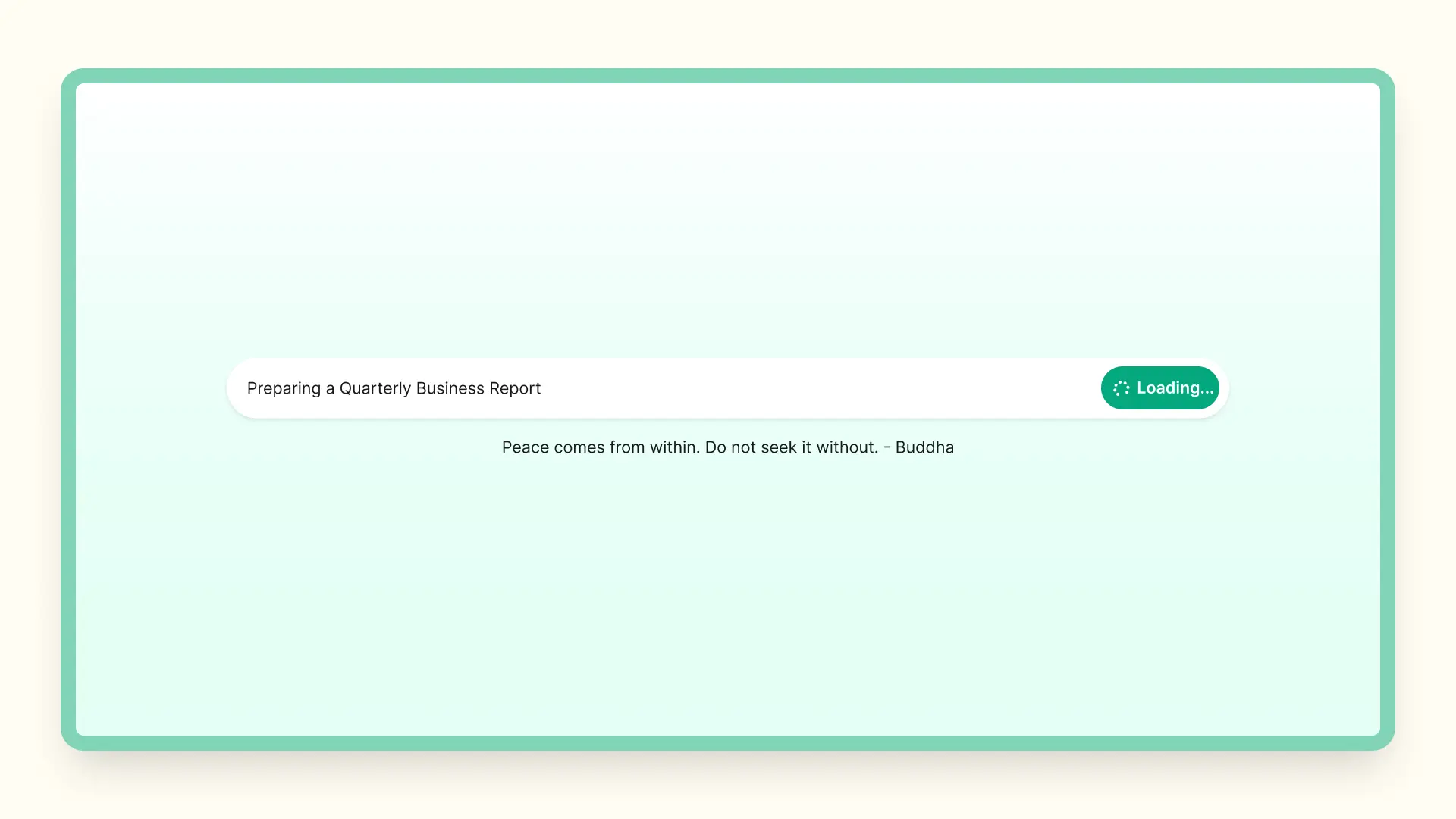
SMART way to achieve your ultimate goals
Our AI Action Plan Generator uses AI-powered algorithms through ChatGPT 3.5 to define tasks in a SMART way, making it easy for you to plan your work and take action toward your goal, and accomplish your performance goals.
Drawing on millions of machine-learning data points, our AI Action Plan Generator provides task returns that are tailored to your goals, ensuring you break down big projects into Specific, Measurable, Achievable, Relevant, and Time-bound tasks.
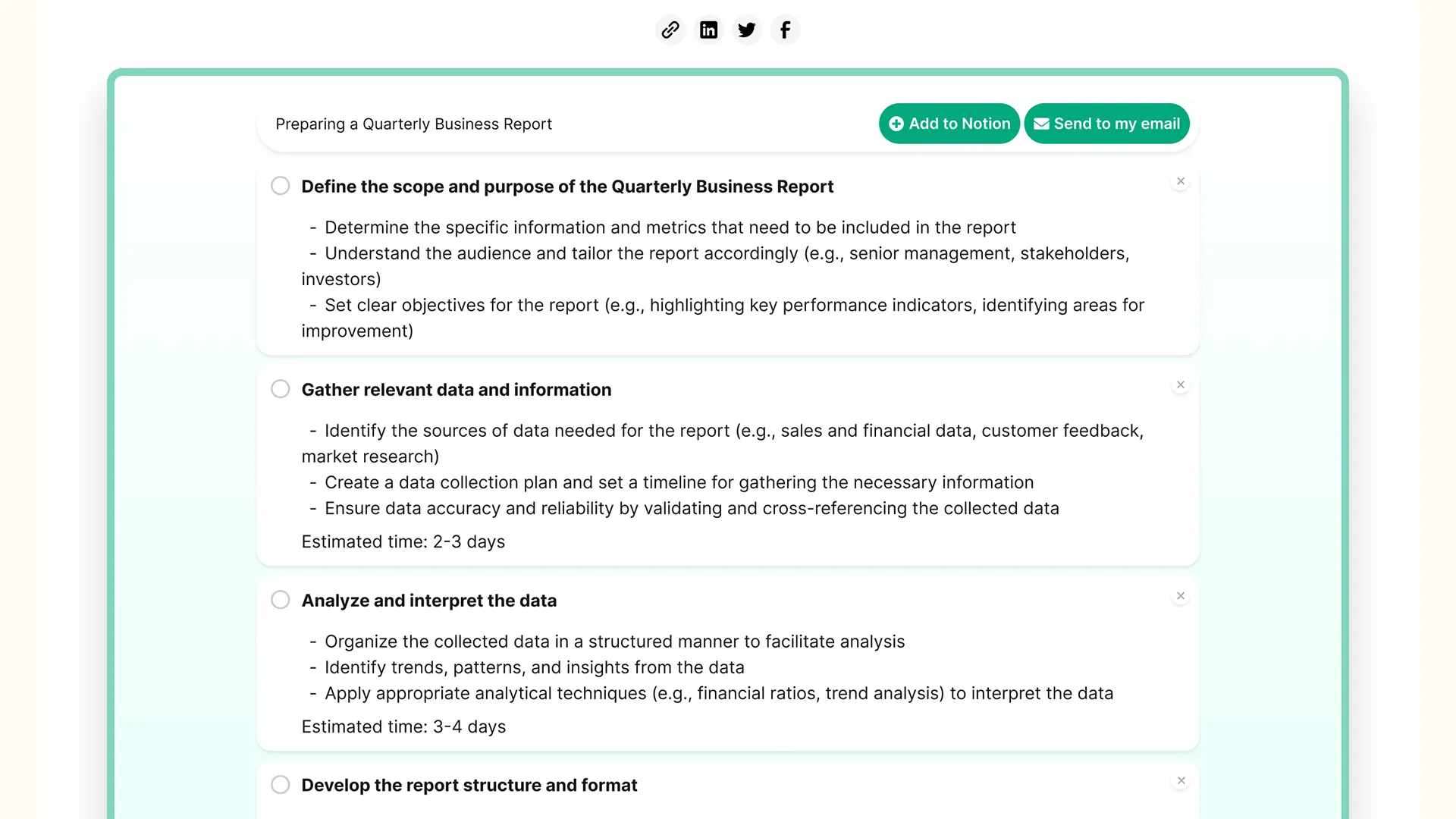
Easily export your to-do list with one click
With the click of a button, you can easily download your to-do list from our AI Action Plan Generator. Seamlessly integrate it with your favorite task tracker or project planning tool to plan further and stay organized.
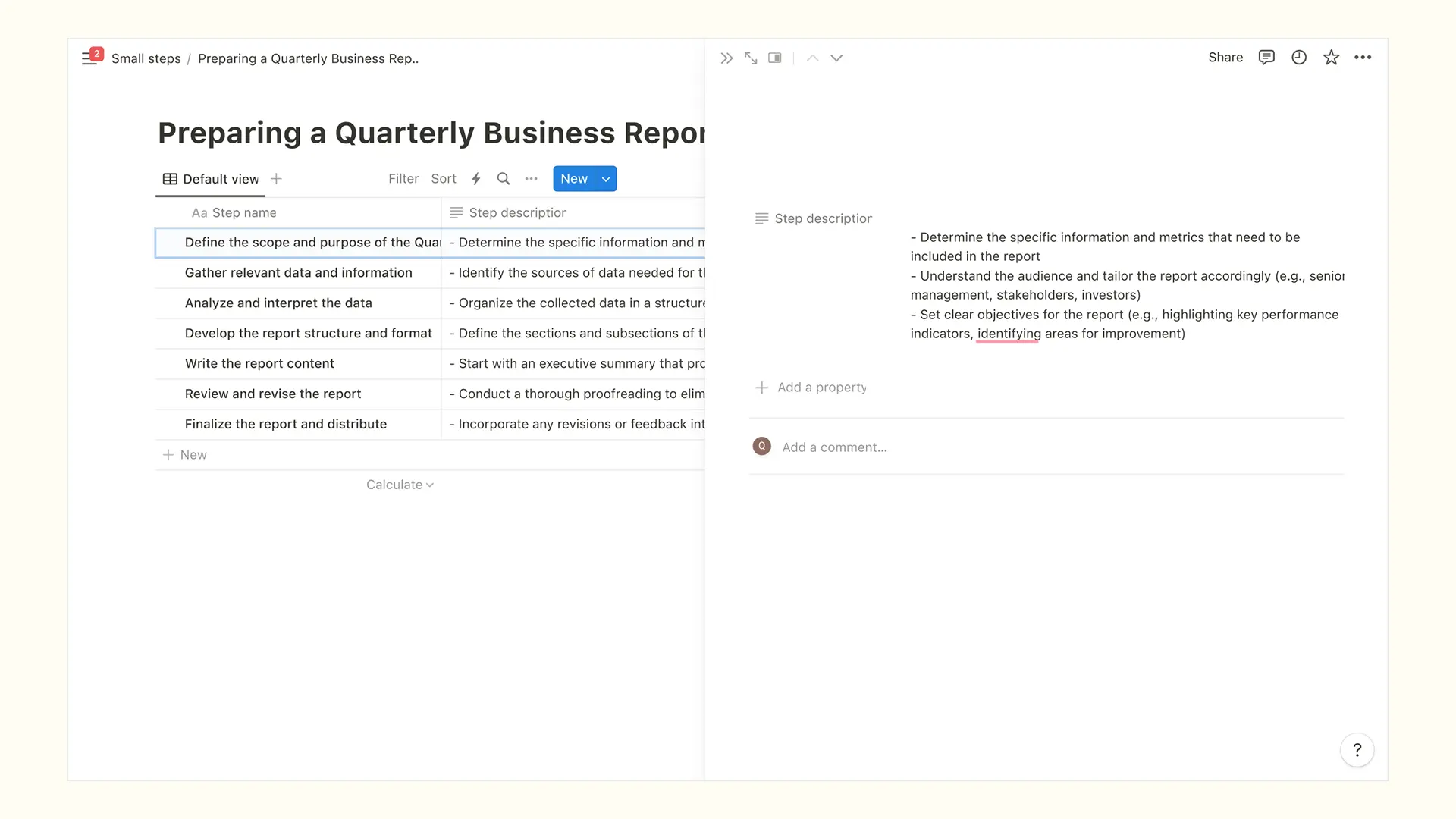
Set Timelines and Assignees for Each Task
Once you've got your tasks sorted out, the next thing to do is to consider the project's deadline and the dependencies between the individual tasks. This is crucial for effective task management.
Working with others can really help boost performance and make it easier to achieve goals that would be difficult to reach on your own.
It's important to assign tasks to people based on their skills, expertise, and availability, so you can balance the workload fairly. Managers and project owners should keep an eye on things to ensure everything goes smoothly.
Here's how to do it:
- Review the estimated time duration - Our AI Action Plan Generator provides you with the estimated time duration needed for each task. Review this estimate to help you better plan your project.
- Prioritize your tasks - Decide which tasks are most important and prioritize them accordingly. Set timelines for each task based on their priority level.
- Delegate tasks - Assign tasks to willing team members, suitable collaborators, and/or relevant stakeholders. Ensure everyone is on the same page and accountable for their work.
- Review and adjust as needed - Review your progress regularly and adjust your timelines and assignees to help you stay flexible and adaptable to changing circumstances.
Some Tips Work Smarter, Not Harder
Alright, so now that you've got your project all broken down into manageable steps with our AI Action Plan Generator and are ready to start taking action.
But if you want to work smarter instead of harder, there are a few more tricks up our sleeve. These tips will help you be more productive and efficient, whether you're a team leader or working solo.
Allocate Your Energy
Apply the Two-Minute Technique to handle simpler tasks swiftly. If a task takes two minutes or less, do it right away. This strategy reduces your time spent on scattered pieces and clears your mind to focus on more important ones.
Besides, research suggests that tackling the most challenging tasks at the beginning of your day can lead to increased productivity and a sense of accomplishment. By facing difficult tasks head-on, you can conserve mental energy for the rest of your to-dos.
Task Batching
Task batching involves grouping similar tasks together and tackling them in dedicated time blocks. This approach helps minimize context switching, allowing you to maintain focus and work more efficiently.
For instance, if you have multiple emails to respond to, set aside a specific time period to address them all rather than constantly interrupt other tasks throughout the day.
Let's talk about the example of the "building a landing page in 2 days" project. You could dedicate one time block to designing the layout and structure, another to gathering and organizing visual assets and content, and then a separate block for coding and development.
By batching similar tasks, you can optimize your workflow and boost your productivity.
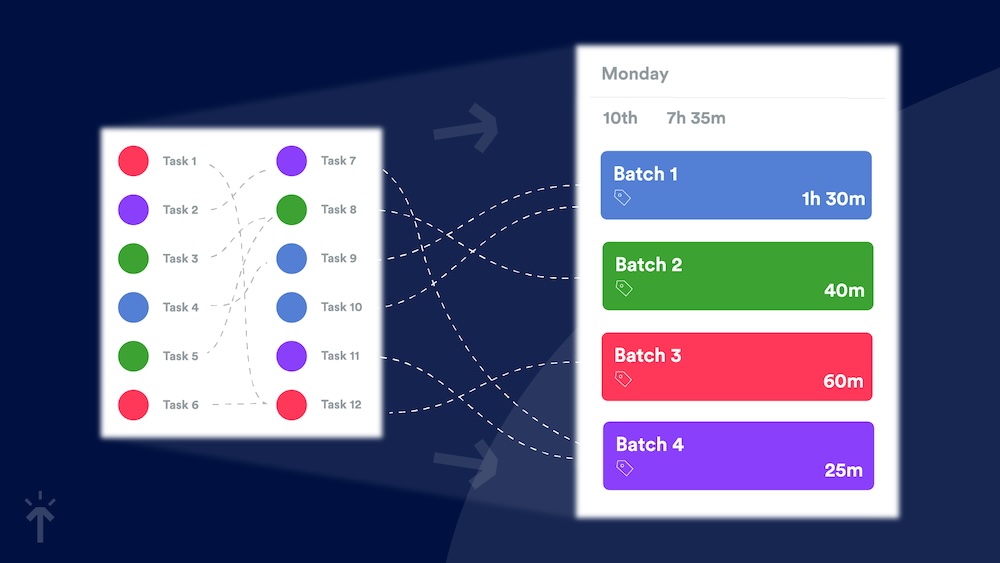
Create a Schedule
Creating a schedule and adhering to it is a smart move. According to Parkinson's Law, work expands to fill the time allotted for its completion. By setting deadlines for your tasks, you create a sense of urgency that helps you concentrate and work more effectively.
And to really take things up a notch, use Google Calendar to divide up your day into time slots for different tasks or categories of work. This way you won't get sidetracked by distractions and can really dive deep into your work.
Combining both time management techniques (plus a little discipline!) will move you forward, stay focused, and not let work drag on forever. Establishing a productive rhythm that increases your productivity will set you up for success.
Take Breaks
Contrary to popular belief, taking regular breaks actually enhances productivity. Our brains need time to rest and recharge to maintain optimal performance. Incorporating short breaks throughout your workday can significantly enhance your focus, prevent burnout, and ultimately boost your productivity.
Experiment with different break intervals, such as the Pomodoro Technique (working for a concentrated period followed by a short break), to find what works best for you. Just remember to step away from your work area during breaks to fully recharge and come back refreshed.
Start Small Today
The wise saying goes, "A journey of a thousand miles begins with a single step." It's often the first step that's the hardest, and that's where the Lead with AI "Small Steps" AI Action Plan generator comes in.
Don't let big, overwhelming tasks stand in your way. Break them down into smaller, more manageable pieces.
With my user-friendly and SMART AI-powered algorithms, our generator can help you plan your work and take action to reach your goals.
So, What's your big task today?
Give my AI Action Plan Generator a try and see how easy it can be to accomplish more and work smarter.
Need more AI tools to make your work and life 10x easier? Check out our Top AI Websites.
Use our Prompt Generator to create 10x more powerful prompts and see more value from your ChatGPT usage.
Want to learn more about AI? Check out our guide to AI in the Workplace.
AI Action Plan Generator: Frequently Asked Questions
What is an AI action plan generator?
An AI action plan generator turns one goal, described in plain language, into an ordered list of concrete tasks. Instead of facing a blank page, you get each step with an estimated duration and a sensible sequence. The useful ones stop at tasks small enough to actually start, which is exactly where most planning breaks down.
What is the difference between an action plan and a project plan?
An action plan targets a single goal and stays tactical: the steps, the owners, the deadlines. A project plan is broader, covering scope, budget, resources, risk, and multiple parallel workstreams.
If you have one clear goal and want to start moving this week, you want an action plan. If you are coordinating several teams over several months, you want a project plan.
Is this AI action plan generator free?
Yes. It is free and requires no account or signup. Enter your goal, review the tasks that come back, then export the list or email it to yourself.
What makes a good action plan?
A good action plan names one clear goal, breaks it into tasks small enough to finish in a single sitting, gives every task an owner and a deadline, and defines what "done" looks like before the work starts.
Research by Masicampo and Baumeister at Wake Forest University found that writing down a specific plan for an unfinished task improved performance on the task that came next. Most plans fail because the steps were too big to begin, not because the goal was wrong.
How do I write an AI adoption action plan for my team?
Start with the workflows your team repeats most often, then decide which of those AI should handle, which it should assist with, and which it should stay out of entirely. Our GED-RT framework is built for exactly that sorting step.
Give every change a named owner and a review date, and agree on how you will measure the result before you begin. An adoption plan that lists tools but assigns no owners and defines no measurement tends to stall after the pilot.