
June 4, 2026

Persistent AI Agents Are Here: What Leaders Need to Know

Persistent AI agents are now running in the cloud and locally. Gary Tate explains what leaders must decide about deployment, security, and skills right now.
Gary C. Tate
By
Gary C. Tate
Chief AI Officer

Presented by

When you close your laptop tonight, what happens to your AI?

For most leaders, the answer is: everything stops. But that's exactly what's changing, and it's changing faster than most people realize.

The question on the table for every organization right now isn't just what AI can do. It's where it lives, and whether it keeps working when you're not watching.

In this month's agentic briefing, Gary C. Tate, Chief AI Officer at Lead with AI, breaks down the shift from chat-based AI to persistent, always-on agent systems — what's available now, what the security tradeoffs are, and what leaders should actually be building.

What Is a Persistent AI Agent, and Why Does It Matter Now?

A persistent AI agent is exactly what the name suggests: an agent that keeps running whether or not you have your laptop open.

"Normally when we come to work with an assistant or agent on our device, we kind of open our laptop, and we spin up Codex or Co-Work, and then we start working," Tate explained. "What's happening now is there's an ability and a requirement to have agents working independently over long periods of time, which might be days, might be evenings, might be whenever you want."
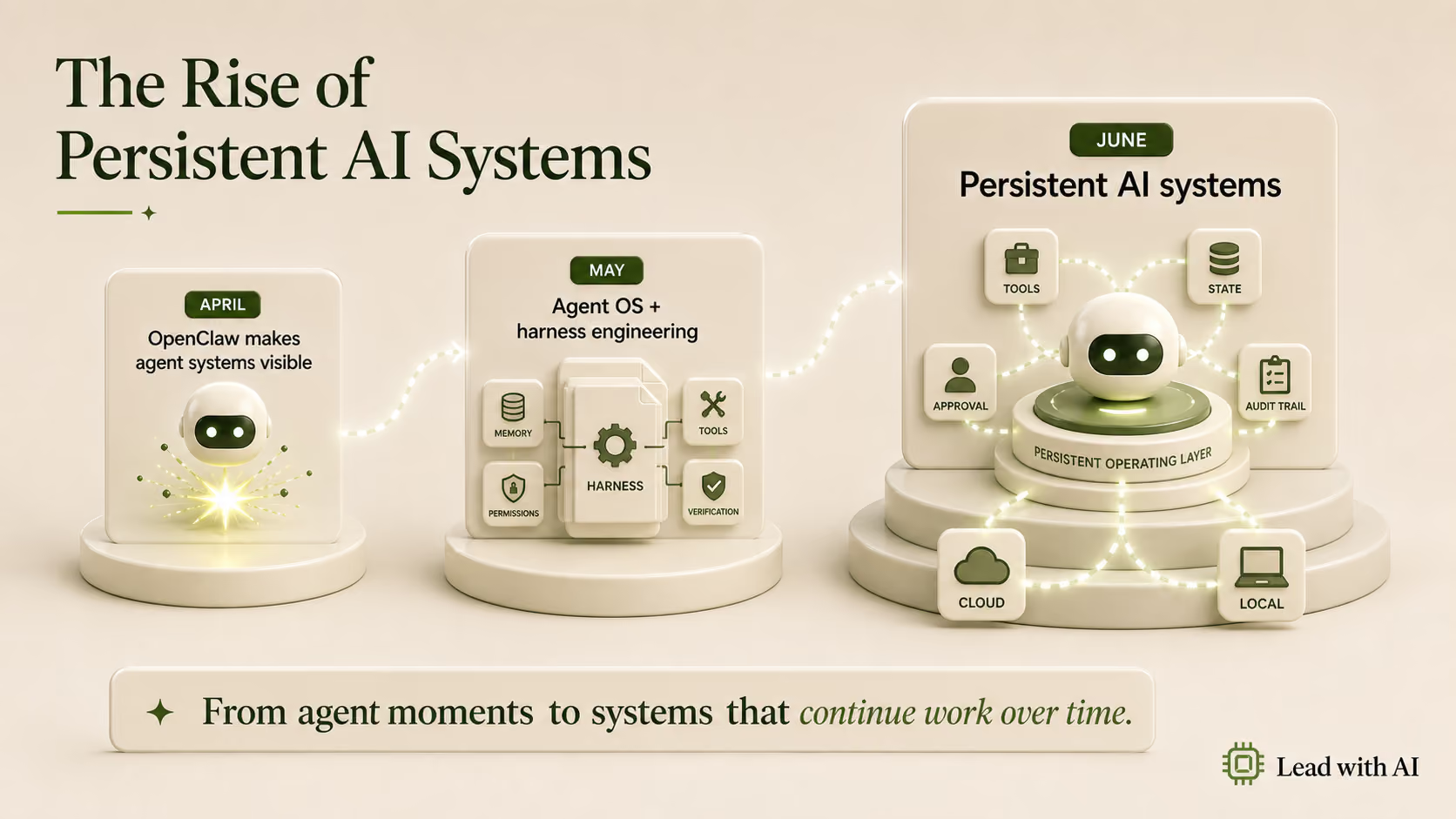
This wasn't the original vision for AI assistants. Agents were built around human-in-the-loop interaction: you ask, it answers, you close the tab. But as these systems became capable of executing long-horizon, multi-step tasks on their own, the question of where they run became critical.

"Because agents are actually able to perform long horizon tasks over many hours and many days, now there's this move towards: how can we build these agents and let them be persistent?" Tate said.

The short answer: either in the cloud, or on a local machine. Both paths are now viable for most organizations, and both have arrived at roughly the same time.

Flagship AI Newsletter
The AI Newsletter That Makes You Smarter, Not Busier
Join over 30,000 leaders and receive our insights on AI platforms, implementations, and organizational change management.
FlexOS Course - AI Content Accelerator - Testimonial Badge

Cloud vs. Local: The Deployment Split You Need to Understand

Every major platform is now racing to offer persistent agent infrastructure.

On the cloud side:

  • Anthropic has launched Managed Agents, which run inside controlled sandboxes and connect to private MCP servers.
  • Microsoft launched a Hosted Agent Foundry, compute infrastructure purpose-built for running agents.
  • Google's Agent Engine runs inside Vertex.
  • OpenAI launched Workspace Agents: "agents you can configure, and then they're persistent and you can deploy them into Slack or WhatsApp...and then they live there."

"You could create an HR handbook agent, put it into Slack, and it will always be there. It's always on," he said.

On the local side, the story is driven by hardware that moved surprisingly fast. Apple's Mac hardware, originally built for video creators processing 4K footage, turned out to be the accidental perfect machine for running AI models locally. "Mac was the first one to do this, unintentionally," Tate said. "They inadvertently got the perfect local AI machine."

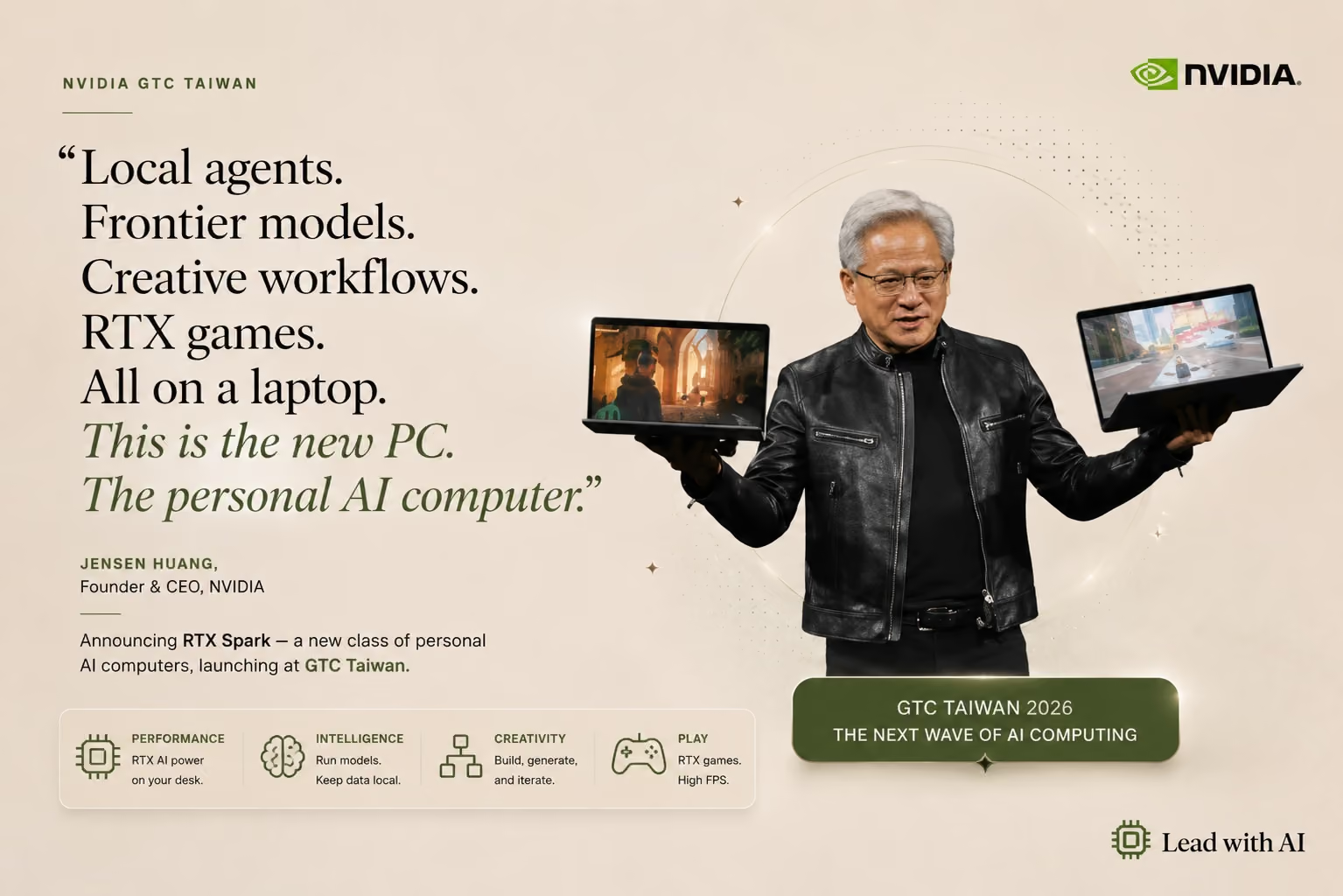
NVIDIA's Spark platform combines ARM CPUs and CUDA cores on a single die and runs trillion-parameter models. Google's Gemma 4 models, at 12 billion parameters, can run on a Mac Mini with 32GB of memory.

Nvidia RTX Spark brings AI local

"You can now, on your personal laptop that you can take down to the coffee shop, run extremely capable AI models that can do most of the things that you would want to do," Tate said.

The cost dynamic is shifting too. "If you've got a $3,000 machine and a really powerful local model running, it's completely free. There's no token cost." He also flagged that OpenAI's CFO confirmed they are still subsidizing tokens to everybody, and that it would have to stop at some point. Anthropic, heading toward IPO, has already started pulling back. The economics of local deployment are going to look more attractive as that shift accelerates.

The Security Question That Changes Everything for Enterprise

For many organizations, the persistent agent conversation hits a wall at security.

Cloud platforms from Google and Microsoft offer strong baseline security, decades of hardened infrastructure that AI-native companies simply haven't had time to build yet. "Claude and OpenAI are amazing AI companies, but they are not super secure cloud companies," he said. "They haven't been battle-hardened over 20 years of building cloud platforms and data centers."

If you're in the Google ecosystem and using Gemini, or in the Microsoft ecosystem with Copilot, the risk profile is manageable. "If you have Google Workspace and they've got your data and you've got Gemini, they're together in the same location, so you can manage that risk."

But there's a common misconception: running an agent on a local machine doesn't automatically mean your data is local.

"I had somebody asking me about having persistent agents running on a Mac Mini, but they were actually running through the cloud, through Claude or through ChatGPT. It's being sent to the cloud. So even though it seemed like it was secure, it was still sending third-party data."

True local deployment, with a local LLM running on the machine, changes the picture entirely. "With these machines, your data all stays local and can be processed locally. You don't even need to be connected to the internet."

Tate described working with a client handling high-net-worth financial data, the kind that legally couldn't leave the premises. "Up until now, to get the right amount of power to run agents, you would have to use a cloud-based LLM, and that immediately introduces risk. Now you can have a desktop machine, bring a foundation-level model to process your data through an LLM, and run agents."

What used to require a full data center build-out can now sit on a desk. For a broader look at how organizations are navigating this shift, see our guide to AI in the workplace.

What Are These Agents Actually Running? The Skill Layer Explained

Inside a persistent agent system, the component that often gets overlooked is the skill.

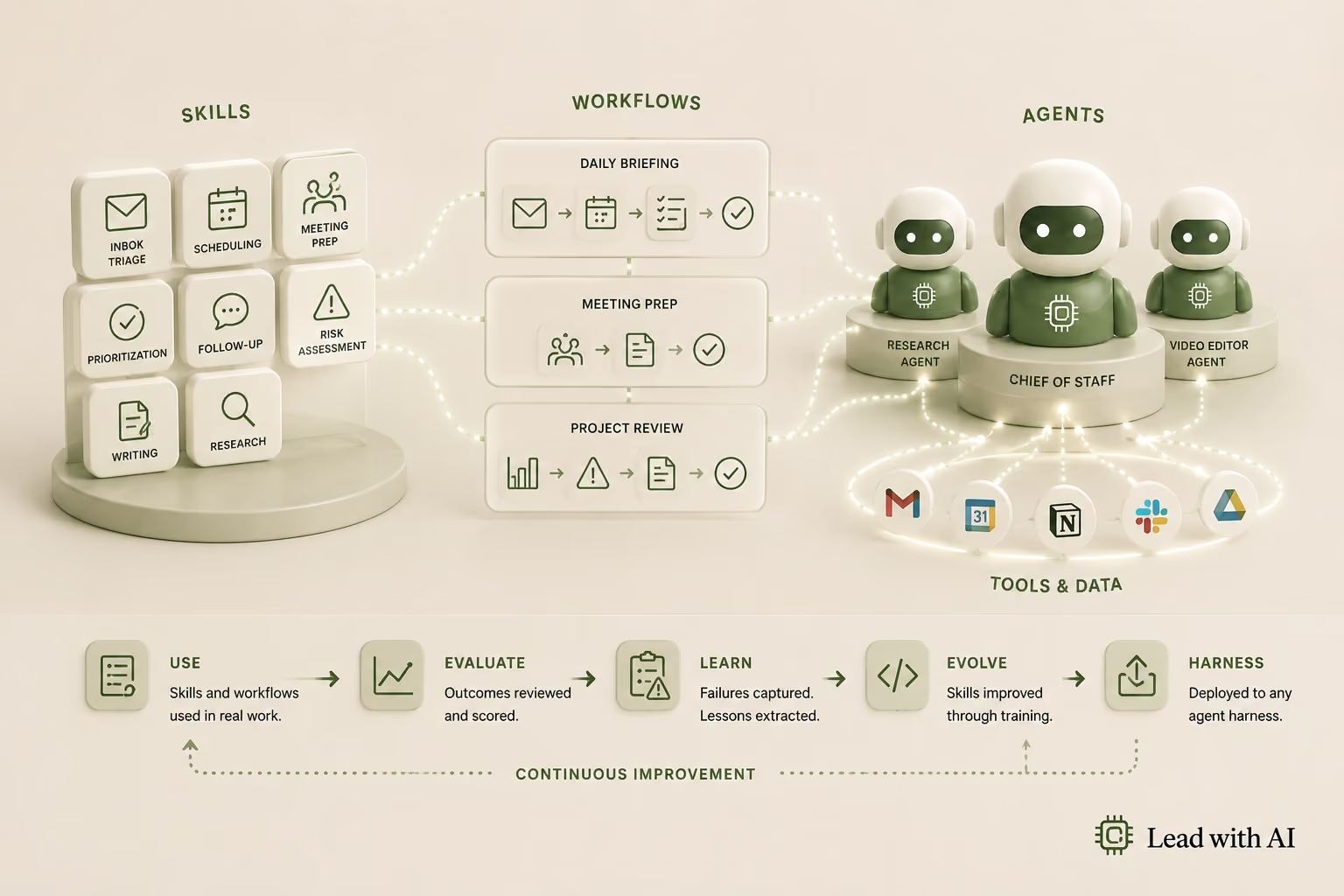
"Inside an agent, there's a workflow type of component called a skill, where you can teach an AI agent to do something the way you would do it," Tate explained. An email triage skill is a text file containing a persistent set of instructions that tells the agent how you like to triage email. The agent follows it every time, consistently. If you want to see how agent-based email handling works in practice, our guide to AI for email walks through the tools and workflows leaders are using today.

But skills have an expiration problem. "When you first design a skill and give it to an agent, it may triage email well, and then you get some different types of emails that it's never come across before, and the skill fails."

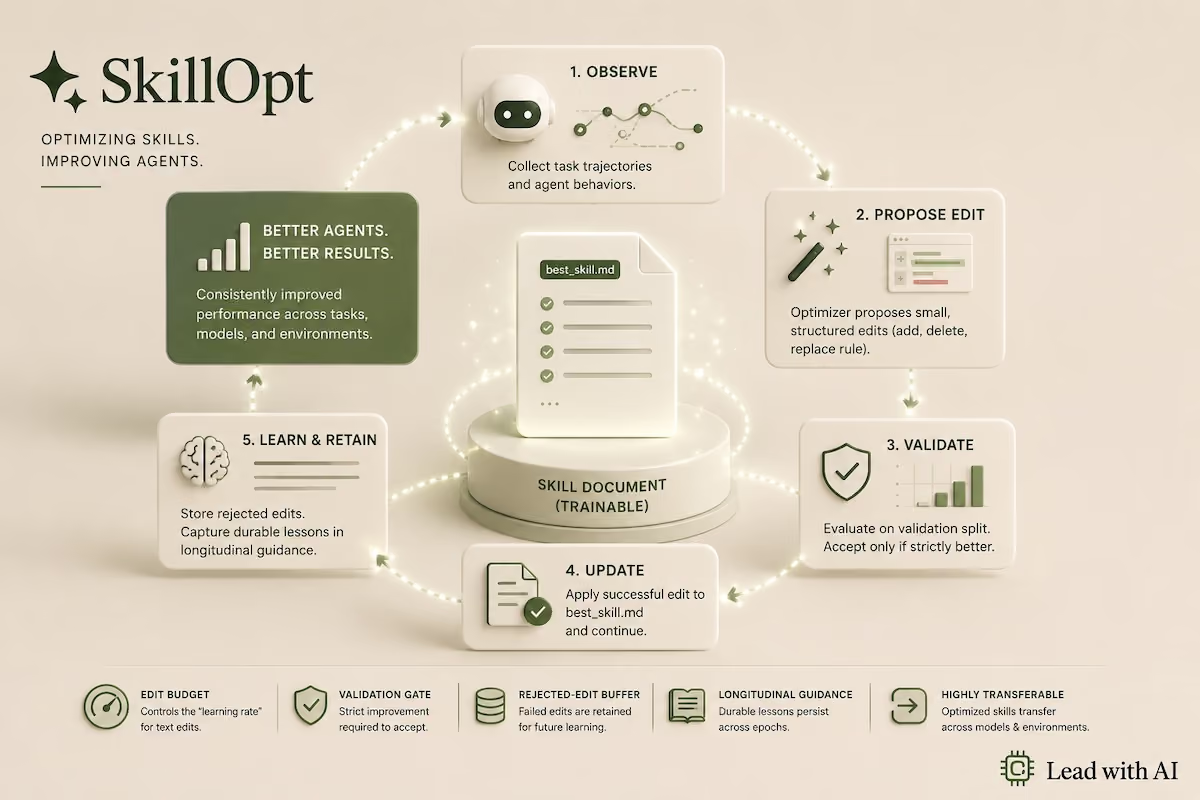
Microsoft has been building what Tate calls a "skill-op loop" to address this: a mechanism that lets agents assess a skill and improve it over time. "As a new model comes out and it gets better at doing a piece of work, it can re-evaluate the skills in your system, give them a version, and then deploy them again."

The difference between an agent and an assistant comes down to one word: action.

"If you remember the way you interact with ChatGPT, it's like a coach or a board of directors. It's not going to do anything for you, except tell you information and give you advice, and then you have to do the work. Whereas when you create an agent, you're giving it access and tooling, and you are delegating the authority to it to actually take action on your behalf."

That delegation is what makes guardrails and skills so important. "Agents are not fully deterministic. When you give it work and give it authority to do work, you introduce a level of risk. That's when you would want to give workflows and skills to the agent, so it has a narrow, focused way to do a task, and it's like this every time."

What to Automate, What to Ignore, and What to Build Now

His own current build is an e-commerce operation run entirely by a persistent local agent. "I have an agent that takes orders, checks inventory, does all kinds of things. It can talk to my supplier and I don't have to be involved." He runs this on a local machine. "The majority of the things I'm doing on that machine is done by a local model, so it's costing me nothing."

For enterprise, the calculus is different. Tate described a large enterprise that uses Microsoft 365 but won't connect its applications to Microsoft Copilot because of prompt injection risk. For organizations in that position, the ability to run foundation-model-level capability on a desktop machine, fully air-gapped, is a material change.

The question of which workloads belong where isn't binary. "You can have specific agents that use a cloud model, and then you could have another agent that is only allowed to use a local model, running on the machine. You can define that within the agent."

His guidance on staying current: build the system, not the shortcut. "The way that we prompted two years ago changed as the models became reasoning models. As the models became able to access tools and do long-running tasks, the prompting changed again. You always have to move with the times."

Skills, workflows, and agents - build the system first

When a new model releases, Tate's practice is to take his existing agent system and ask the new model to audit it and suggest improvements. The system levels up without being rebuilt.

Building AI fluency at the leadership level is what makes that upgrade loop possible. Leaders who understand what agents can and can't do are better positioned to decide what to automate, where the data security line is, and when a skill needs a guardrail rather than more capability. For leaders who want to go hands-on with building and deploying agents, Lead with AI's Agentic AI course covers exactly this — from harness setup to persistent deployment.

Key Takeaways

  • Define the runtime first. Before building a persistent agent, decide whether it runs in the cloud or locally. That decision determines your security model, your cost model, and what data the agent can access.
  • Don't mistake local hardware for local processing. An agent running on a Mac Mini that calls out to a cloud LLM is still sending your data to a third party. A local model eliminates that exposure entirely.
  • Build skills, not one-off prompts. Persistent agents need persistent instructions. A skill is a text file that defines how the agent handles a category of work, and should be version-controlled and tested like software.
  • Ask new models to audit your systems. When frontier capability improves, use the new model to evaluate your existing agent setup. You get improvements without full rebuilds.
  • Evaluate the cost math. Cloud token costs are currently subsidized; that won't last. A capable local machine may offer faster ROI than continued cloud dependency.