Even though AI has been around for decades, it reached its peak (for now) when ChatGPT was launched in November 2022.
But ChatGPT's rising popularity is just the tip of the iceberg in the realm of AI in the Workplace.
In fact, our recent research, “Generative AI at work, shows that 57% of professionals now regularly use generative AI tools, with usage climbing to 71% among younger demographics like Gen Z and Millennials. Surely, it'll only get better once ChatGPT 5 is out.
The impact?
A staggering 81% report enhanced productivity, experiencing benefits such as quicker task completion, improved work quality, and effortless multitasking.
So, imagine starting your day not with the daunting task of sorting through a mountain of emails but with AI efficiently categorizing and prioritizing them for you.
With this comprehensive list of AI productivity tools, you’ll save a lot of time! I’ve used each of these and many others and chosen only the best to list here.
So, get ready to explore 10 AI productivity tools that can revolutionize how you work in 2024.
SPONSORED BY: ONLOOP
1. Otter.ai – Best for Automated Meeting Note-Taking
Bonus: Zoom AI (For Zoom Users)
Microsoft Copilot (For Microsoft Teams Users)
2. ClickUp – Best for Project Management and Task Tracking
Bonus: Free AI Action Plan Generator
3. Trevor AI – Best for Task Management and Personal Planning
4. Miro Assist – Best for Remote Team Collaboration
5. GrammarlyGO – Best for Writing Faster
6. Jasper AI – Best for High Volume of Content
7. SlidesAI – Best for Presentation Building
8. Tettra – Best for Information Organization
9. Notion AI – Best for Work Note-Taking and Documentation
10. Mem AI – Best for Organizing Personal Notes
1. Otter.ai – Best for Automated Meeting Note-Taking

I've been using Otter.ai, and honestly, it's like having a savvy assistant who's always on the ball.
As someone with many Zoom meetings, I find Otter.ai's real-time transcription capability very useful.
During Zoom meetings, it provides live transcription (in a separate window) that can be edited and shared right after the meeting.
Otter.ai works well with Google Calendar and other popular virtual meeting platforms, including Google Meet and Microsoft Teams.
The AI tool can differentiate between speakers, omit filler words, and allow you to edit transcriptions manually.
These features make note-taking and post-meeting documentation more efficient, reducing the time you spend on them.
You can also quickly search through transcriptions using specific keywords, which is incredibly useful. For example, if you need to refer to a particular discussion point, just type in the relevant keyword, and there it is.
Overall, Otter.ai is an invaluable AI productivity tool for anyone looking to streamline their work and be more productive, particularly if you work remotely and collaborate online a lot.
Just remember that Otter might not always be perfect with technical language, so it's essential to double-check its accuracy in those situations.
Otter.ai Best Features
- Quick search: The tool identifies keywords and phrases, allowing you to search through extensive transcriptions quickly. So, when you want to go to a specific topic of discussion, you can simply type in the keyword, and it’ll take you to that point in the transcript.
- Easy integration: Otter seamlessly integrates with Google Calendar to record Zoom, Google Meet, or Microsoft Teams meetings automatically. I tried using it for Google Meet, and it automatically joined the meeting and started taking notes.
- Live transcription for Zoom: It offers on-the-spot captions for enhanced real-time communication. It is similar to the Zoom caption feature but allows you to edit the transcript after the meeting.
Pros
- Automatically joins a meeting and records both video and audio
- Lets you collaborate with teammates’add comments, highlight key points, and assign actionable items
Cons
- Works only in English and sometimes struggles with non-native accents
- Transcriptions may contain errors
Pricing
- Free plan: 300 monthly transcription minutes
- Paid plans: Starting at $10 user/month
Click here to try Otter.ai
Alternatives: Fireflies, Grain, Fathom, Rev
Bonus: Zoom AI (For Zoom Users)

If you already use Zoom, its AI features are a handy bonus for meeting notes. The tool provides automated transcriptions for recorded meetings, ensuring you have a written record of every discussion.
Zoom also offers real-time captions during meetings, enhancing accessibility and understanding. Although less feature-rich than dedicated tools like Otter.ai, it is a convenient feature for existing Zoom users.
Microsoft Copilot (For Microsoft Teams Users)

For Microsoft Teams users, you can now access the Microsoft Copilot, an AI-powered assistant designed to enhance your everyday work experience. Since 2023, it made significant strides in implementing AI trends to create a more intelligent workspace.
Copilot in meetings enables real-time transcription during meetings, summarizing key discussion points, indicating who said what, and even suggesting action items as the meeting progresses.
This makes it easier for you to catch up on meetings you've missed and to wrap up discussions with clear next steps.
These improvements greatly enhance collaboration and productivity in hybrid remote work.
2. ClickUp – Best for Project Management and Task Tracking
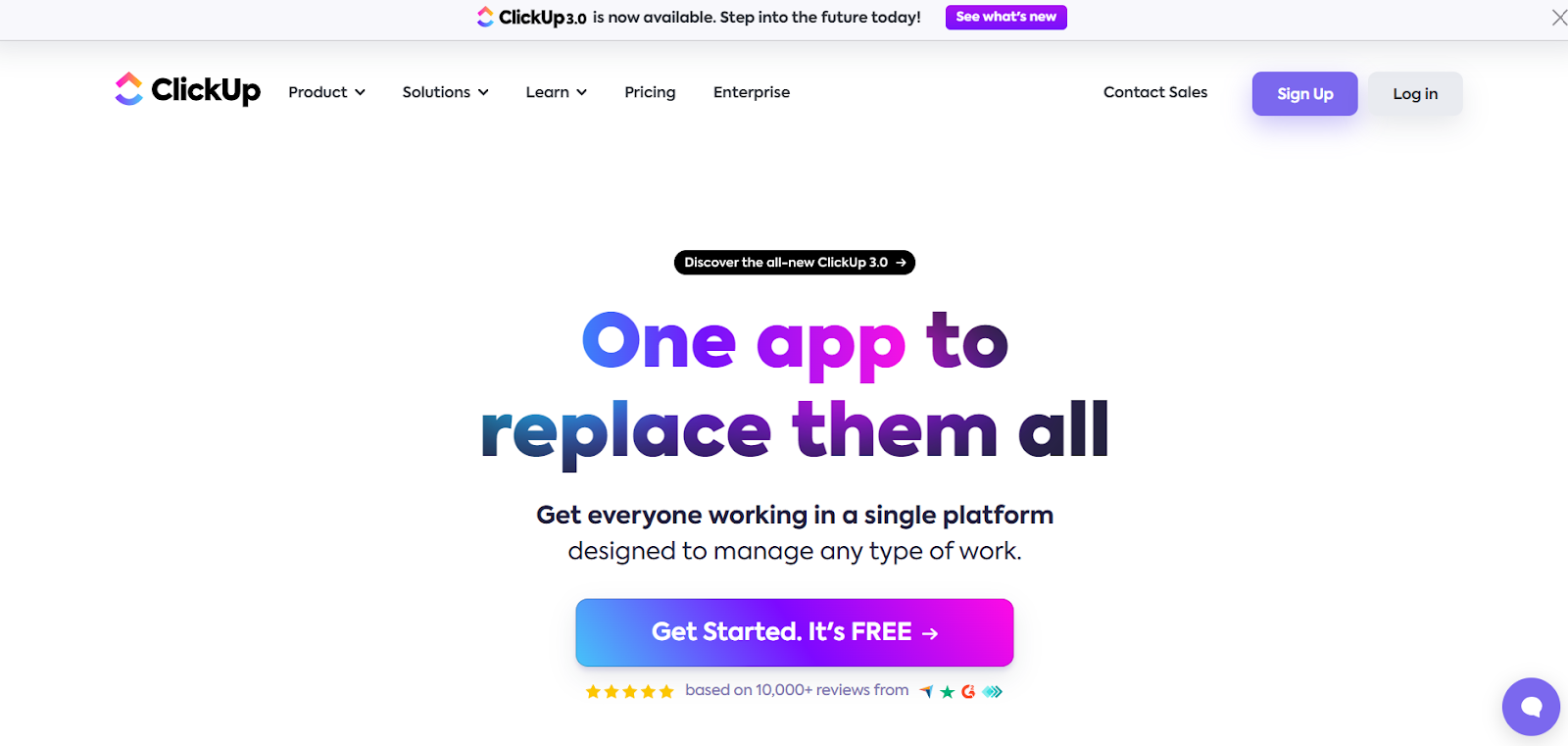
I have found ClickUp to be one of the most efficient project management and planning tools available in the market.
The platform is known for boosting productivity and team collaboration, and ClickUp AI is an impressive feature-rich extension.
The AI assistant can quickly generate subtasks, draft emails, and create documents, which I found particularly useful.
For instance, it can generate a list of subtasks based on a task's name and description, which helps to break down larger tasks into manageable steps. This feature is beneficial for busy workspaces and complex projects.
The AI's ability to summarize documents and meeting notes is another time-saver. It provides quick recaps of lengthy discussions or reports, ideal for busy team members or managers needing updates.
However, I must admit that when I first used ClickUp, I found myself overwhelmed by the sheer number of features it offers. It takes time to navigate and fully utilize the software's capabilities effectively.
For teams and individuals who are already familiar with ClickUp, integrating AI into your existing workflows can supercharge the platform’s capabilities.
ClickUp Best Features
- Customizable workspace: ClickUp allows you to tailor your workspace with custom statuses, task views, and layouts to fit your specific workflow.
- Easy integration: It can integrate with many tools, such as Google Calendar, Slack, and GitHub.
- Accessibility on mobile and web: ClickUp is accessible via web browser, desktop app, iOS or Android mobile app, or Chrome extension.
Pros
- Has real-time editing capabilities
- Provides translation of meeting documents in multiple languages
Cons
- Can be complex for beginners
- Only provides support through email and chat’no phone support
- Limited functionality on the mobile app
Pricing
- Free plan: Essential features suitable for personal use
- Unlimited plan: $7 member/month, includes endless tasks, integrations, and advanced reporting
- Business plan: $12 member/month, includes custom exporting and advanced automation
- Enterprise plan: Customized pricing and includes advanced security and control features
Click here to try ClickUp
Alternatives: Asana, Wrike, HiveMind, Smartsheet
Bonus: Free AI Action Plan Generator

As a manager, you know how precise actionable requirements help you and your team stay organized and focused on the objectives.
If you want to try AI capabilities to simplify project planning without signing up for a new project management software, consider Small Steps, an AI Action Plan Generator designed for better asynchronous work in hybrid remote work.
This AI-powered tool can break down big tasks into manageable steps for you, making tracking progress and meeting deadlines easier.
You only need to enter your project (the clearer, the better!), for example, "I want to build a landing page in 2 days," and receive a list of small steps to achieve your goals in a few seconds.
3. Trevor AI – Best for Task Management and Personal Planning

Trevor AI is a great AI productivity tool for organizing your day efficiently. It is like a personal assistant who plans your calendar based on your to-do's.
If you're a Todoist user, I recommend trying the Trevor AI extension. It takes task management to the next level by adding an AI-driven layer of efficiency that can transform how you plan and execute your daily tasks.
What I love most about Trevor AI is its AI-powered scheduling suggestions.
It considers various factors like due dates, task duration, and personal productivity patterns to optimize your schedule. This saves time in planning and ensures that you're working on the right tasks at the right times, thereby enhancing your productivity.
As a standalone tool, Trevor AI is still a great task management platform that allows me to apply the time-blocking technique effectively.
You can connect it directly with Google Calendar and Microsoft Calendar, and easily schedule important tasks through drag and drop or Trevor's AI suggestions.
Trevor AI Best Features
- AI-driven schedule analysis: Trevor AI's most impressive aspect is how it smartly leverages AI to dissect your daily routine. It looks at patterns in your day-to-day activities and determines the optimal times for meetings and focus sessions.
- Priority-based task scheduling: You can set the importance of each task, and the AI takes over from there, scheduling them efficiently.
Pros
- Easy integration with existing calendar systems
- AI integration delivers smart suggestions for time management
Cons
- Can be too simple for users looking for detailed project management features
- Primarily focused on individual use, lacking the ability for team collaboration
Pricing
- Free plan: Basic functionalities
- Pro plan: $3.99/month or $29.99/year, offering features like the personal AI model and multiple calendar accounts
Click here to try Trevor
Alternatives: Calendly
4. Miro Assist – Best for Remote Team Collaboration

Miro is way more than your average digital whiteboard. With the recent adoption of AI, it is now a tool of choice for over 60 million users globally, including the majority of Fortune 100 companies.
Miro Assist is an integrated AI feature set in the Miro user interface that enhances various elements such as sticky notes, images, mind maps, code blocks, and cards.
It is designed to enhance productivity and boost creativity with features like auto-structuring and mind map expansion, which allows you to transform freeform ideas into organized structures like workflows and mind maps.
You can generate similar sticky notes, summarize existing ones, and create visuals to demonstrate your ideas in seconds. These AI developments help you express your ideas better in digital brainstorming sessions and even make presentations and prototypes on Miro.
As of now, Miro AI is in its Beta version. But it has the great potential to streamline how we ideate and collaborate virtually.
Miro AI Best Features
- Auto-structuring: Miro AI automatically converts random notes into organized, structured workflows, diagrams, or mind maps. It helps maintain a clutter-free workspace, which is particularly useful during ideation sessions.
- Smart suggestions: It can learn your previous interactions and patterns and then provide intelligent suggestions. These may include tool recommendations, design ideas, or content advice.
- Content recognition: This innovative feature is designed to understand handwritten notes and sketches, transforming analog ideas into digital assets. It recognizes images, text, and even rough sketches, converting them into digital formats that are editable, searchable, and shareable.
Pros
- Its intuitive and easy-to-use interface is accessible to users of all skill levels
- Integration with more than 130 apps, including Microsoft Teams, Webex, Zoom, Atlassian, Slack, and Google Workspace for a smooth and seamless workflow
- Miro Assist can provide a better way for brainstorming and idea structuring compared to chat-based AI platforms like GPT
- Good pricing plans with AI features compared to other similar platforms
Cons
- It still requires a learning curve to make the most out of all features
- The AI algorithms could sometimes misinterpret user intentions or fail to capture the nuances of creative thought processes
- When boards become extensively populated with content or during simultaneous collaboration by multiple users, the platform may experience slowdowns.
Pricing
- Free plan: Basic features with limited board access
- Team plan: $10 per month, advanced collaboration features
- Business plan: $16 per month, includes additional features and advanced integrations
- Enterprise plan: Custom pricing for large teams and organizations
Click here to try Miro AI
Alternatives: Creately, Mural, FigJam, Whimsical
5. GrammarlyGO – Best for Writing Faster

If your job involves a lot of writing, you might already be familiar with Grammarly.
With its paid version, this tool works discreetly in the background as your writing assistant. It identifies your typos (or wrong word uses) and tightens up sentences, saving you a lot of time and effort that you might otherwise have to spend on editing and fine-tuning your work.
I have been using Grammarly for a while now, and I am impressed with its newly added AI features. These features have helped me save even more time while writing and editing content of any form.
GrammarlyGO, a recently launched extension of Grammarly editing software, makes the entire writing process more productive with its generative AI capabilities.
With GrammarlyGO features, you can create outlines for blog posts, generate ideas, ask for improvement suggestions, rewrite text, craft emails with specific tones, and more.
What I love most about GrammarlyGO is its ability to learn your tone and let you set your goals. It then offers many style suggestions to help you hit the right tone or make the sentences flow more smoothly.
This tool works well with Gmail, Google Docs, and Slack, so you don't have to juggle back and forth between platforms to finish your work.
Grammarly Best Features
- User-friendly interface: Grammarly's intuitive design allows seamless integration into daily writing tasks, whether for a beginner or an advanced user. This accessibility is beneficial for those unfamiliar with more complex editing software.
- Tool for continuous learning: Grammarly provides explanations for its corrections, which helps you learn from your errors and improve your writing skills over time. I love this because I want to refine my command of language and writing, which has helped me quite a bit in achieving my writing goals.
- Real-time checking and suggestions: Grammarly quickly identifies and corrects errors and punctuation mistakes as you type, which is essential for maintaining the writing flow. This immediate feedback ensures that your content is not only error-free but also polished and professional.
Pros
- Improves writing quality significantly
- It also offers a content score feature
- Activates on multiple platforms and devices
Cons
- May not always understand complex contexts or specialized jargon
- Relies on internet connectivity for full functionality
- GrammarlyGO is not supported on mobile versions
Pricing
- Free plan: Basic writing corrections
- Premium plan: Priced monthly, offers advanced features like full-sentence rewriting, vocabulary ideas, and much more
- Business plan: Tailored for large teams, offers features like a style guide and analytics
Click here to try Grammarly
Alternatives: Compose AI, Sembly AI, Quillbot AI
6. Jasper AI – Best for High Volume of Content

Jasper AI is one of the best AI productivity tools that helps generate high-quality content quickly.
You can use Jasper AI to rephrase existing content, craft narratives and stories based on inputs, or expand your brief outline into detailed content. I was impressed by its ability to understand the context, generate coherent text, and adapt to user input.
One of my favorite features of using Jasper AI is the ability to generate paragraphs around specific keywords. This is particularly helpful if you need to increase keyword placement throughout your content for SEO purposes or increase focus on specific terms to address niche audiences.
The tool comes with over 50 templates designed for various content types, making it an effective tool if you generate a large volume of diverse content regularly.
Jasper AI's multilingual capabilities are integrated within its platform, making it easier to operate globally or target markets in different countries. However, you need to specify the desired language at the beginning of the content creation process instead of direct translation (which I wish for!).
While Jasper AI includes basic grammar checking, I recommend combining it with Grammarly for more comprehensive grammar and style revisions to enhance the overall quality of your content.
Jasper Best Features
- Human-like content production: The platform generates coherent and contextually appropriate text, making it hard to distinguish from content written by a human.
- Versatile topic handling: You can specify any subject matter, and Jasper, guided by your input prompts, will generate relevant text.
- Voice command interaction: This feature adds convenience and accessibility, making content creation more efficient. You can dictate your ideas, and Jasper will translate these verbal inputs into written text.
Pros
- Quick content generation with output sounding natural and accurate
- Useful for sparking new ideas
- It facilitates collaborative work with editing tools and organizational features like projects and folders
Cons
- Sometimes, content may be repetitive or off-topic
- The quality of Jasper's output heavily depends on the quality of the user's input
- You need to fact check your content to ensure it’s accurate and up-to-date
Pricing
- Free plan: Seven-day trial period
- Creator plan: $39 user/month, offers powerful AI features
- Pro plan: $59 user/month
Click here to try Jasper
Alternatives: Simplified, Writesonic, Anyword, Rytr, Frase.io
7. SlidesAI – Best for Presentation Building

SlidesAI has a unique AI-powered feature that suggests content ideas for your slides.
You only need to input a topic or prompt, and the tool will generate ideas for you.
This feature helps a lot when you're unsure where to start with a presentation, and it has been a significant time-saver for me.
What I enjoy the most about SlidesAI is its ability to distill key insights from text and create visually stunning presentations almost effortlessly.
The tool offers various layouts to choose from, and with just a click, you can get a new slide tailored to your content. With this, you can focus more on the content than on the design details.
The 'Magic Write' feature can help rephrase sentences, alter tone and language, and even search for relevant images to enhance the visual appeal of slides. This AI functionality enhances the readability and engagement of the slides and adds a creative flair that I haven't found