
June 23, 2026

Claude Design gives teams more control over AI-built prototypes

Plus: Microsoft Cowork is available worldwide.
Evelyn Le
By
Evelyn Le
Editor, Lead with AI

Claude Design gives teams more control over AI-built prototypes

Presented by

Claude Design is getting a practical update for teams to work more seamlessly with existing design systems, hand off designs into code, edit layouts directly, and export work into tools teams already use.
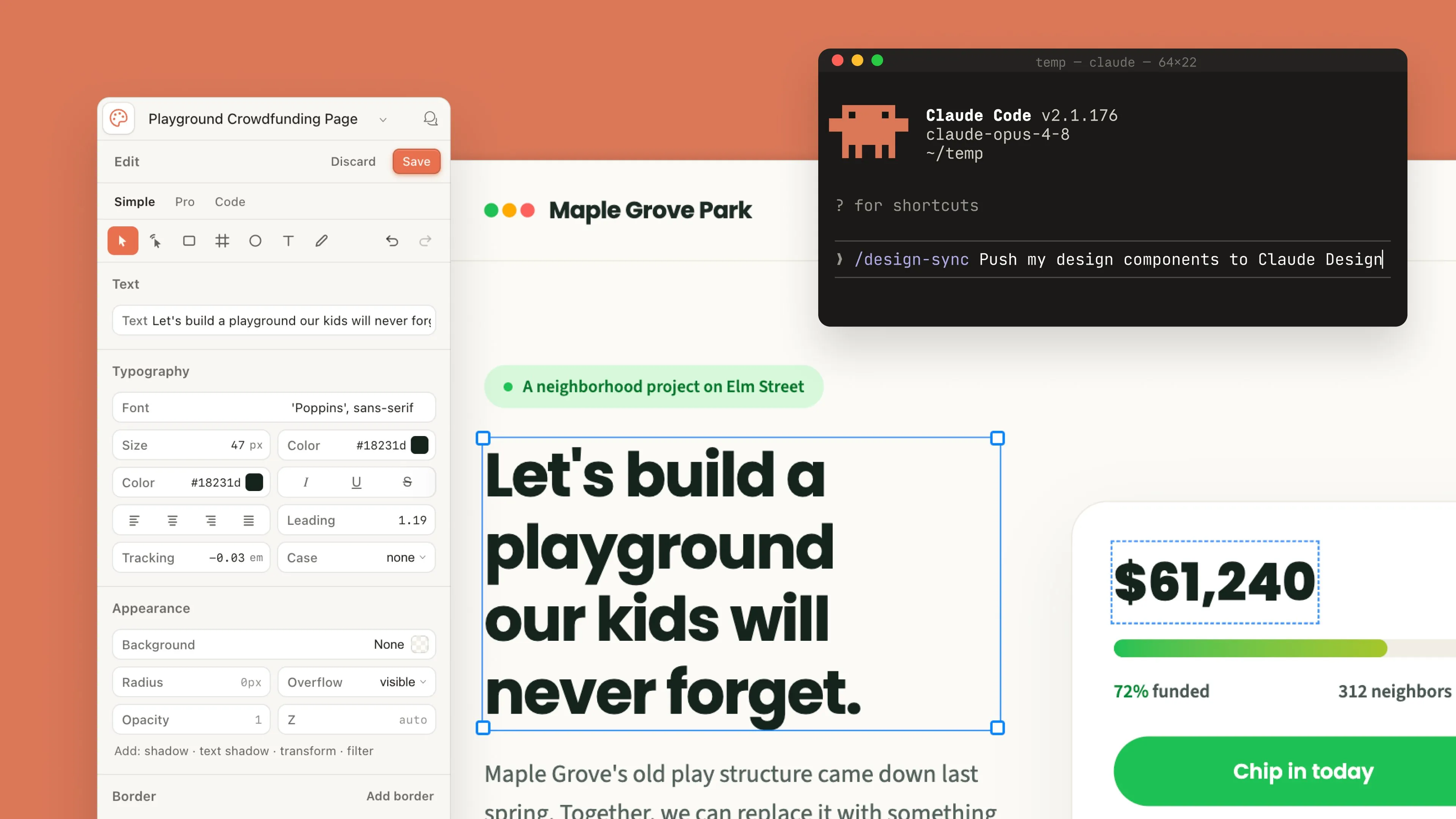
That makes it more relevant for everyday outputs like client decks, product mockups, landing page concepts, internal visuals, and early prototypes.

Here are the key updates:

  • Build with your team’s existing design system: Teams can bring in design systems from GitHub repos, design files, or raw uploads. Claude can then use those components when creating new work, and check the output against the system before showing it.
  • Connect design work with code: Claude Design now works more closely with Claude Code. Teams can sync design systems into Claude Code, move a design toward implementation, or create and edit design projects from the terminal.
  • Edit the draft directly: Claude Design now supports more hands-on editing on the canvas, including dragging, resizing, and aligning elements.
  • Export and continue in familiar tools: Claude Design can export to PDF and PowerPoint, and Anthropic is adding connectors for tools like Canva, Gamma, Adobe, Miro, Replit, Vercel, Wix, Lovable, and Base44.

This is a sign that AI design work is becoming less of a novelty and more of a production workflow. The teams that benefit most will be the ones that set up the right assets, rules, and review habits so those drafts can actually become usable work.

​Read more about Claude Design updates

Read more AI news after this:

Flagship AI Newsletter
The AI Newsletter That Makes You Smarter, Not Busier
Join over 30,000 leaders and receive our insights on AI platforms, implementations, and organizational change management.
FlexOS Course - AI Content Accelerator - Testimonial Badge

AI Leader Advanced

​What could AI take off your plate?

More than you'd think. Our flagship AI Leader Advanced helps you find the AI use cases that will actually move the needle in your work, then build the assistants to deliver them. Not generic AI theory. The specific ways AI lifts your impact per hour across the work you do every day: research, productivity, creativity, strategy, communication, and analysis.

July cohort enrollment is now open

This course is built for senior leaders who don’t have time to figure out AI on their own, but want a practical way to use it in their work, decisions, and teams. 6 AI assistants tailored to your role in 30 minutes a day, without writing a line of code.

Every month, we rebuild the program around what's actually changed in AI. New in this cohort:

  • Think with AI, don't just hand off to it. Our enhanced "AI as a thinking partner" module helps you collaborate with AI deliberately, the skill that future-proofs leaders.
  • A tool to find your highest-impact use cases. It spots the right AI use cases for your role based on each day's theme, so you're building assistants that raise your impact per hour.
  • More control over your experience. Personalize the course around your own role and goals.
  • New content where AI is moving fastest. Fresh lessons on data privacy and security, data analysis, and video generation. As Copilot, Claude, Gemini, and ChatGPT keep updating the interface and features, we keep the course current with the demo of the latest AI capabilities.
  • 300+ AI use cases from our alumni for inspiration. Registering unlocks our library of short videos where senior leaders like you present the most impactful AI assistants they built.

During the course, we built an assistant for our finance team and one person is now saving 8 hours a week of manual work.-  Adrian McDonald, CEO, Epicenter

Your AI Team Updates

Microsoft Copilot Cowork is now generally available

Microsoft has made Copilot Cowork generally available worldwide, giving Microsoft 365 Copilot customers an agentic workspace for longer, multi-step work across company files, tools, and business context. Teams can now assign more involved tasks, such as reviewing documents, analysing pipelines, comparing files, or preparing structured outputs, with admin controls for access, usage, and cost.

​Explore Copilot Cowork​

OpenAI launches Record & Replay for Codex

OpenAI has introduced Record & Replay for Codex, a new way to teach Codex repetitive workflows by demonstrating them once instead of writing long instructions from scratch. Codex can record the steps, turn them into an editable skill, and replay the workflow later when you need the same task done again.

​Try Codex Record & Replay​

ChatGPT Scheduled Tasks get easier to create and manage

OpenAI has updated Scheduled Tasks in ChatGPT with a dedicated Scheduled page, improved task creation and editing flows, more flexible scheduling, and better notifications. Users can set one-off or recurring tasks, or ask ChatGPT to check for meaningful changes and notify them when something needs attention.

​Try Scheduled Tasks in ChatGPT​

OpenAI launches Daybreak to help organizations respond faster to security risks

OpenAI has launched Daybreak, an umbrella cybersecurity initiative that brings together Codex Security, GPT-5.5-Cyber, partner access, and Patch the Planet to help trusted defenders and open-source maintainers move from finding vulnerabilities to fixing them faster.

Read more about OpenAI Daybreak