This step-by-step guide is exclusively available for Lead with AI PRO membership. 🚀 With Lead with AI PRO, you’ll get: ✅ Access to expert-crafted step-by-step guides ✅ AI-powered workflows to boost productivity ✅ Exclusive tools and resources for smarter work Upgrade to Lead with AI PRO and access all premium content instantly.
5 Crucial Ways to Personalize ChatGPT for Business Leaders
“ChatGPT creates generic content" because most people never customize it. I’ll show you five ways to fix that, starting with Custom Instructions and Memory.
If I read one more time that “ChatGPT creates generic content,” I’ll…. ask ChatGPT for a clever response. But seriously, the only reason AI is ever generic is because
1) you’re sending generic prompts instead CODO Prompts, and
2) it simply doesn’t know you well enough yet.
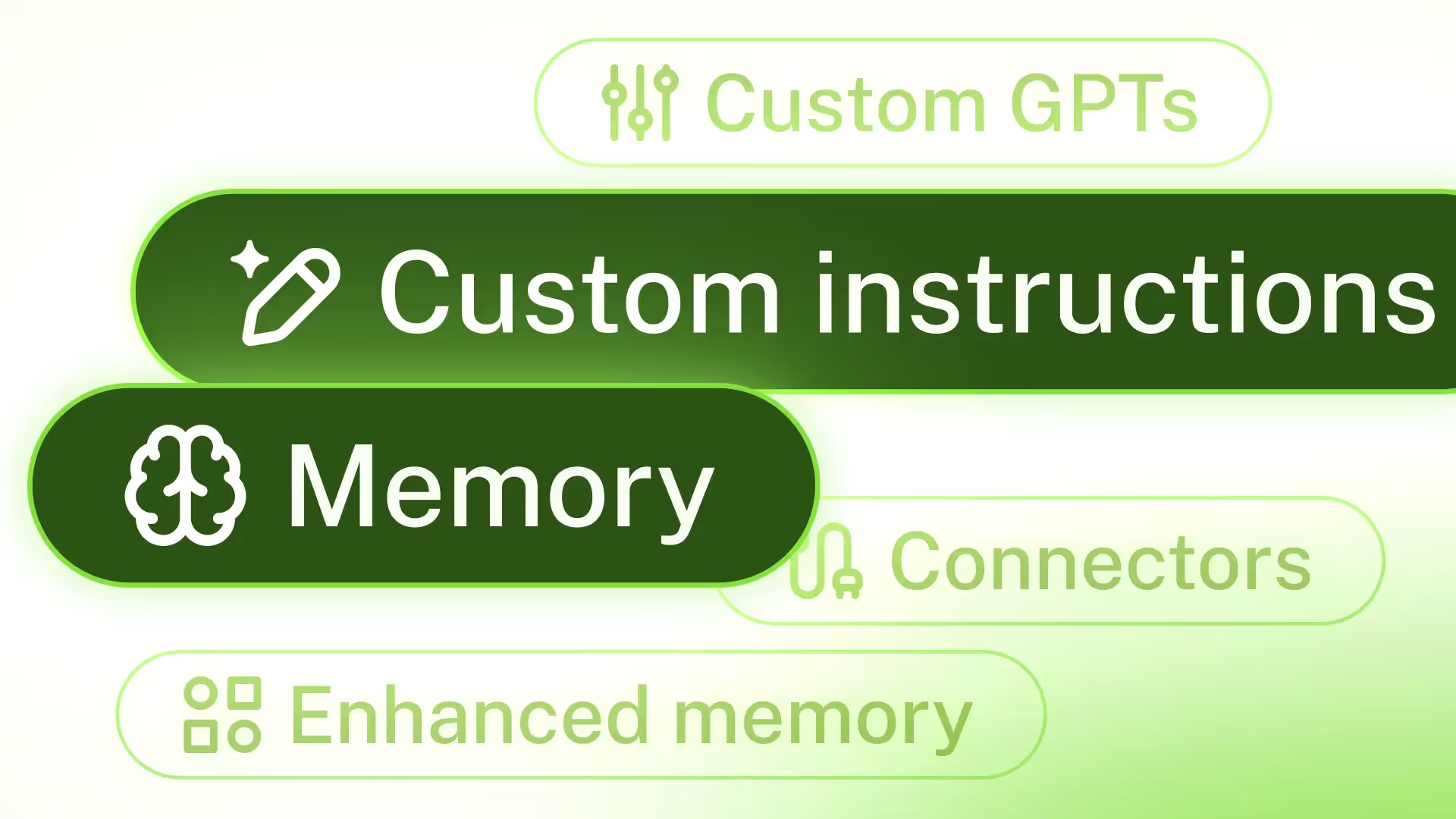
With newly introduced enhanced memory and other customization options, there’s no reason for that second point to be true. ChatGPT can now be personalized with a series of helpful features that turn generic AI into your hyper-personalized ‘everything assistant’:
Custom instructions
Memory
Enhanced memory
Custom GPTs
Connectors
Putting these to work means getting work back that is and feels fully personal. Let’s dive into them one by one, so you can set them up.
Custom Instructions
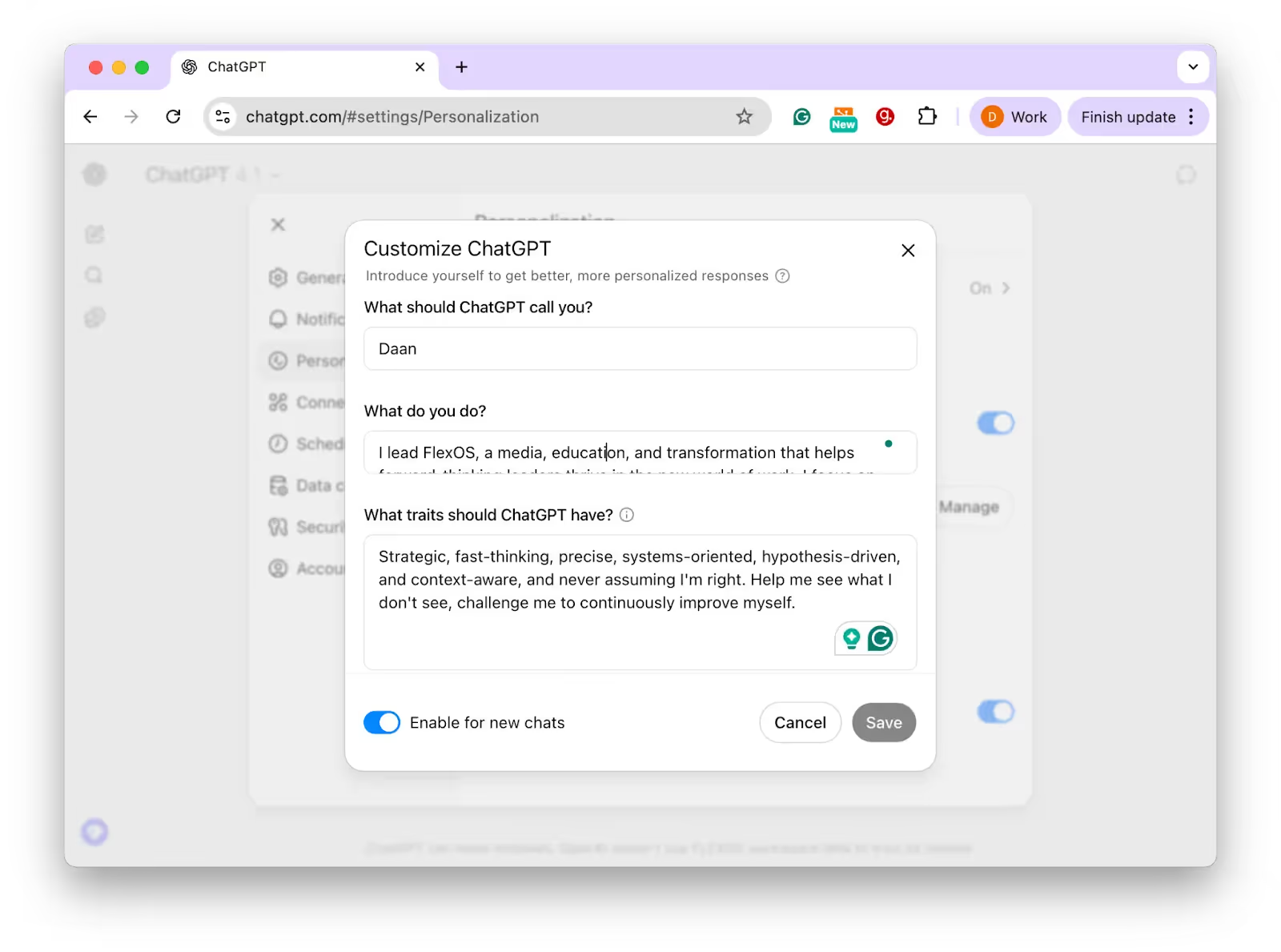
Custom Instructions let you provide information that ChatGPT will always remember and consider in every response.
Instead of reminding ChatGPT every time “I’m a CEO of a media company” or “Our Q3 challenge is doubling SQLs”, you can set that once in the instructions, and it will consistently factor it in.
Some ways business leaders customize ChatGPT with this feature include:
Defining Your Role and Context: You can tell ChatGPT who you are and what you’re working on. A digital marketer told ChatGPT: “I send 2,000 emails per day” as part of his custom instructions. I explained that “I lead Lead with AI, a people-centric AI Transformation partner. I focus on the intersection of AI, work redesign, and employee engagement to shape how executives and teams adapt to the future of work.”
Flagship AI Newsletter
The AI Newsletter That Makes You Smarter, Not Busier
Join over 30,000 leaders and receive our insights on AI platforms, implementations, and organizational change management.
Setting ChatGPT’s Role: Some want an always-on assistant, others may prefer a tough coach. My Custom Instructions are to be “Strategic, fast-thinking, precise, systems-oriented, hypothesis-driven, and context-aware, and never assuming I'm right. Help me see what I don't see, challenge me to continuously improve myself.”
Setting the Tone and Style: Custom instructions allow setting a preferred writing style or tone for responses, like a certain voice or formality level. For example, a photography business owner’s Instructions say: “I’m a product photographer building a recognizable brand that speaks to my ideal client.Speak to me like a business-savvy creative. Be clear, confident, and strategic.”.
Guiding Content and Structure: You can instruct how detailed you want answers, or if you prefer bullet lists, etc. Lead with AI PRO member Wyatt Barnett has "never, ever use the word 'delve' and make every image 16:9 unless I say otherwise" as his Custom Instruction. Another community member, Abhishek Rathi, prevents hallucinations and poor sources by telling ChatGPT to “provide a rating from 1 - 10, with 1 being the least trustworthy & credible and 10 being the highest trust and most credible answer, backed by source. Show the rating clearly and also include the entire website link of the source.”
A great case study of actively using Custom Instructions is writer Katie Parrott, who effectively hired ChatGPT as a career coach by using custom instructions so ChatGPT has expertise in her field and behaves like a real coach.
As a result, ChatGPT provides actionable advice, challenges her assumptions, and offers encouragement when appropriate. In her words, “I told it what I needed from a career coach… in a way I’d honestly have a hard time doing to a human.”
Memory
If Custom Instructions are what you tell ChatGPT on purpose, then memory is what it works out on its own.
That distinction used to be much less interesting than it is today, because for a long time ChatGPT's memory was not very good. It is worth understanding how it changed, because the way you manage it has changed too.
Memory first arrived in April 2024 as saved memories, and OpenAI describes it as the feature let you ask ChatGPT to remember something and carry it forward into future chats. That was genuinely useful, but it also had two flaws that anyone who used it for real work ran into fast.
The first is that it only wrote things down when you told it to.
Saved memories were written during the conversation and relied on strong cues to trigger, like an instruction to "remember I'm traveling to Singapore in July." OpenAI's own description of what that felt like is very good: like talking to someone who took a few notes, but still forgot everything that wasn't written down.
The second flaw is the one that actually degraded your answers. Saved memories went stale. Over time they became incorrect or irrelevant, and nothing in the system noticed.
What changed: memory that keeps itself current
In April 2026, OpenAI introduced the first version of dreaming, a method for ChatGPT to automatically curate memories in the background by referencing your chat history. In June 2026 they rebuilt on top of it, launching a more capable and compute-efficient memory architecture.
Three things matter for how you work.
It picks up context you never asked it to save. Dreaming synthesizes across many conversations, and makes it easier for memory to include context that comes up naturally, without relying on explicit requests to remember something.
It applies your constraints without being reminded. OpenAI's example is a vegetarian user, where meal suggestions should stay consistent with that preference going forward. Swap in your own version. If you always need the board-ready number before the narrative, that is a constraint, and it should not need restating every Monday.
It accounts for time passing. This is the fix for staleness, and OpenAI illustrates it well: memory revises "You're going to Singapore in July" to "You went to Singapore in July 2026" once the trip ends, so recommendations go back to your home location and time zone.
This solves what we always called the main flaw in memories: that they go stale and are not context-relevant.
Your control panel is the memory summary, not a list
Here is the practical change. The old advice was to open a list of saved memories and delete the ones that no longer applied. That list is no longer the main place to look.
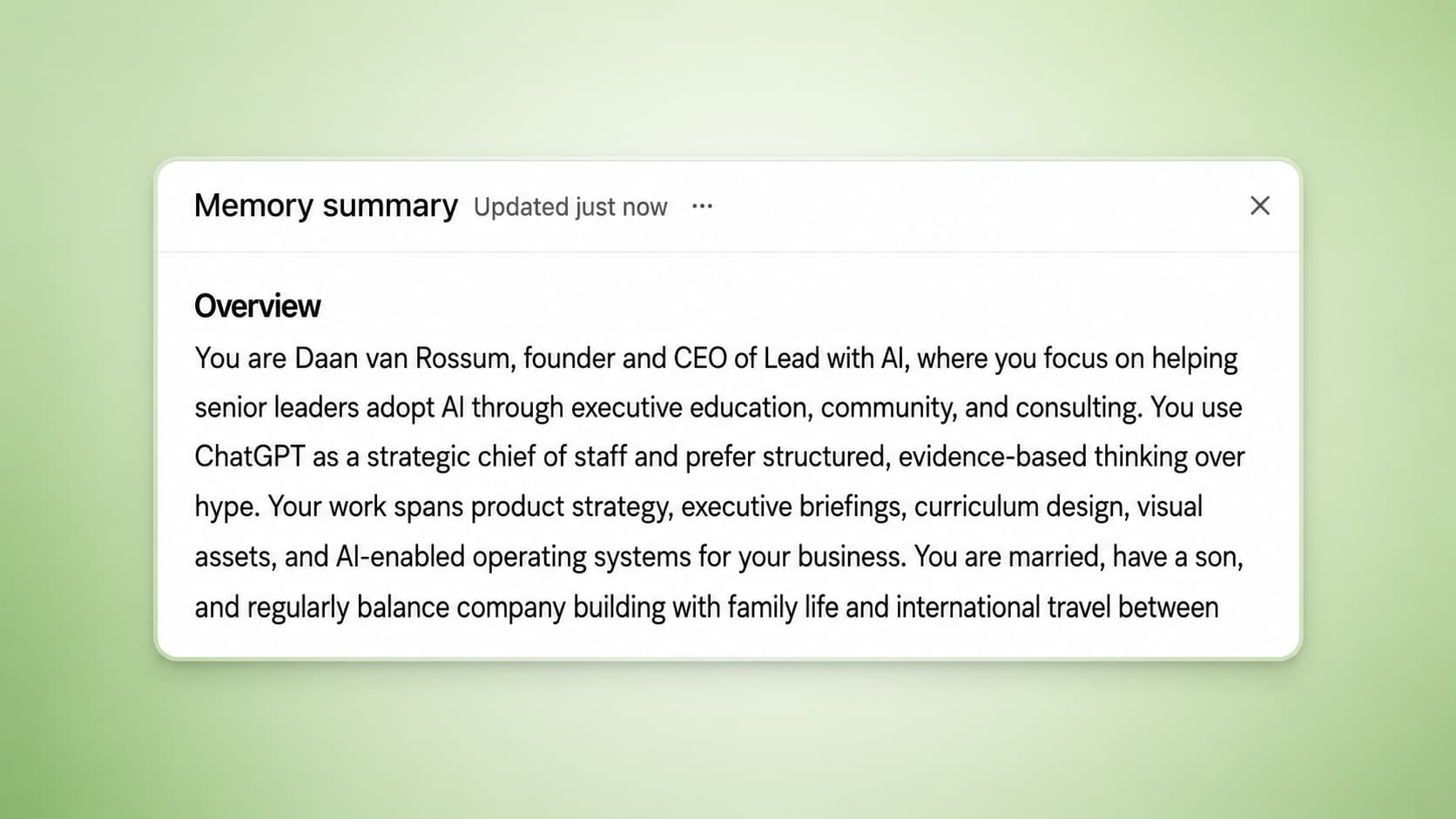
What dreaming synthesizes is now reviewable through a memory summary page, where you can see the highlights of what ChatGPT knows about you, add or update information, and give instructions on what topics it should bring up and when.
Go look at yours today. Two questions to ask while you read it: is this actually who I am now, and is there anything here I would rather it never raised again. Both are things you can fix directly on that page.
The old move of saying "commit this to memory" still works, and it is still handy for pinning something you know matters. It is just no longer the main mechanism.
On availability, check before you promise anything to your team. The update went to Plus and Pro users in the US first, with additional countries and Free and Go users following over the weeks after. OpenAI also noted that reducing the compute needed to serve dreaming to Free users by roughly 5x is what made that wider rollout practical.
We covered the full announcement when it landed, including what it means for recurring executive work like board prep and weekly planning. You can read that breakdown here: how ChatGPT's new memory system works.
The question this raises for your team
Better memory is a real unlock for the work that repeats. Strategy drafts, team updates, coaching conversations, decision support: all of it gets better when you are not rebuilding context from zero every time.
But a system that remembers by default is a different thing to hand a team than a system that remembers on request. So what should your people actually put into it? That is not a tooling question, it is a habits question, and it belongs in the same conversation as the rest of your AI fluency work. Decide what goes in, what stays out, and who to ask when someone is unsure. Decide it now, while the answer is still cheap.
The Bottom Line: Customizing ChatGPT
Personalizing ChatGPT with these features significantly improves its relevance and usefulness. Instead of generic answers, you get responses in your voice, for your context, and following your preferences.
Custom instructions give ChatGPT a permanent user manual about you, while Memory expands on what ChatGPT learns about you over time, rather than forgetting between chats.
Set up your Custom Instructions today and cull your list of memories to improve how useful ChatGPT is for you.
If you have a great use case for using these features, contact me for a chance to be included.
Flagship AI Newsletter
The AI Newsletter That Makes You Smarter, Not Busier
Join over 30,000 leaders and receive our insights on AI platforms, implementations, and organizational change management.