
April 21, 2026

Build slides, websites, and branded assets with Claude Design

Plus: Claude Opus 4.7, Google Skills in Chrome.
Evelyn Le
By
Evelyn Le
Editor, Lead with AI

Anthropic brings a native design environment to Claude

Presented by

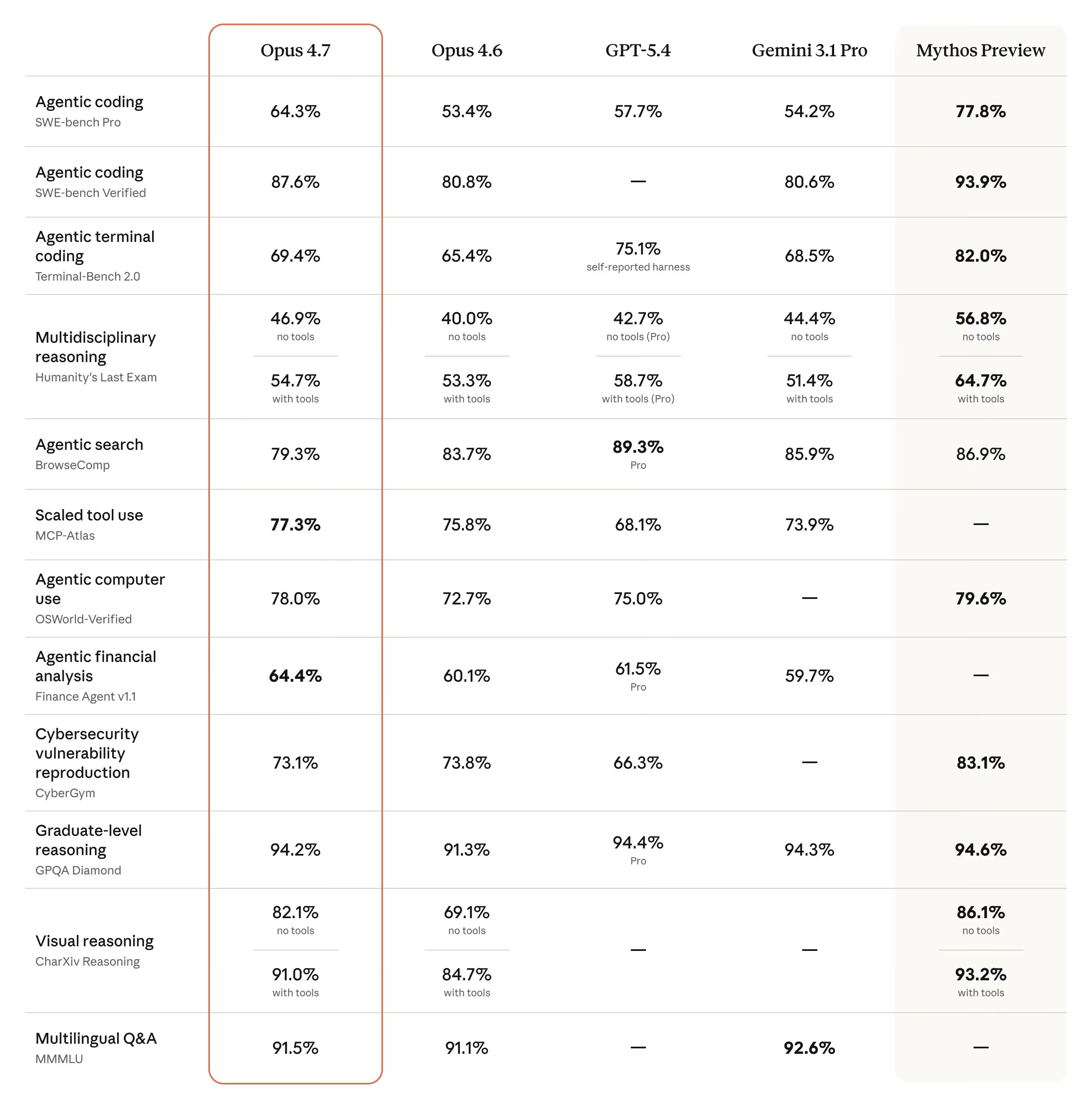
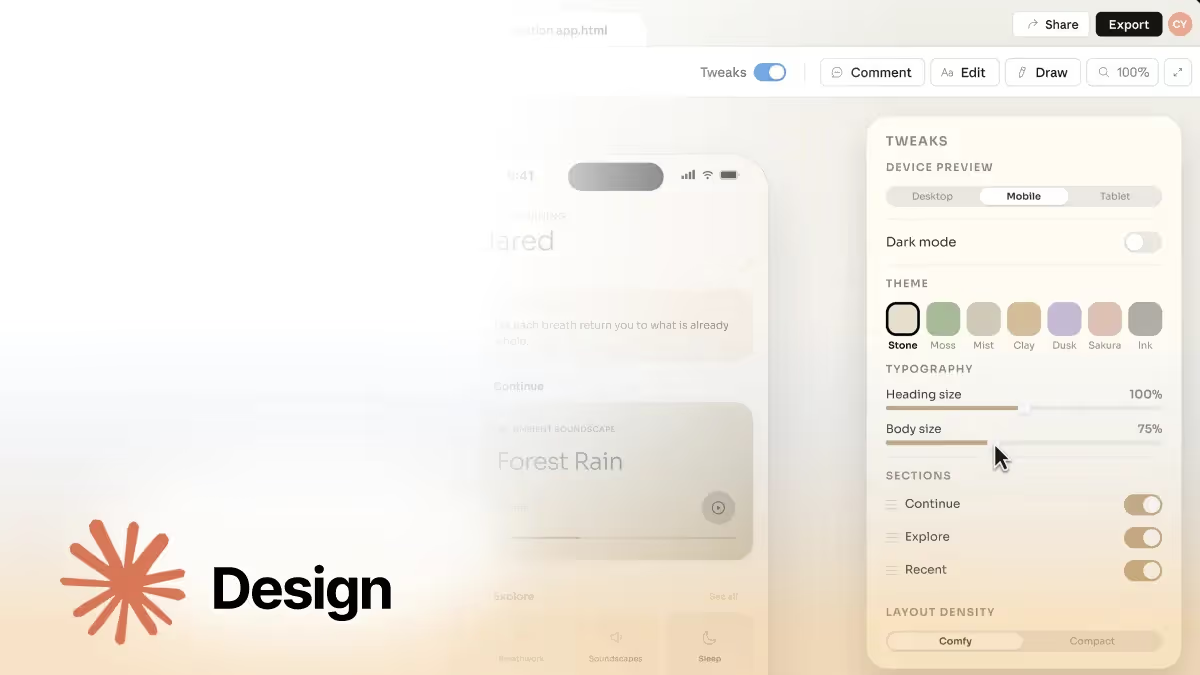
Anthropic has launched Claude Design, a new research-preview workspace powered by Claude Opus 4.7, its latest and most capable model, that lets users create prototypes, slides, one-pagers, and marketing assets directly inside Claude. The bigger play is that Anthropic is pushing Claude beyond writing and into visual communication work for people who need to move ideas forward, especially founders and operators without a design background.

Here are the key updates:

  • Claude can now create polished visual outputs: Claude Design is built for things like prototypes, wireframes, pitch decks, one-pagers, and campaign assets, giving non-designers a faster way to express ideas and giving design teams more room to explore directions quickly.
  • It works through conversation and direct editing: You can start from a prompt, uploaded files, images, or even a codebase, then refine the result through chat, inline comments, direct text edits, and live controls for layout, spacing, and color.
  • Brand systems can be built in: During onboarding, Claude can build a design system from your team’s codebase and design files, then apply your colors, typography, and components automatically across future projects.
  • It is built for collaboration and handoff: Teams can share documents across the organization, co-edit with Claude in group conversations, export work to PDF, PPTX, Canva, or HTML, and package finished designs into a handoff bundle for Claude Code.

Claude Design is in research preview for Claude Pro, Max, Team, and Enterprise plans. For Enterprise, it is off by default and must be enabled by admins.

One caveat: the launch lands at a moment when some Claude users are already frustrated with usage limits. Claude Design counts against existing subscription limits, with extra usage available only through separate pay-as-you-go pricing.

Explore Claude Design

Read more AI news after this:

Flagship AI Newsletter
The AI Newsletter That Makes You Smarter, Not Busier
Join over 30,000 leaders and receive our insights on AI platforms, implementations, and organizational change management.
FlexOS Course - AI Content Accelerator - Testimonial Badge

Demo Day

Build your own AI assistants in 2 weeks

Half of the seats for our next ​AI Leader Advanced​ cohort are already taken.

Join senior leaders from Dr. Martens, Heineken, University of Alberta, Merrill Lynch, and Deloitte who are learning how to turn AI into real, day-to-day output.

In this May cohort, we have 40 modules covering what’s now possible with the latest updates across Claude, Gemini, GPT, and Copilot so you can immediately apply them where it actually matters.

Want to reach 30,000+ business leaders applying AI in their work, teams, and organizations?​
Advertise with us​​.

Your AI Team Updates

Anthropic releases Claude Opus 4.7

Anthropic has made Claude Opus 4.7 generally available, positioning it as a stronger model for advanced software engineering, long-running tasks, and higher-resolution vision work. Beyond coding, Anthropic also says it is better at producing professional interfaces, slides, and docs, which matters because the output is closer to ready-to-use, cutting the cleanup work that usually falls on the person who prompted it.

​​​​Read more about Claude Opus 4.7 ​

Google upgrades AI Mode in Chrome

Google has upgraded AI Mode in Chrome so users can browse websites side-by-side with AI Mode, ask follow-up questions without losing context, and bring recent tabs, images, and files like PDFs directly into a search. Search starts to behave more like a working layer on top of whatever you are already reading, comparing, or researching in the browser.

​​​​Learn more about AI Mode in Chrome ​

Google turns repeated prompts into reusable tools in Chrome

Google has launched Skills in Chrome, which lets users save useful prompts from Gemini in Chrome and rerun them with one click on the page they are viewing, optionally with extra tabs added as context. It turns one-off prompting into lightweight repeatable workflows, which is much closer to how most knowledge workers actually want to use AI in day-to-day browsing.

​​​​Explore Skills in Chrome

Canva introduces Canva AI 2.0

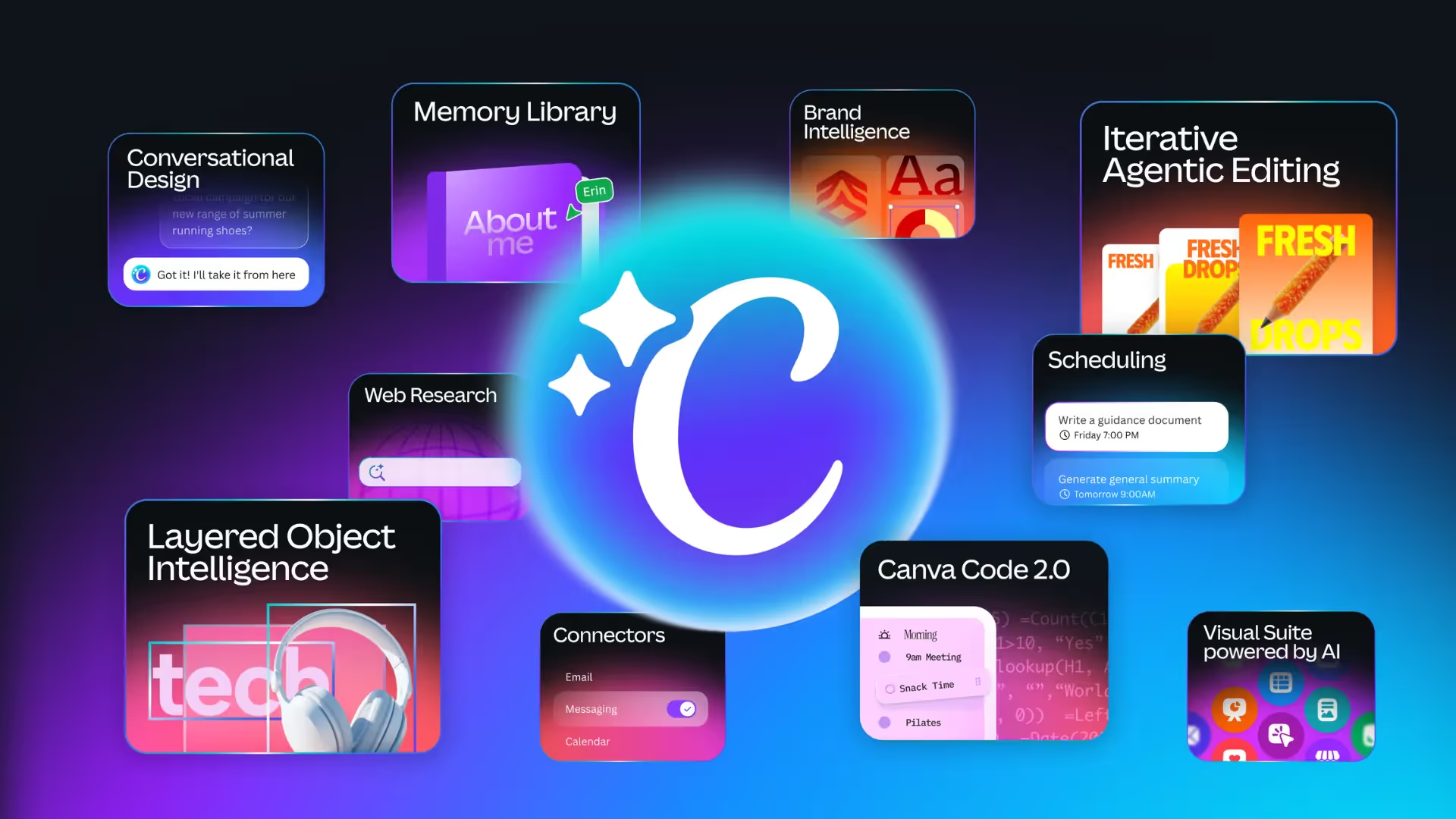
Canva AI 2.0 hero collage of features

Canva has launched Canva AI 2.0 as a research preview, describing it as its biggest product evolution so far and repositioning Canva as a more conversational, agentic creation platform. The broader move is not just better generation: Canva is adding connectors, scheduling, web research, brand intelligence, Sheets AI, and Canva Code 2.0 so teams can go from brief to finished, editable work in one place instead of stitching together multiple tools.

​​​​Read more about Canva AI 2.0​​​​​​

Want to reach 30,000+ business leaders applying AI in their work, teams, and organizations?​
Advertise with us​​.