
If building slides eats your evenings, Gamma takes over the part that takes longest: the layout.
Gamma is an AI presentation tool that turns a prompt, your notes or a file into a designed deck, with structure, layout and visuals included. It does not check facts, so the content stays your job.

Four ways to start
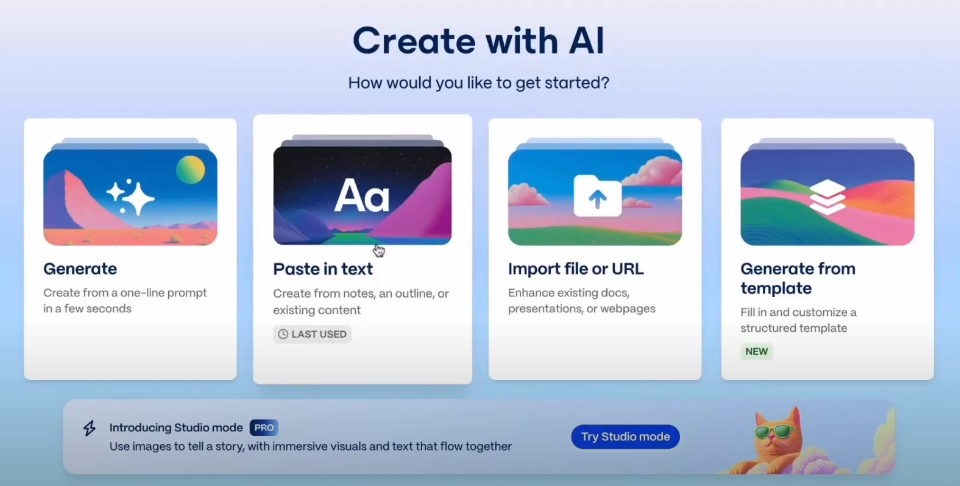
- Generate creates a deck from a one-line prompt.
- Paste in text builds a deck from your notes, an outline or existing content.
- Import file or URL turns an existing document, presentation or webpage into a deck.
- Generate from template fills in a structured template.
Choose based on how far your thinking has come. If you already know the story, paste in an outline. We recommend shaping that outline first with ChatGPT or Claude, using the prompt further down.
How to build a deck, step by step
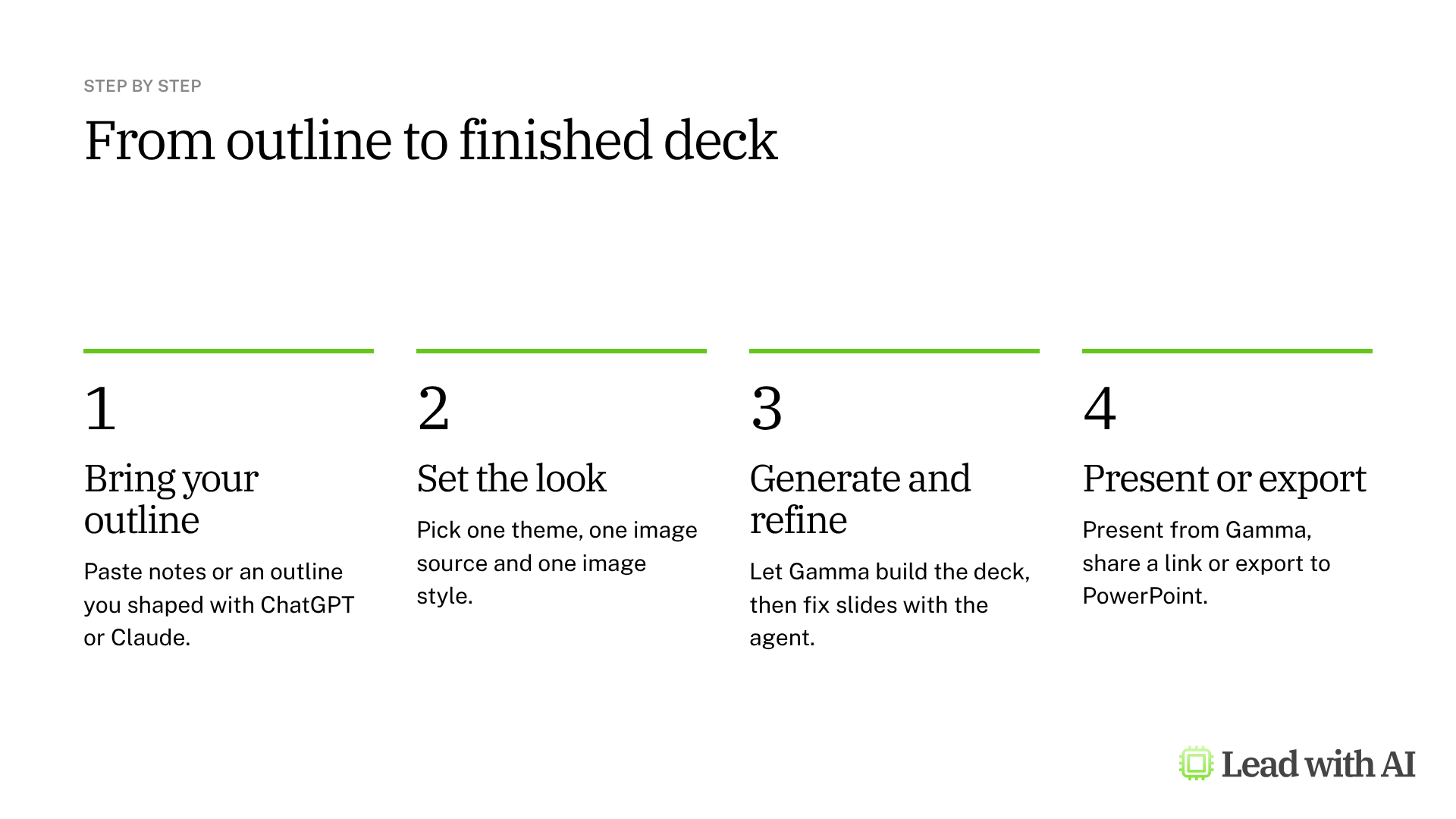
Step 1: Paste in your outline. From the Gamma dashboard, select Create new, then Paste in text.
Step 2: Review the outline and keep your wording. Gamma turns your content into a card-by-card outline, with one card per slide. Under Text content, choose Preserve to keep your wording exactly as written, Condense to shorten it or Generate to let Gamma expand it.

Step 3: Set the look. Choose one theme, then the image source: stock photos, web images or AI images. If you use AI images, keep the image model and style the same for every slide, so the deck looks intentional rather than random.
Step 4: Generate the deck. Gamma produces the full deck, with copy, layout and visuals, in a few seconds.
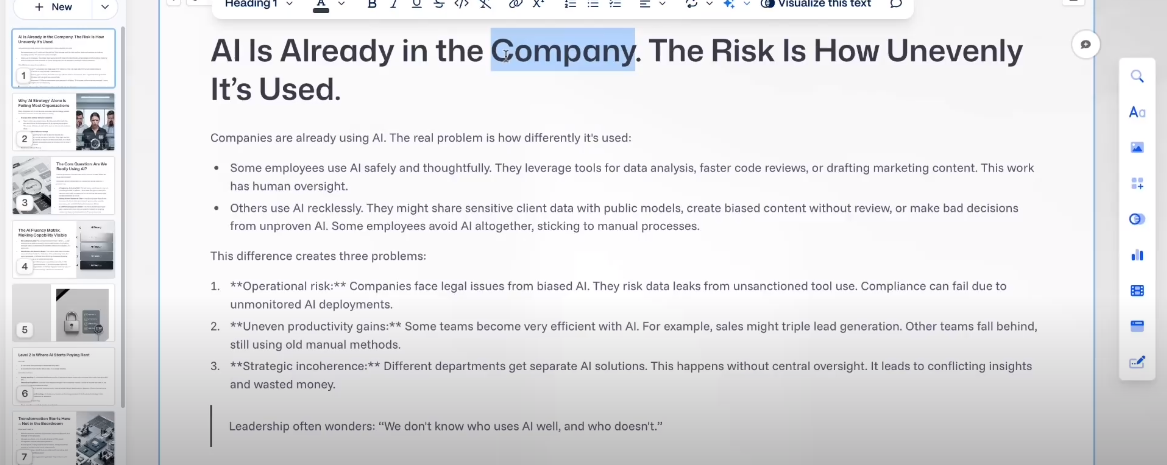
Step 5: Refine with the agent. Edit any slide yourself, or select Agent and describe the change, such as “Make the writing more granular.” The agent can also suggest a theme, add an executive summary or add evidence from the web with citations.
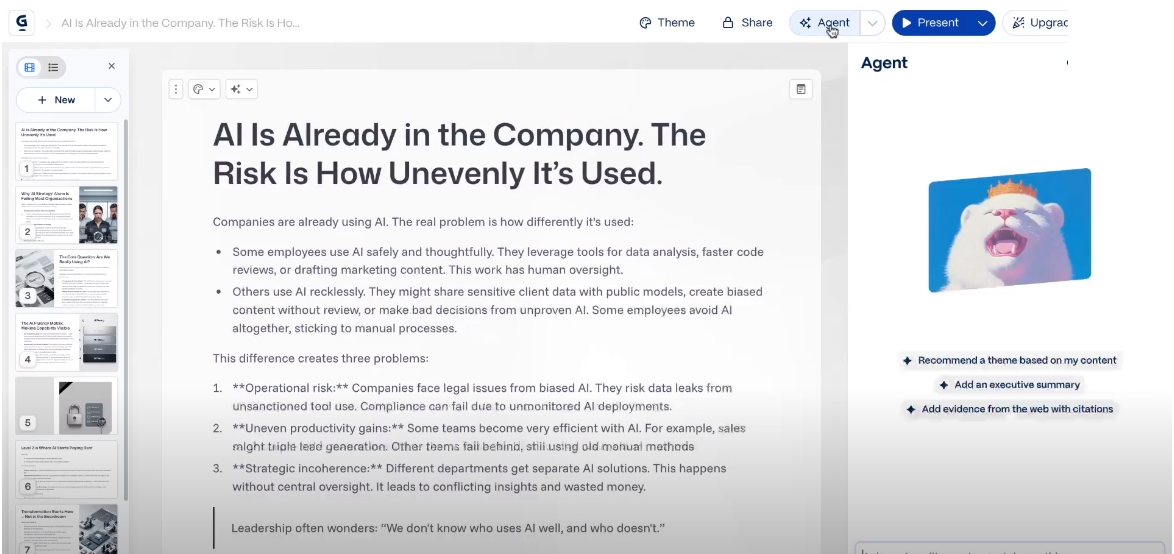
Step 6: Present, share or export. Present straight from Gamma, invite colleagues to collaborate, or export to PowerPoint, PDF or another format. Check every claim before the deck leaves your hands.

Use Gamma from ChatGPT or Claude
You can also start a Gamma deck without leaving your AI assistant.
- In ChatGPT: go to Settings, then Apps, search for “Gamma: Create presentations and docs” and connect it. Then mention @Gamma in a chat and describe the deck.
- In Claude: add the Gamma connector in Settings, under Connectors, then switch it on from the + menu and ask Claude to build the deck.

The draft opens in Gamma, where you change the layout, images and theme. Your content passes through two services, so check both policies before you share anything confidential.
What your plan includes
- Free: a one-time grant of 400 AI credits, up to 10 cards per prompt and Gamma branding on your decks.
- Plus: from about $8 per user per month, billed annually, with monthly credits, up to 20 cards per prompt and no Gamma branding.
- Pro and Ultra: more monthly credits, premium AI models and more customization.
- Business: shared workspace credits, single sign-on and advanced data controls for teams.
Prices change often, so check Gamma's pricing page before you buy.
When Gamma earns its place
There are four situations where Gamma pays off quickly:
- An internal update or proposal that needs to look good by tomorrow.
- A workshop or offsite deck built from your own notes.
- An existing document or webpage you need to present as slides.
- A first draft of a client pitch, before it moves into your brand template.
Want a ready-made starting point? These how-to articles show practical ways to use Gamma:
- Let Gamma Agent research and build slides for you: hand the research and the first draft to the agent.
- Build impactful decks with Gamma's Smart Diagrams: turn lists into diagrams that explain at a glance.
- Create a competitive brief and slide deck using ChatGPT Agent: research the market first, then build the deck.
A CODO prompt for your outline
Run this in ChatGPT or Claude, using our CODO framework, then paste the result into Gamma with Paste in text. The three dashes tell Gamma where each new slide starts.
Character: You are a strategy consultant who builds clear executive presentations.

Objective: Turn my notes into a slide-by-slide outline for a [10]-slide presentation to [my leadership team] about [topic].

Do:
- Give every slide a title that states the point, not just the topic.
- Keep each slide to three to five short bullets.
- Open with the decision or key message, and end with next steps.
- Separate each slide with a line that contains only three dashes (---).

Don't:
- Don't add facts or figures that are not in my notes. Flag gaps as questions.
- Don't write speaker notes.

Output:
A numbered outline, one slide per section, ready to paste into Gamma.

My notes:
[paste your notes here]
What will your IT and legal teams ask?
- Who can see a deck? Only the people you invite, until you share a link or publish it. Access for your workspace is a separate setting.
- Does Gamma check facts? No. It handles structure, layout and design. Accuracy, assumptions and decisions stay with you.
- Can we manage access centrally? The Business plan adds single sign-on and advanced data controls.
- What about confidential material? Gamma processes everything you paste or import, and so does ChatGPT or Claude if you start there. Check your company's AI policy first.
Gamma or another presentation tool?
Gamma used to be our first recommendation for AI presentations. Today, you can do most of what it does directly inside Google Slides or PowerPoint, or in ChatGPT, Claude and Gemini themselves.
Gamma is still fastest when you need a good-looking deck from scratch and do not need your company's own template, or when you want to share the deck as a link.
If your deck must follow a corporate PowerPoint template, Claude for PowerPoint builds inside it. Our roundup of the best AI PowerPoint generators compares the main options.
Key takeaways
- Shape the story first, then let Gamma design it.
- Choose Preserve when you want to keep your own wording.
- Keep one theme and one image style across the whole deck.
- Use the agent for slide-level changes in plain language.
- Check every claim before you present or export.