

Based on the Lead with AI AI Leader Advanced program.
Most people use AI the reactive way. You ask, it answers, and nothing happens until you remember to ask again.
Scheduled tasks make AI proactive. A time or an event starts the work, AI does the thinking you would have prompted, and the result arrives where you already work. This is where the time savings from AI start to add up.
How does AI automation work?
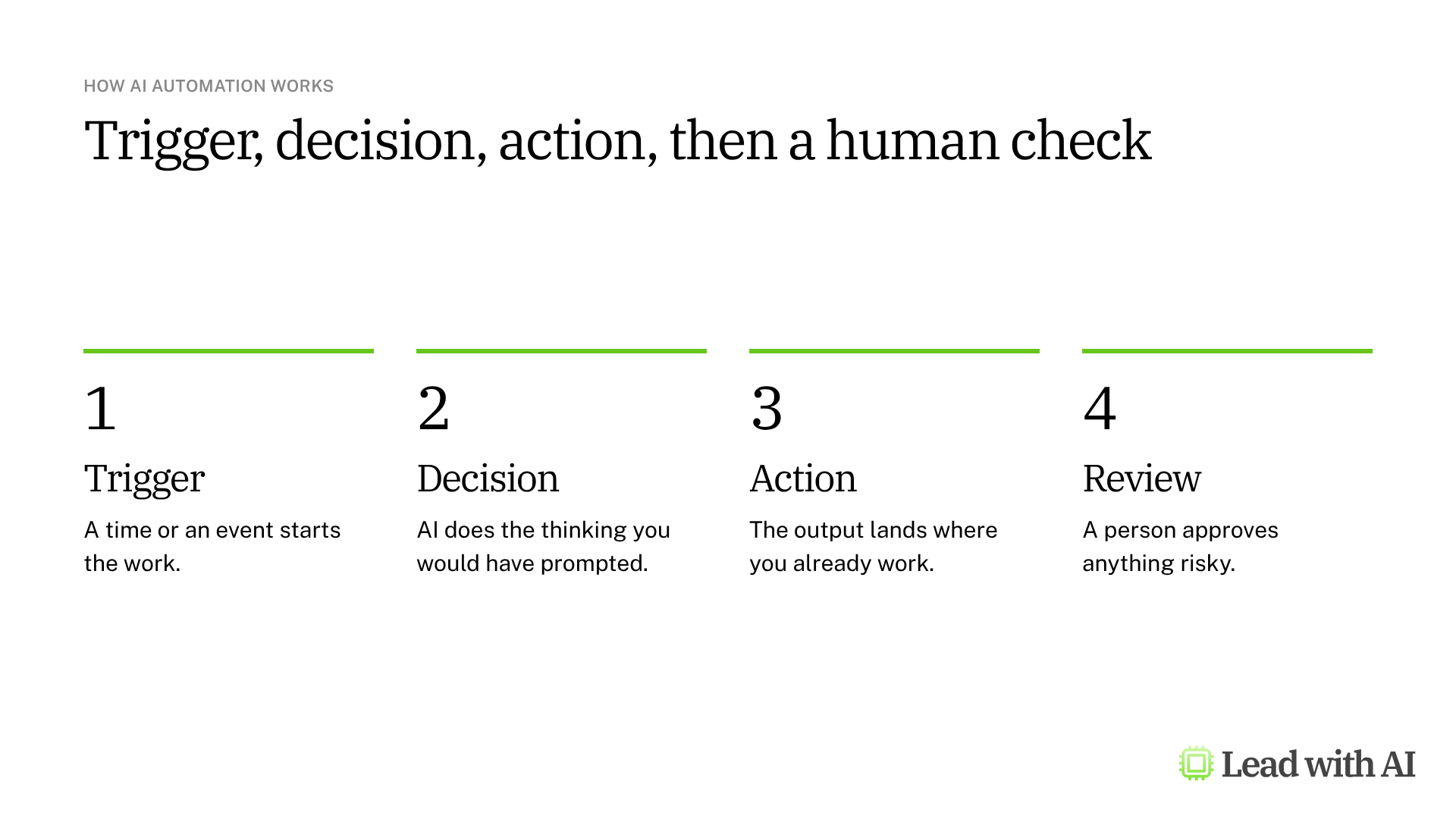
A simple way to think about it is trigger, decision, action. The trigger can be a time, a new email or a new file. The decision is the work you would otherwise prompt AI to do. The action is the result: a brief, a draft, a task or an update to a tracker.
What should you automate first?
- Daily or weekly briefings on competitors, key accounts or internal projects.
- Meeting follow-through, such as action items and briefs for the people who were not there.
- Approval workflows, where requests reach the right person with the context they need.
Start with work that repeats, follows a consistent format and is easy to check.
Where do you need a human in the loop?
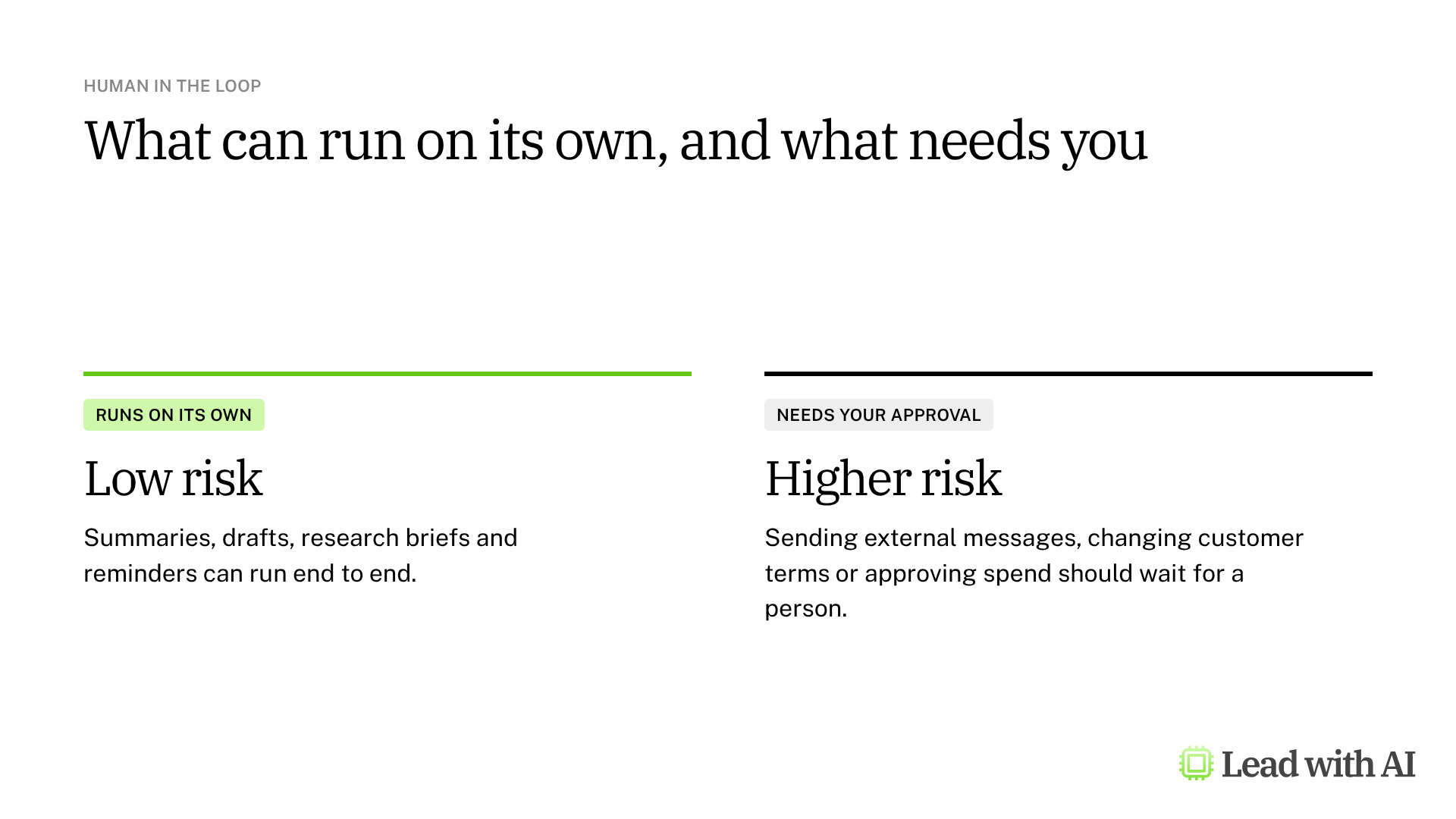
You decide what AI can do on its own, and where it needs a human check. Low-risk work can run end to end. Anything that leaves your company, commits money or changes terms should wait for approval. Keep a simple record of what ran and what it produced, so you can check and improve it.
The five scheduling tools at a glance
| Tool | Best for | Where the result lands | Plans |
|---|---|---|---|
| ChatGPT scheduled tasks | Briefings, reminders and monitoring | A ChatGPT chat, with a notification | All plans, from 3 to 15 active tasks |
| Gemini scheduled actions | Recurring briefings in Gemini | A Gemini chat | Personal accounts as it rolls out, qualifying Workspace plans |
| Copilot scheduled prompts | Briefings from your Microsoft 365 work | Copilot Chats, with an optional email | Microsoft 365 Copilot license |
| Google Workspace Studio | Multi-step flows across Google Workspace | Gmail, Chat, Docs and more | Workspace Business, Enterprise and Education |
| Claude scheduled tasks | Research and reports with your connected tools | A Claude task page | Pro, Max, Team and Enterprise |
Which tool should you use?
Start with the platform your work already lives on.
- For the quickest start: ChatGPT scheduled tasks work on every plan and include monitoring.
- On Google: Gemini scheduled actions for briefs in a chat, and Google Workspace Studio when the result should land in Gmail or Chat.
- On Microsoft 365: Copilot scheduled prompts draw on your email, meetings and chats.
- For deeper work: Claude scheduled tasks research and build outputs with your connected tools.
A CODO prompt for a weekly intelligence brief
This prompt, built with our CODO framework, works in all five tools. Replace the bracketed parts and run it once before you schedule it.
Character: Act as a world-class intelligence assistant.

Objective: I am the [role] at [company] in [industry]. Run a weekly web scan on [3 to 5 topics] so that I am the best-informed person in the room on these topics.

Do:
- Use only credible sources from the last 7 days.
- Prioritize primary sources, such as official documents, reports and datasets.
- Record the date, author and organization for every item.

Don't:
- Don't invent facts, figures or quotes.
- Don't stretch the meaning of facts, numbers or quotes.
- Don't favor novelty over relevance.

Output:
What matters this week, with up to 5 items. For each item, give the news in one plain sentence, then three bullets:
- Why it matters: one sentence on the business impact.
- Action to consider: one clear action I could take this week.
- Source: date, author, organization and link.
End with one sentence that sums up the main takeaways.

Run it once now. When I confirm the format, run it every Monday at 9 AM.
What should you keep in mind?
- Test before you rely on it. Run every task once and check the sources and format.
- Ask for drafts only whenever a task can send email, post messages or change files.
- Expect approximate timing. Most tools run close to the time you set, not exactly on it.
- Review the output regularly, because a task that ran fine for weeks can still drift.
- Check plan and admin settings before you roll scheduled tasks out to a team.
Want to go further? Build your AI executive daily briefing walks through a morning brief, and Get weekly industry updates sent to your Slack shows a no-code alternative with Zapier. When a task needs several steps and tools, read What is an AI agent, really?
Key takeaways
- Move from reactive to proactive AI with one recurring task.
- Think trigger, decision, action when you design it.
- Keep a human in the loop for anything risky.
- Start with the platform your work already lives on.
- Test, then review regularly.
This overview is based on the AI Automation module in Lead with AI's AI Leader Advanced program. Lead with AI helps senior leaders build practical AI fluency through hands-on courses and a membership community.