

Lovable is an AI app builder that turns a clear product brief into a working web app you can use and share. You describe what you want in plain language, and Lovable writes the code, builds the screens and hosts the result.
This is where vibe coding becomes practical. Instead of explaining a framework on a slide, you can turn it into something people can click through.
How does Lovable work?
- It reads your description and works out what the app needs to do.
- It designs the data the app has to store, such as answers, scores or records.
- It builds the screens, such as a welcome page, forms and a results view.
- It connects the logic that scores, stores and shows the results, then hosts the app for you.
How to build your first app, step by step
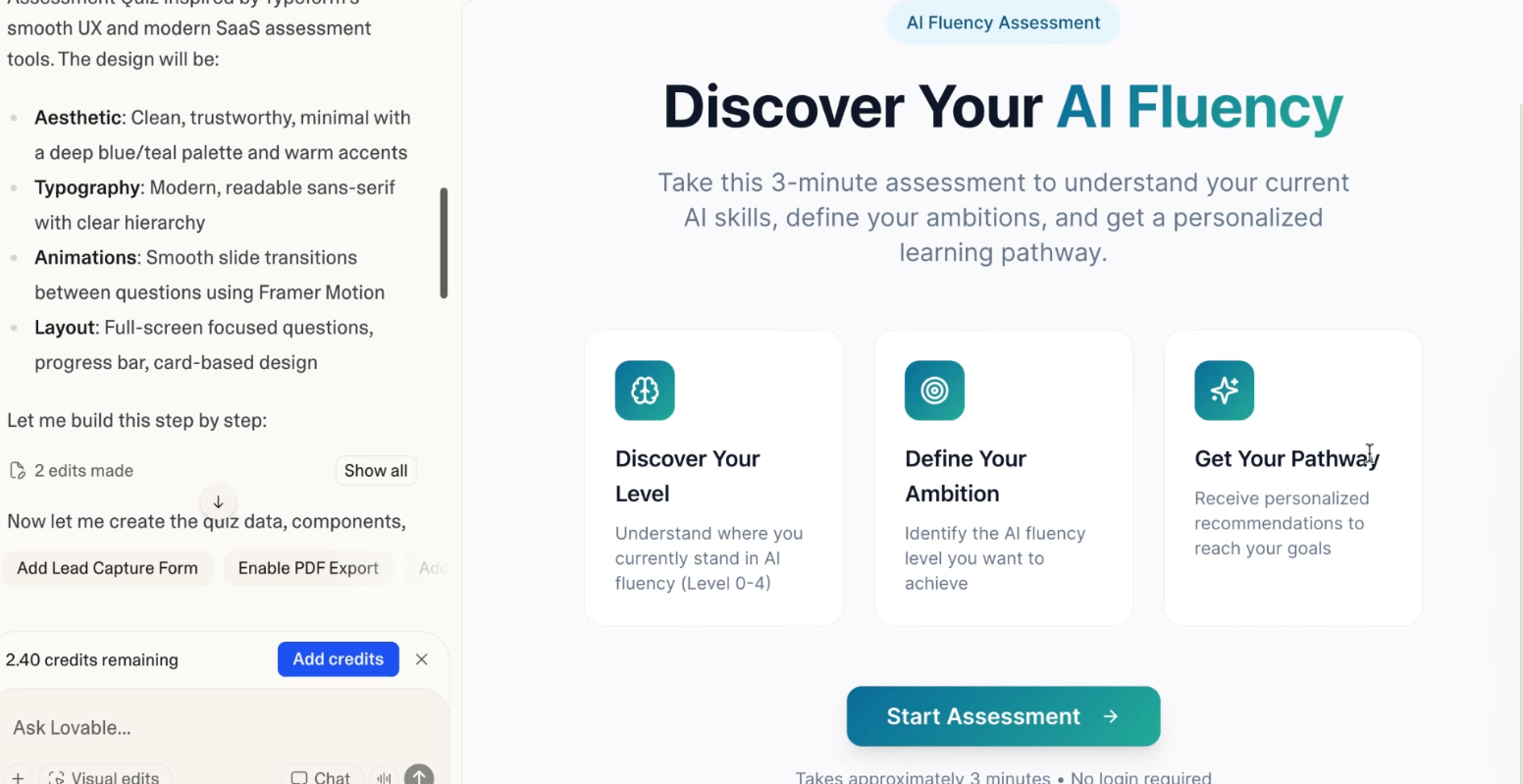
The example below turns our AI Fluency Matrix into a short self-assessment that leaders can take before a workshop.
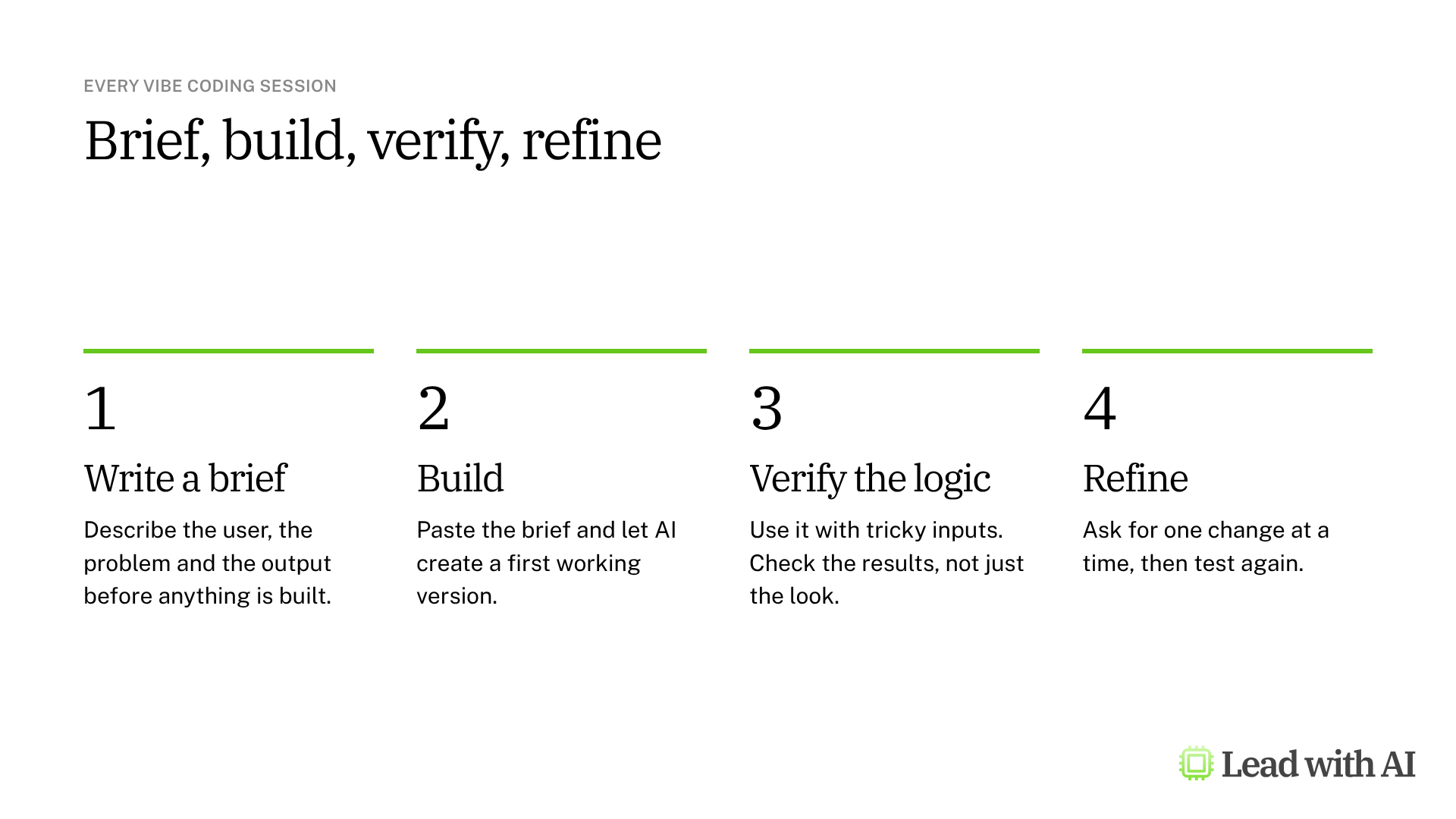
Step 1: Write a brief. Before you open Lovable, describe who the app is for, what problem it solves and what result it must produce. A short product brief, sometimes called a PRD, takes a few minutes and forces clarity. The CODO prompt below drafts one for you in any AI assistant.
Step 2: Paste the brief into Lovable. Sign in at lovable.dev and paste your brief into the prompt box. Ask explicitly for what matters, such as a quiz-style flow, multiple-choice questions, a scoring system and a results screen that explains the score.

If you want to talk the idea through first, select Chat before you send, and Lovable discusses the plan without writing code.
Step 3: Review the first version. Lovable builds the app in a few minutes. Its explanation and your chat sit on the left, and a live preview of the app sits on the right.
Step 4: Verify the logic. Take the assessment yourself and choose mixed answers on purpose. Then check whether the result matches what you would expect. You are checking the reasoning, not just the visuals.
Step 5: Refine one change at a time. Ask for one improvement per message, such as "Add a short note under each question that explains why it matters." For small text and design changes, Visual edits lets you select part of the page and change it directly.
Step 6: Publish and share. Select Publish in the top right, choose who can visit the app and select Publish again. Lovable gives you a link ending in lovable.app.

Check who can visit before you publish. A first publish is open to anyone by default. For an internal tool, limit it to your workspace or to invited people.
What your plan includes
- Free: 5 build credits a day, up to 30 a month, private projects and publishing to a lovable.app address. Custom domains and code editing are not included.
- Pro: from $25 a month for the whole workspace, with at least 100 monthly credits that roll over, custom domains, and the option to edit and download the code.
- Business: from $50 a month, adding single sign-on, role-based access and a security center. Workspace data is excluded from AI training by default.
- Enterprise: custom pricing, adding audit logs, publishing controls and scheduled security scans.
Each request uses credits based on how complex it is, so a small edit costs less than a new build. Start on the free plan, and upgrade when you build every week.
When Lovable earns its place
- Self-assessments and diagnostics to send to a team before a workshop or a planning session.
- Calculators for a recurring question, such as the return on a proposed investment.
- Prioritization tools that apply the same criteria to every decision.
- Prototypes that let people experience an idea before you ask for budget.
Graduates of our AI Leader Advanced program use it the same way. A chief revenue officer at Sentry built an ROI calculator for the sales team: reps answer a few questions and get an estimate of hours saved, cost savings and the tool's cost. A senior product manager built a feature-prioritization app that scores work with the RICE and MoSCoW frameworks and shows the result on a roadmap board.
A working app is not a reliable product
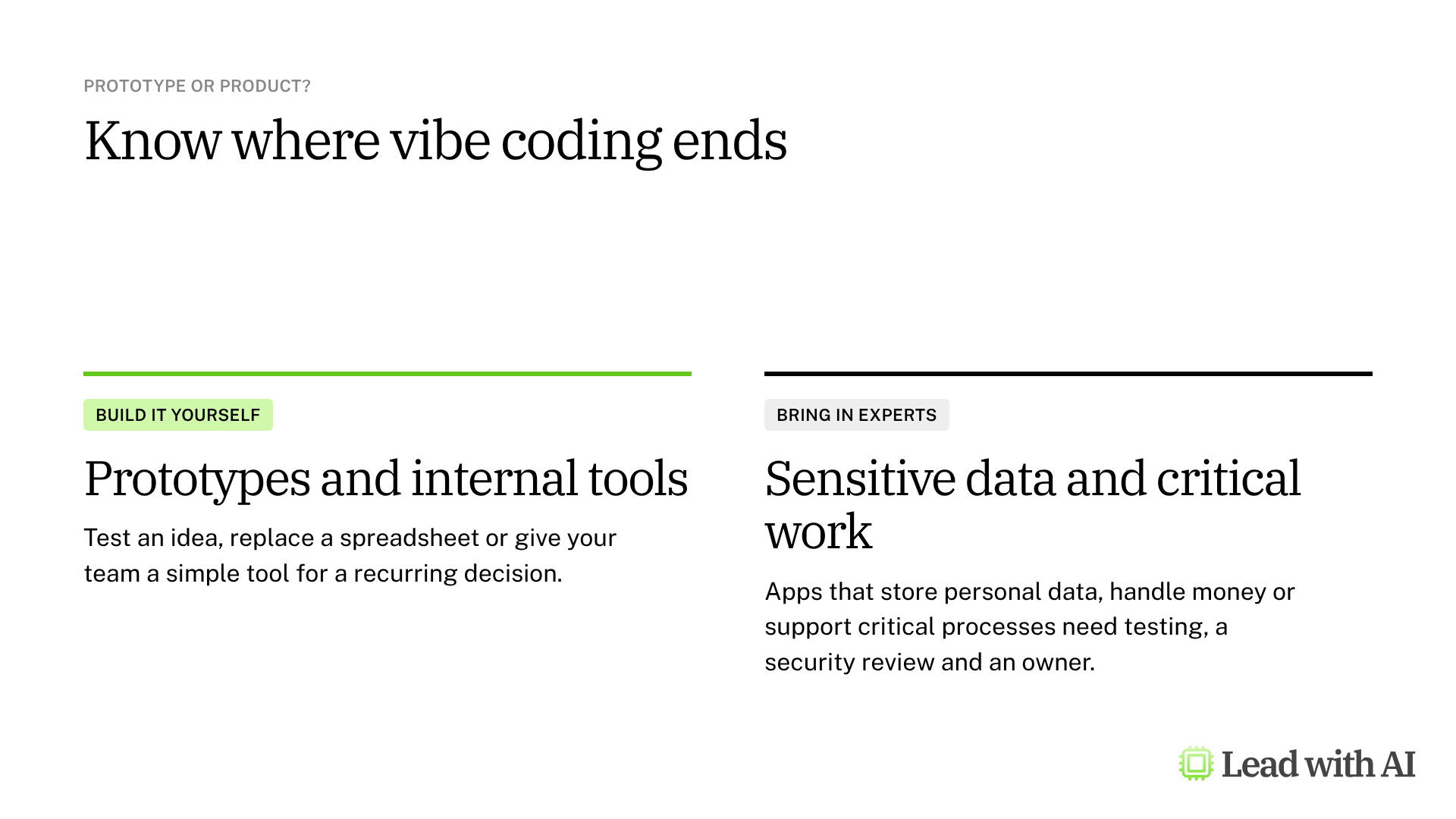
An app that works in a demonstration may still fail with real users. Keep Lovable for prototypes and internal tools, and bring in technical experts before an app stores personal data, handles money or supports a critical process.
A CODO prompt for your app idea and brief
This prompt, built with our CODO framework, finds an app worth building for your role and drafts the brief. Run it in ChatGPT, Claude, Gemini or Copilot, then paste the brief into Lovable.
Character: You are a product strategist who helps senior leaders turn recurring decisions into simple internal tools.

Objective: Suggest one app I could build today to help with a recurring decision in my role as [your role] at [type of company]. A decision I make every week is [for example, which deals or projects get my attention first].

Do:
- Make it specific to my function and to how someone in my role works.
- Shape it as a scorecard, prioritizer, triage board, simulator or scenario tool.
- Keep it self-contained, with simple inputs and embedded sample data.
- Make the result tell me what to prioritize, escalate, fix, pause or stop.

Don't:
- Don't suggest tools for email, writing, research, meetings or presentations.
- Don't require integrations, API keys or confidential data.

Output:
The app idea in one sentence, then a build brief of 5 to 10 short bullets I can paste into an app builder: who uses it, the inputs, the screens, the scoring logic and the result.
Want to go further? Our how-to on vibe coding with Figma Make shows another way to turn a design into a working prototype.
What will your IT and legal teams ask?
- Is our data used to train AI models? On Business and Enterprise plans, workspace data is excluded by default. On Free and Pro, each person has to opt out in their account settings.
- Who can see a published app? The person who publishes chooses. A first publish is open to anyone by default, so set internal tools to your workspace or to invited people.
- Does Lovable check security? It runs a quick security scan every time you publish, and you can run a deeper scan of the code from the Security view. Lovable says these scans do not replace a full security review.
- Where are apps hosted? Lovable hosts them by default. It also offers deployment into a company's own AWS or Azure account.
- What should never go in? Customer records, personal data and confidential figures, until your security team has reviewed the app.
Lovable or another tool?
Lovable is the strongest choice when you want to publish an app that others will use, with its own link, stored data and, on paid plans, your own domain.
For a quick prototype inside the AI assistant you already use, try Gemini Canvas or ChatGPT Sites. Our overview of vibe coding compares the options.
Key takeaways
- Write a brief first, then paste it into Lovable.
- Verify the logic with mixed answers, not just the look.
- Change one thing at a time as you refine.
- Check who can visit before you publish.
- Keep sensitive data out until experts have reviewed the app.