

Based on the Lead with AI AI Leader Advanced program.
The tools leaders need most are often the ones that never make the backlog. They are too small to justify engineering time, too specific for an off-the-shelf product and too recurring to keep ignoring.
Vibe coding lets you build them yourself. You describe the tool you need, AI writes the code, and you steer the result in plain language.
What is vibe coding?
AI researcher Andrej Karpathy popularized the term in early 2025. He described a way of building software where you focus on what you want to create, let AI generate the code and keep guiding it through conversation, sometimes without looking closely at the code at all.
Why is AI so good at this? Like everyday language, code follows patterns. It is also highly structured, with rules a computer can run and test. Today's coding models can reason through a problem, run tests, find errors and fix them.
But fast code is not the same as correct code. That distinction matters more than any tool choice.
From "help me write code" to "build this for me"
AI coding started with professional developers. Tools such as GitHub Copilot, Cursor and Codex help them write, test and fix software across large projects.
The bigger shift for most leaders is that these capabilities no longer require you to code. With app builders, you start with the problem, not the programming language. For example:
- A dashboard that tracks your team's projects.
- A scenario planner that compares the options for a business decision.
- A scorecard or calculator for a judgment call you make every week.
- A self-assessment to send to a team before a workshop.
The tools at a glance
| Tool | What it does | Best for | Plans |
|---|---|---|---|
| Lovable | Builds, hosts and publishes web apps from a plain-language brief | Apps other people will use, with their own link and stored data | Free plan with daily credits, paid plans from $25 a month |
| Gemini Canvas | Builds apps, web pages and quizzes inside the Gemini app | Quick prototypes in an assistant you already use | Included in the Gemini app, with higher limits on paid plans |
| ChatGPT Sites | Builds and hosts websites and lightweight apps from a ChatGPT chat | Dashboards and team pages, with connected apps on business plans | ChatGPT Plus, Pro, Business and Enterprise |
Other options include Claude, which can build interactive tools inside a chat, and Figma Make, which turns designs into working prototypes.
Which tool should you use?
- To publish an app that colleagues or clients will use: Lovable.
- For a quick prototype inside Google Workspace: Gemini Canvas.
- For a dashboard or team page in ChatGPT: ChatGPT Sites, which builds and hosts the site from a ChatGPT Work chat.
From prototype to reliable product
Getting an app to work is not the same as building a reliable product. Think of it in three stages:
- Prototype: does the idea make sense, and can people experience what you are proposing?
- Working app: does it perform the tasks you designed it to do?
- Reliable product: does it work consistently, handle unexpected situations, protect user information and stay maintainable over time?
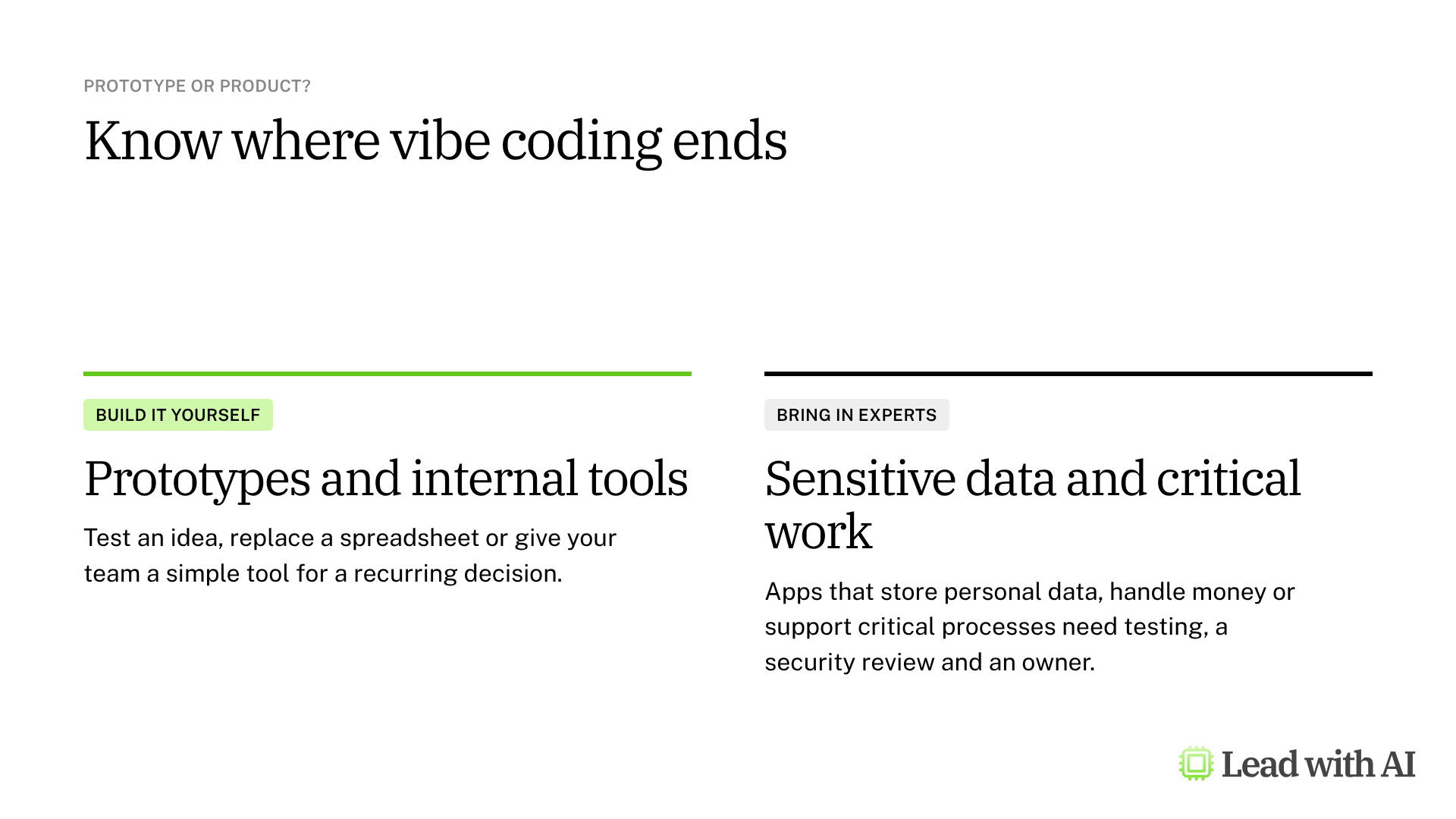
AI helps at every stage. But as you move toward a real product, testing, security and human oversight matter more, and you may need technical experts for anything that handles sensitive data or supports a critical process.
The mindset shift: from developer to director
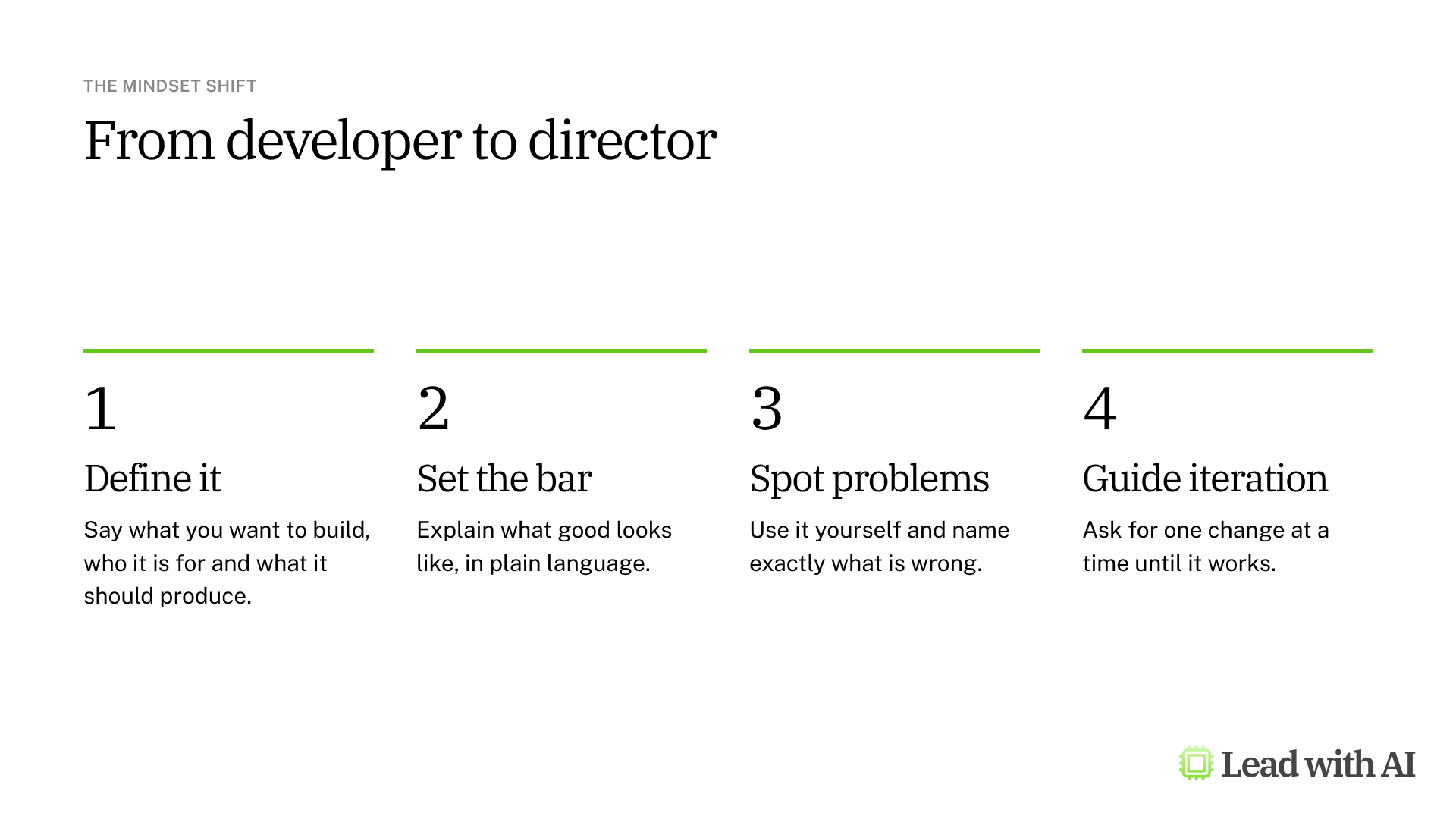
You do not need to become a developer to create software. Your leverage comes from directing the work: defining what you want, explaining what good looks like, spotting problems and guiding AI through each round.
Start small, then apply the same approach to business challenges. The opportunity for leaders is to move from having an idea to testing it, learning from it and deciding whether it deserves more investment.
A CODO prompt to find your first app
This prompt, built with our CODO framework, suggests an app worth building for your role and drafts the brief. Run it in any AI assistant, then paste the brief into Lovable, Gemini Canvas or ChatGPT Sites.
Character: You are a product strategist who helps senior leaders turn recurring decisions into simple internal tools.

Objective: Suggest one app I could build today to help with a recurring decision in my role as [your role] at [type of company]. A decision I make every week is [for example, which deals or projects get my attention first].

Do:
- Make it specific to my function and to how someone in my role works.
- Shape it as a scorecard, prioritizer, triage board, simulator or scenario tool.
- Keep it self-contained, with simple inputs and embedded sample data.
- Make the result tell me what to prioritize, escalate, fix, pause or stop.

Don't:
- Don't suggest tools for email, writing, research, meetings or presentations.
- Don't require integrations, API keys or confidential data.

Output:
The app idea in one sentence, then a build brief of 5 to 10 short bullets I can paste into an app builder: who uses it, the inputs, the screens, the scoring logic and the result.
Want to go further? Our guide to AI skills shows how to turn a process you repeat into instructions AI follows every time, and our explainer What is an AI agent, really? covers the next step beyond building tools.
Key takeaways
- Build the tools that never make the backlog.
- Start with the problem, not the technology.
- Direct the work: define, set the bar, test and refine.
- Verify the logic, because a polished app can still be wrong.
- Bring in experts before an app handles sensitive data.
This overview is based on the Vibe Coding module in Lead with AI's AI Leader Advanced program. Lead with AI helps senior leaders build practical AI fluency through hands-on courses and a membership community.