

Claude can now take a whole task off your plate. You describe the outcome, and it works through the steps across your files, apps and the web, then hands back finished work.
Until recently, that lived in a separate mode called Claude Cowork. Since September 2026, Cowork and chat are one Claude, so you hand over a task in the same conversation where you ask a quick question. Claude Code remains a separate agent for building software.
Three levels of autonomy in one product
- As an assistant: you direct every step, with files, projects, skills and connectors to apps such as Gmail, Google Calendar, Slack and Notion.
- As a browsing agent, with Claude in Chrome: you approve a plan, and Claude navigates pages, clicks through and gathers what you asked for.
- As a full agent: you set the goal, and Claude plans the work, uses your apps and delivers the result, even on a schedule.
Claude Code applies the same agent to software. It works alongside the others, and it can run for long stretches without you.
Where to find it
- To hand over a task: open Claude on the web, desktop or mobile, and describe what you need in any conversation. There is no mode to pick.
- If you still see Chat and Cowork options in the message box, you do not have the merged version yet. Select Cowork for bigger tasks until it arrives.
- For Claude Code: select the Code tab in the Claude desktop app, go to claude.ai/code on the web, or use it in a terminal or code editor.
What Claude can do with a whole task
- Work through the steps itself. It searches the web, reads files and runs code, and you can run several tasks at once.
- Keep going after you leave. Longer tasks continue in the cloud after you close your laptop. Tasks that use files or apps on your computer need the desktop app to stay open.
- Use your apps. Connectors give Claude access to tools such as Gmail, Google Calendar, Slack, Notion and HubSpot.
- Browse. Claude can use the built-in browser in the desktop app, or your own Chrome through Claude in Chrome.
- Deliver finished work. On paid plans, it can create documents, slide decks and designs you edit and share. Claude Docs, Slides and Design are in beta.
- Repeat on a schedule. Our guide to Claude scheduled tasks covers recurring work.
In our AI Leader Advanced program, we use it for a weekly sales pipeline review. Claude connects to HubSpot, pulls the live deal data, maps contacts to deals, flags risks such as deals without a senior decision-maker involved, and builds an interactive dashboard.

Choose how much Claude checks in
A setting in the message box decides how independently Claude works in each conversation:
- Auto: Claude keeps working without asking about each step, and automated safety checks run before actions. This is the default on Pro, Max, Ultra and Team.
- Manual: Claude asks before each action, and you decide whether to allow it. This is the default on Enterprise.
Use Manual for work with real consequences, such as sending messages or changing important files, and ask for drafts you send yourself. You can stop or redirect Claude at any point.
How to hand Claude your first task
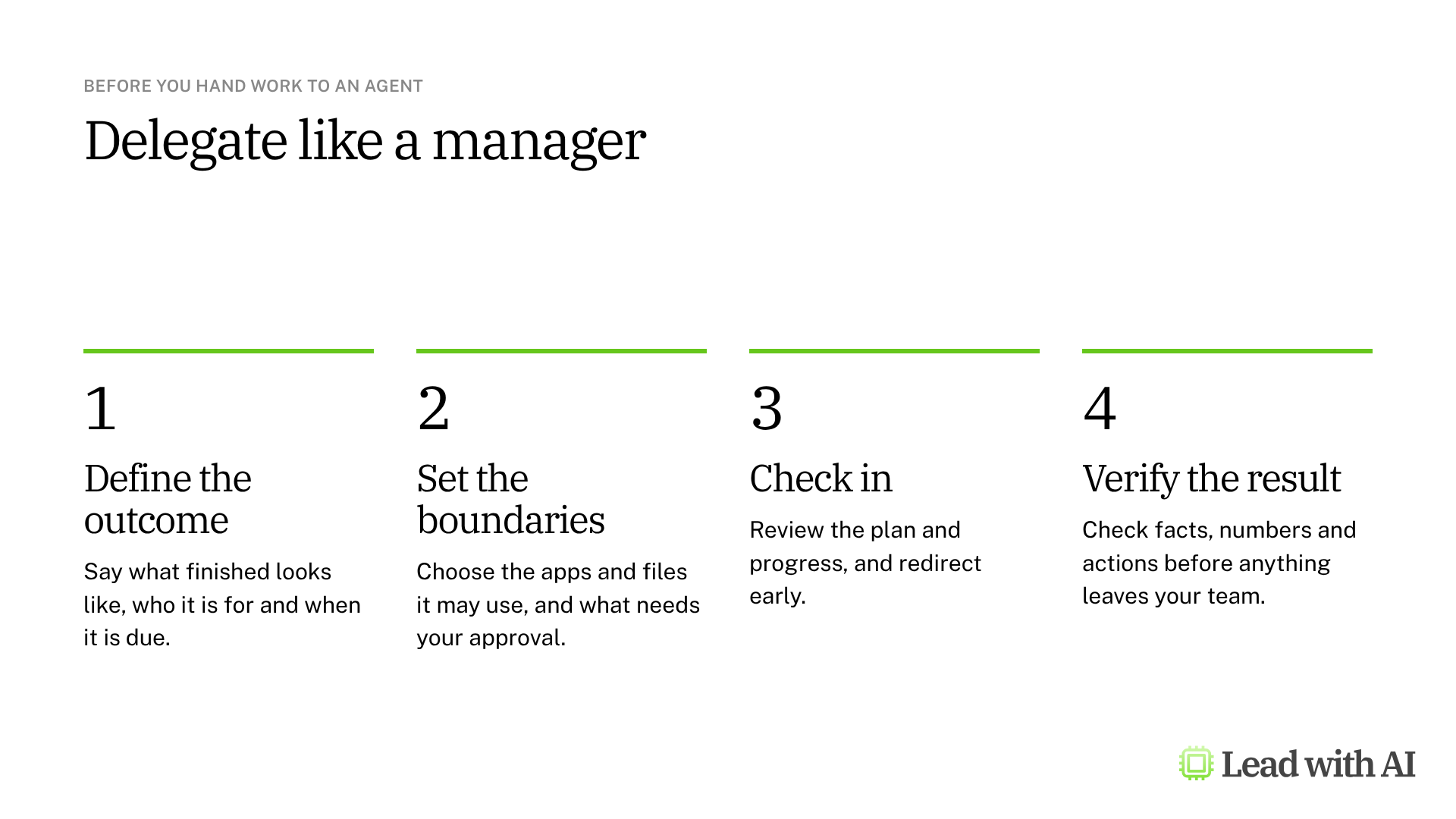
Step 1: Choose one recurring task. Pick work with a clear start and a clear result, such as a weekly pipeline review or a summary of customer interviews. Our guide to AI agents shows how to test whether it fits.
Step 2: Brief it like a colleague. Name the files, links or apps to use, the result you want and what needs your approval. The CODO prompt below gives you the structure.
Step 3: Set the check-in level. Start with Manual until you trust how Claude handles the task.
Step 4: Let it work, then review. Read the plan, check the result against the sources and fix anything before you share it.
Step 5: Make it repeatable. Save the method as a skill, or schedule the task once it gives reliable results.
When should you use Claude Code?
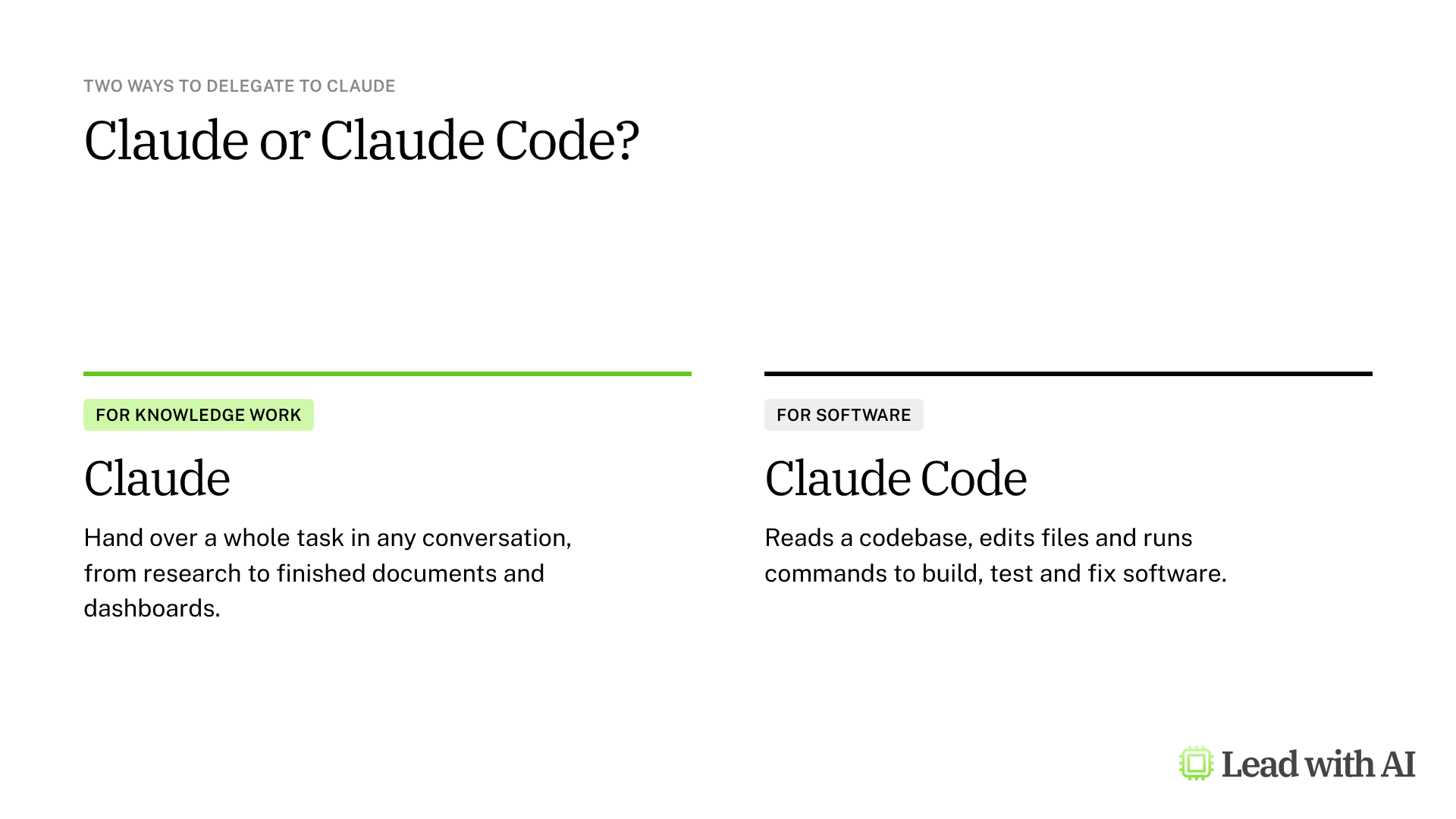
Claude Code reads a codebase, edits files and runs commands to build, test and fix software. In the desktop app, you see a live preview of the app next to the agent, and you need no terminal.
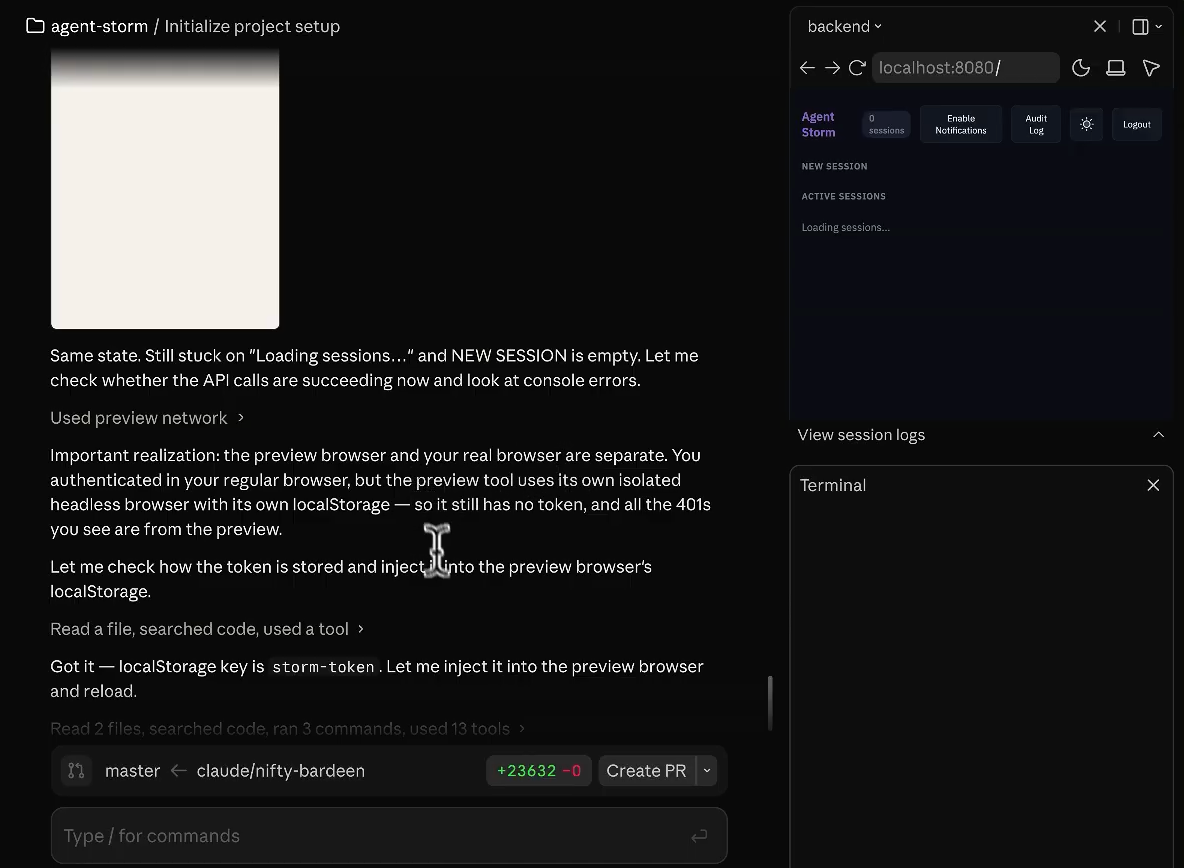
Give it permission to keep going, step away, and you come back to either a fixed bug or a clear explanation of why it could not fix it. For leaders, it is also a stronger option for the internal tools and prototypes covered in our guide to vibe coding.
What your plan includes
- Pro, Max and Ultra: the merged experience is rolling out, with tasks, connectors and Claude Code.
- Team and Enterprise: the merged experience is available where an admin turns on the setting that unifies chat and Cowork. Claude Code is included.
- Free: the merged experience has not reached the free plan yet, and Claude Code requires a paid plan.
- Usage: tasks that search the web, run code or create files use more of your limits than a quick question. Check your usage in Settings.
When it earns its place
- A weekly pipeline or project review built from live data in your apps.
- Research synthesis, such as pulling the main themes and a supporting quote from a set of interview notes.
- Meeting and board preparation from your email, calendar and files.
- Internal tools and prototypes with Claude Code.
A CODO prompt for your first delegated task
This prompt, built with our CODO framework, gives Claude a brief it can act on. Paste it into any conversation and fill in the brackets.
Character: You are my chief of staff, working as an agent with access to [the apps, folders or sites you allow].

Objective: [The outcome you want], for [audience], by [deadline or trigger]. For example, prepare this week's pipeline review from [CRM] for Monday's leadership meeting.

Do:
- Use only these sources: [apps, folders or sites].
- Share your plan before you start, then work through the steps on your own.
- Stop and ask me before you send, post, delete, buy or change any record.
- Flag anything missing, inconsistent or uncertain instead of guessing.

Don't:
- Don't contact anyone or share anything outside [team or company].
- Don't change source files. Save your work as a new draft.

Output:
[The format, such as a one-page summary with a table of risks and three recommended actions], plus a short log of what you did and what you could not finish.
Want to go further? Our how-tos show how to record a skill for Claude and how a full session with Claude in Chrome works.
What will your IT and legal teams ask?
- Can admins control it? Yes. On Team and Enterprise, the merged experience only appears where an admin turns it on, and Enterprise defaults to Manual, so Claude asks before each action.
- Where does the work run? Longer tasks run in the cloud. Tasks that use local files only reach the folders someone has trusted in Settings.
- Is our data used for training? On Team and Enterprise plans, Anthropic does not use your content to train its models by default.
- What about risky actions? Anthropic advises staying close and reviewing what Claude does when work has real consequences, such as sending messages or changing important files.
Claude or another tool?
Claude is a strong choice when you want to hand over whole tasks that span your files, apps and the web, from the same place you chat.
If your team works in ChatGPT, our guide to ChatGPT Work and Codex covers the equivalent agents. Our guide to what an AI agent really is explains how to design any agent with the right human checkpoints.
Key takeaways
- Cowork is now part of Claude, so any conversation can become a task.
- Brief the outcome, the sources and the approvals.
- Start on Manual for anything with real consequences.
- Save what works as a skill or a scheduled task.
- Use Claude Code for software, prototypes and internal tools.