
Based on the Lead with AI AI Leader Advanced program: From a CODO Prompt to Reusable Assistant.
If you rebuild the same prompt every time you open a chat, you repeat the design work instead of reusing it.
A reusable assistant fixes that. If prompting is delegation, a reusable assistant is your standard operating procedure: your best prompt, turned into a repeatable workflow for one type of work.
Step 1: Turn your prompt into a template

Start with a strong CODO prompt and split it in two:
- Standing instructions stay the same every time: who the assistant is, what it helps with, how it should work and what the output looks like.
- Variable inputs change every time: the situation, question or document you bring.
Take a personal board of advisors. The standing instructions describe who you are, what the board should help with and how hard it should challenge your thinking. Only the decision changes, so you never rebuild the whole prompt.
Step 2: Save it in a tool built for reuse

Copying a template into a new chat works. The real shift comes when you save it in a tool designed for repeated use. Depending on the tool, you can add knowledge files, reference materials and access to other apps.
The options fall into two groups:
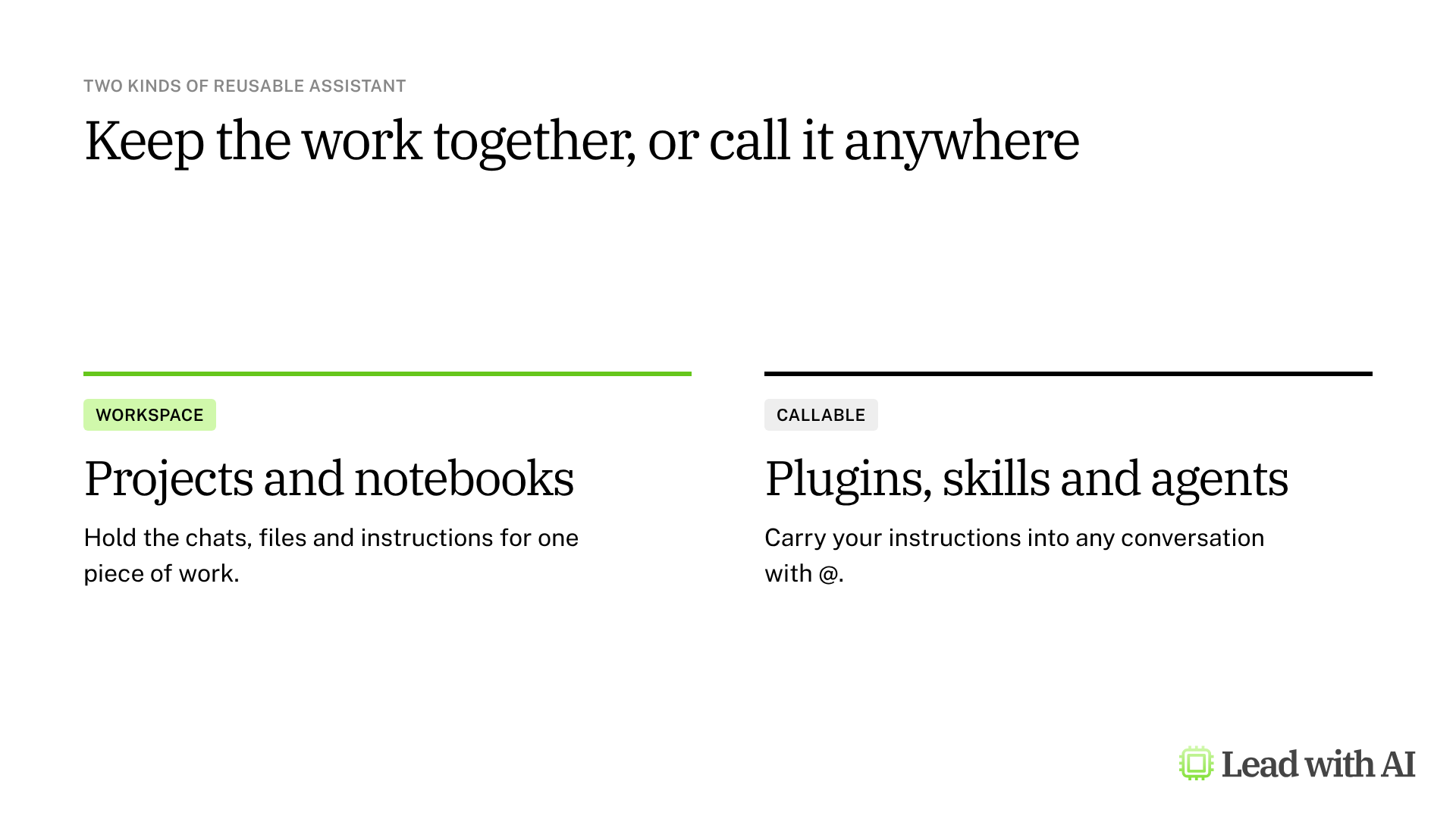
- Workspaces keep the chats, files and instructions for one piece of work together: ChatGPT Projects, Claude Projects and Copilot Notebooks.
- Callable assistants carry your instructions into any conversation when you type @: ChatGPT plugins, Gemini skills and Copilot agents.
How the six options compare
| Tool | Type | Best for | Plans | Watch out for |
|---|---|---|---|---|
| ChatGPT Projects | Workspace | Recurring work in ChatGPT with its own files and chats. | Every plan, including Free. | Free allows 5 files per project. |
| ChatGPT plugins | Callable | One repeatable job that pulls from connected apps. | Varies by plan and workspace. Sharing on Business and Enterprise. | They replace custom GPTs, which stop running on December 11, 2026. |
| Claude Projects | Workspace | Long documents you keep consulting, such as contracts or policies. | Free includes up to five projects. | Sharing needs a Team or Enterprise plan. |
| Gemini skills | Callable | Google Workspace users who want instructions they can call with @. | Free on personal accounts for anyone 18 or older. | Skills built in the Gemini app do not yet carry over to Gmail, Docs and Slides. |
| Copilot agents | Callable | Microsoft 365 teams that want a shared assistant. | Basic agents with Copilot Chat. Work data needs a Copilot license or credits. | Colleagues need a license that covers what the agent uses. |
| Copilot Notebooks | Workspace | A project or deal with a fixed set of documents. | Copilot Chat allows up to 50 references. | Everyone you share with can edit. |
ChatGPT Projects
A project keeps the instructions, files and chats for one piece of recurring work in ChatGPT, so every new chat starts with the context it needs. You choose whether it can use memory from your other chats or keeps to itself. Projects work on every plan, with more files and collaborators on paid plans.
Our step-by-step guide to ChatGPT Projects covers the setup, which memory to pick and a CODO template for the instructions.
ChatGPT plugins
A plugin packages skills, connected apps and reference files for one job, and you call it with @ in any conversation. You build one by describing it to Plugin Creator.
Plugins also replace custom GPTs, which are scheduled to stop running on December 11, 2026. Move the GPTs you rely on before then, and test each plugin before you share it. Our guide to ChatGPT plugins covers building one and migrating your GPTs.
Claude Projects
Claude Projects hold the instructions and knowledge files for recurring work. They suit long documents you keep coming back to, such as contracts, policies or a board pack. The Free plan includes up to five projects, and sharing with colleagues needs a Team or Enterprise plan.
Our step-by-step guide to Claude Projects covers the setup, how memory works and a CODO template.
Gemini skills
Skills are saved instructions, with optional files, that you call with @ in Gemini. They replace Gems from November 2026. Skills work on free personal accounts for anyone 18 or older, and in the Gemini app on every Google Workspace edition.
Skills you build in the Gemini app do not yet carry over to Gmail, Docs and Slides, which have their own skills. Our guide to Gemini skills explains what happens to your Gems and how to build a skill.
Copilot agents
An agent turns a strong prompt into a reusable Microsoft 365 assistant, built in Agent Builder. With Copilot Chat, included in Microsoft 365 business plans, an agent can use the web and uploaded files. Agents that use your email, files and Teams chats need a Microsoft 365 Copilot license or pay-as-you-go credits, which your admin sets up.
Our step-by-step guide to Copilot agents covers Agent Builder, what your license allows and how to share an agent.
Copilot Notebooks
A notebook keeps the references and instructions for one topic in a single Microsoft 365 workspace. Choose a notebook when the documents matter most, and an agent when you want standing instructions you can call with @. Copilot Chat users can add up to 50 references.
Our step-by-step guide to Copilot Notebooks covers the setup, the reference limits and sharing.
Before you build: three rules

- Keep it focused. Give each assistant one clear purpose. A board of advisors helps with decisions. It does not also need to write emails or summarize meetings.
- Test before you build. Run the prompt template three to five times with different situations. Refine the instructions until the results are consistent and useful, then save it.
- Stay vigilant. A reusable assistant is still AI. It can miss context or get facts wrong, and it does not run on its own. You start the task, provide the input and review the output.
Which one should you choose?
Start with the platform your company already uses. Gemini skills fit Google Workspace, Copilot agents and notebooks fit Microsoft 365, and ChatGPT and Claude work across both.
Then decide between the two groups:
- Choose a workspace when the documents and the conversation history matter most, such as a client account or a board pack.
- Choose a callable assistant when you want the same instructions wherever you work, or want to hand the workflow to your team.
The two work well together: a project for the body of work, and a callable assistant for the step you repeat every week.
Want something to build first? These how-to articles give you instructions that work well in any reusable assistant:
- Set up your strategic board of directors: the board of advisors example, ready to save as a project or an assistant.
- Set up your personal strategic advisor: a thinking partner for the decisions on your desk.
- Turn your working style into a reusable operating manual: a reference file every assistant can use.
- Build SOPs for any workflow: turn a process into steps that become standing instructions.
For more tools by job, see our directory of AI tools for business leaders.
Key takeaways
- Turn your best prompt into a template first, with standing instructions separate from the inputs that change.
- Test it three to five times before you save it in any tool.
- Build one assistant per job, not one for everything.
- Use a workspace for the body of work and a callable assistant for the step you repeat.
- Move your custom GPTs and Gems before they retire.
- Review every output, because you are still responsible for the result.