
Based on the Lead with AI AI Leader Advanced program.
Which AI tool should I use for this? It is one of the first questions leaders ask us.
This directory answers it one job at a time. It covers the features in ChatGPT, Claude, Gemini and Microsoft Copilot that matter most at work, with a practical guide for each one.
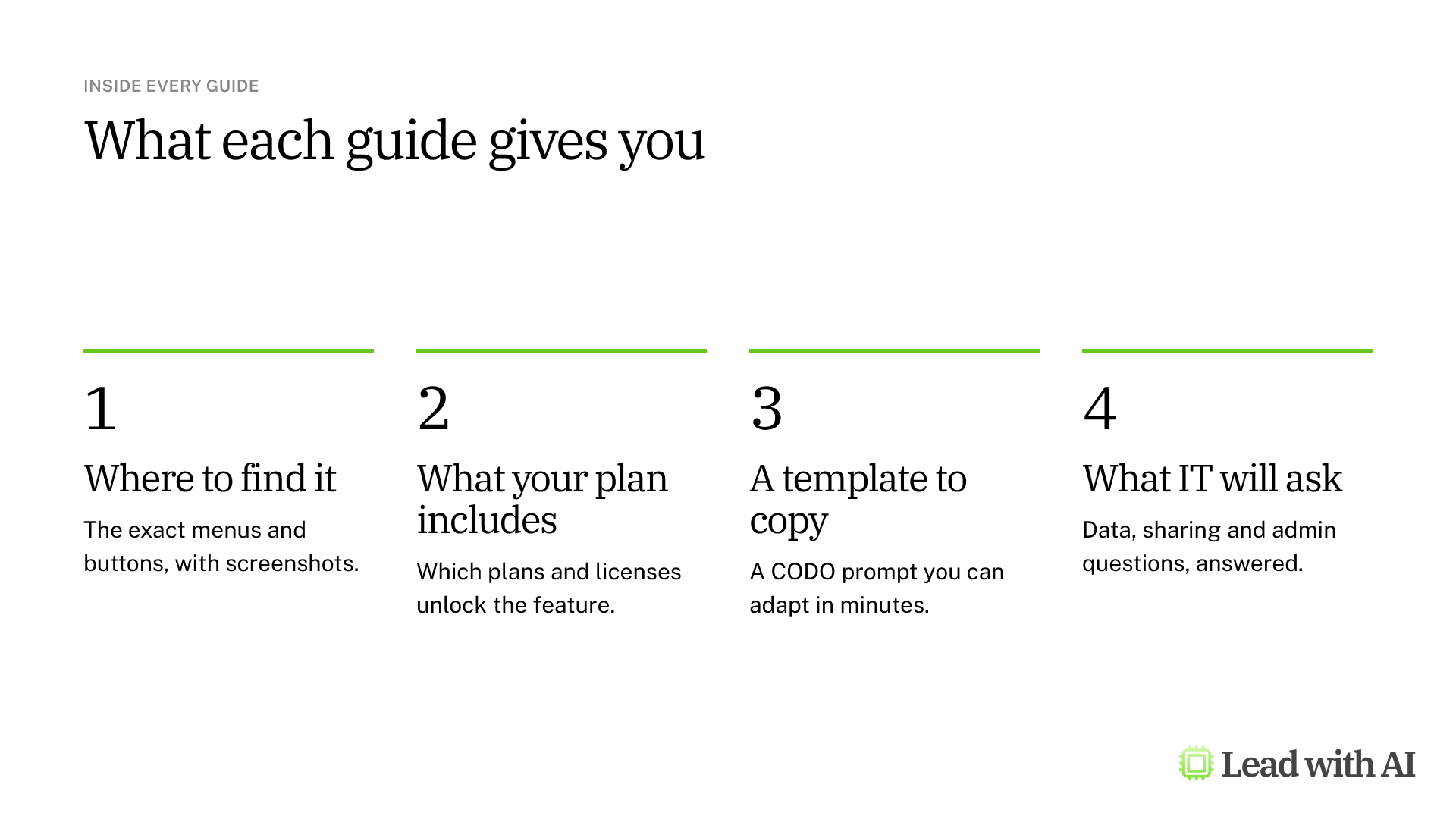
Every guide shows where to find the feature, what your plan includes, a CODO template to copy and the questions your IT and legal teams will ask. We update the guides when the tools change.
Start with the job, not the tool
The best tool is the one that fits the work, so pick the task first. We use a simple filter called G.E.D.: AI works best when the work is General, Error-friendly and Digital. Our article Start with tasks, not tools explains how to use it.
Then pick the platform. Start with the one your company already uses, because that is where your files, email and calendar live, and where your IT team is most likely to have settled the data questions.
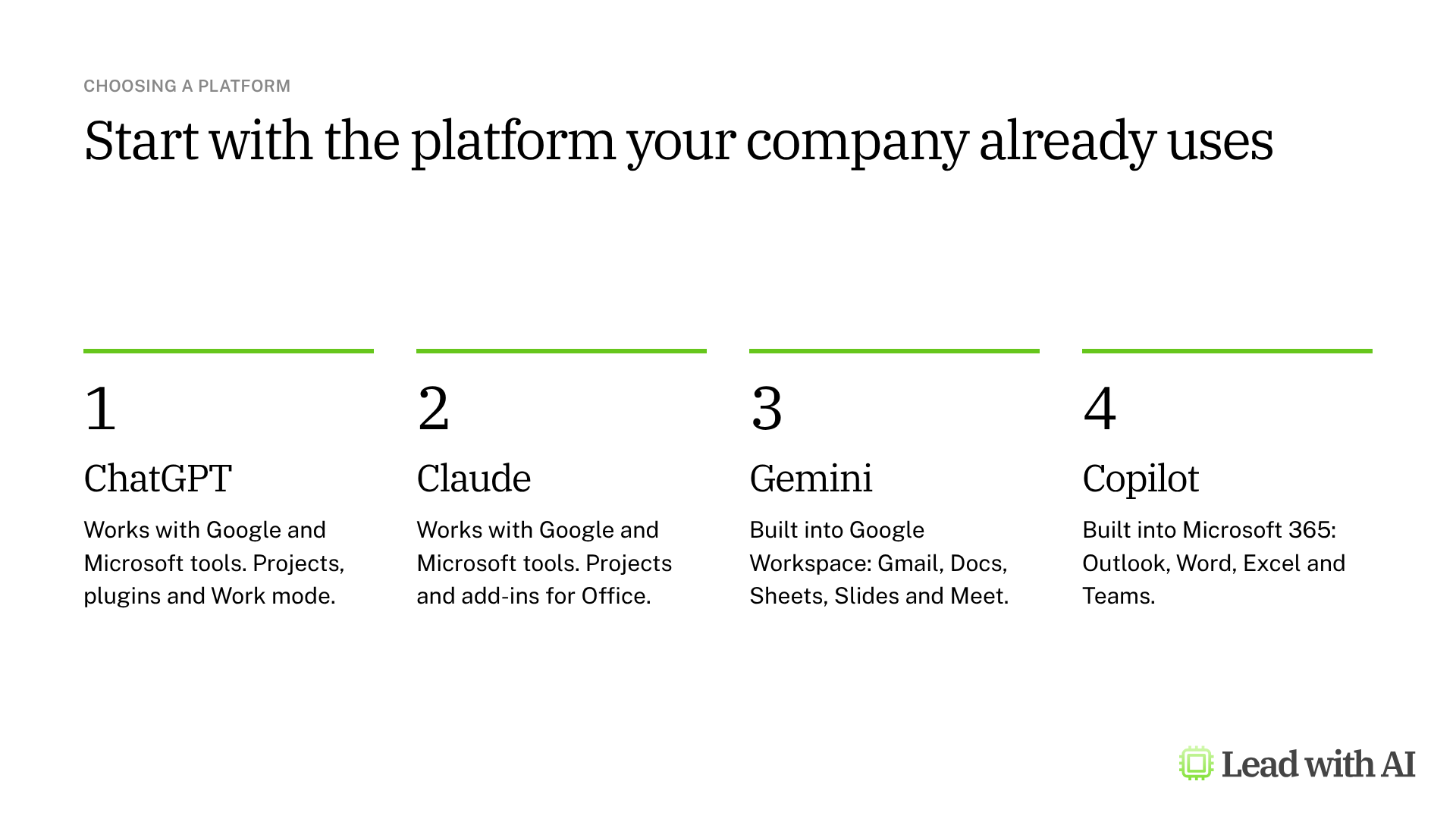
- Gemini if your company runs on Google Workspace.
- Copilot if it runs on Microsoft 365.
- ChatGPT or Claude if you want an assistant that works across both, or room for deeper work outside your inbox and documents.
New to Claude? Read our leader's guide to Claude.
Build a reusable assistant
If you keep explaining the same context, set it up once. A reusable assistant keeps your instructions, files and preferred format, so every chat starts ready to work. Our overview of reusable AI assistants compares all six options and helps you choose.
- ChatGPT Projects: keep the instructions, files and chats for one piece of recurring work together.
- ChatGPT plugins: package skills and connected apps you call with @. They replace custom GPTs, which retire on December 11, 2026.
- Claude Projects: instructions, files and chats for recurring work in one place in Claude.
- Gemini skills: saved instructions you call with @ in Gemini. They replace Gems from November 2026.
- Copilot agents: turn a strong prompt into a reusable assistant in Microsoft 365.
- Copilot Notebooks: keep the references and instructions for one topic in a single Microsoft 365 workspace.
Research a complex question
For a decision that needs evidence rather than a quick answer, deep research tools plan the work, read across many sources and return a cited report. Our overview of AI deep research tools compares all six options.
- ChatGPT deep research: edit the plan and steer the research while it runs.
- Gemini Deep Research: combine the web with your Gmail and Drive.
- Claude Research: follow leads across the web and your connected apps.
- Copilot Researcher: combine your Microsoft 365 emails, meetings and files with web research.
- Gemini Notebook: ground every answer in sources you approve.
- Consensus: check what the academic research says.
A citation does not make a claim correct. Check the sources behind the claims you will act on.
Analyze your data
AI can now read a spreadsheet, propose the right questions and build the chart. Check how it reads your data before you trust the answers. Our overview of AI for data analysis compares all eight options.
These tools work inside your spreadsheet:
- Gemini in Google Sheets: analyzes your sheet, inserts charts and fills whole columns with AI.
- Copilot in Excel: builds native, editable analysis and follows the workbook rules you set.
- Claude for Excel: explains and edits financial models, with citations to the cells it used.
- ChatGPT for Excel: explains workbooks, fixes formulas and builds charts from a sidebar.
- ChatGPT for Google Sheets: brings the same ChatGPT help into Google Sheets.
These tools analyze a copy of your data:
- ChatGPT data analysis: upload a file and get tables, charts and downloadable results.
- Claude data analysis: builds interactive charts and files from the data you upload.
- Gemini Notebook Data Tables: turns data and research into tables you can export to Sheets.
Run better meetings
Meeting assistants capture the call and draft the summary, decisions and action items, so you can stay present instead of taking notes. Our overview of AI meeting assistants compares all five options.
- Copilot in Teams: answers your private questions during the call and turns the recap into actions.
- Gemini in Google Meet: writes notes and an optional transcript into Google Docs, in calls and in the room.
- Granola: takes notes on any call from your computer, with no bot in the meeting.
- ChatGPT Record and Meetings: records calls and conversations on your Mac, with no bot in the meeting.
- Claude Meetings: brings Claude into Google Meet calls to build documents while you talk.
Tell people when AI is taking notes, and treat every summary as a draft.
Automate recurring work
Scheduled tasks make AI proactive. You set up the work once, and AI delivers a fresh brief or report on schedule, without you having to ask. Our overview of AI scheduled tasks compares all five options.
- ChatGPT scheduled tasks: briefings, reminders and monitoring, on every plan.
- Gemini scheduled actions: recurring briefs you set up in a Gemini chat.
- Copilot scheduled prompts: briefings drawn from your Microsoft 365 email, meetings and chats.
- Google Workspace Studio: no-code flows that deliver AI results into Gmail, Chat and Docs.
- Claude scheduled tasks: recurring research and reports with your connected tools.
Test every task before you rely on it, and ask for drafts only when a task can act in your apps.
Teach AI your workflows
A skill is a standard operating procedure for AI. You write the process once, with your steps, format and checks, and AI follows it every time you ask for that kind of work. Our overview of AI skills compares all five options and includes a template to copy.
- Claude skills: reusable workflows with templates and examples, on every Claude plan.
- ChatGPT skills: processes you call with @, built in a chat with skill-creator.
- Gemini skills: saved instructions you call with @ in the Gemini app.
- Copilot skills: SKILL.md instructions that Copilot follows in PowerPoint and Excel.
- Google Workspace skills: Gemini instructions you use in Gmail, Docs and Slides, or inside a flow.
Test a skill on realistic work before you share it, because a skill repeats a weak process as faithfully as a strong one.
Create visuals with AI
Most leaders have frameworks and plans that never become visual. AI image generation turns your thinking into a framework, diagram or infographic in minutes, so your ideas travel further. Our overview of AI image generation compares all four options and includes a prompt to make your strategy visible.
- ChatGPT Images: framework visuals and infographics you refine over several rounds.
- Nano Banana in Gemini: create and edit images in Gemini, Docs and Slides.
- Gemini Notebook infographics: turn your own documents into a one-page visual.
- Copilot Create: on-brand posters, banners and visuals in Microsoft 365.
Read every label before you share, because AI visuals look finished long before they are correct.
Create video with AI
Most leaders default to text, because video takes time to film and edit. AI video generation turns a script, an image or a prompt into a short video in minutes, so a message can reach people the way they prefer to receive it. Our overview of AI video generation compares the options and includes a prompt for your first script.
- HeyGen: record yourself once, then turn any script into a video of your AI avatar, in several languages.
- Gemini Omni: short scenes, opening clips and animated images in the Gemini app and Google Vids.
Get consent and label every AI video, because viewers should know when the person on screen was generated.
Build your own tools with vibe coding
The tools leaders need most are often too small for engineering and too specific to buy. Vibe coding lets you describe the tool you need while AI writes the code, so you can test an idea the same day. Our overview of vibe coding compares the options and explains when to bring in experts.
- Lovable: build, test and publish a web app that colleagues or clients can use.
- Gemini Canvas: build a quick prototype or self-assessment inside the Gemini app.
- ChatGPT Sites: turn a ChatGPT chat into a hosted website or dashboard you can share.
Verify the logic before you share, because a polished app can still give the wrong answer.
Reclaim time in your inbox
Email is high volume, repetitive and mostly cognitive work, which makes it one of the best places to start. Our overview of AI for email compares the four main options.
- Gemini in Gmail: summarize threads, draft replies and ask questions about your inbox.
- Copilot in Outlook: summaries and drafts grounded in your calendar and Microsoft 365 files.
- ChatGPT for email: read, sort and draft from a connected Gmail or Outlook inbox.
- Claude for Gmail: find and draft email, with links back to the messages it used.
Several of these tools can send email from your account. Ask for drafts only, and send them yourself.
Draft and edit documents
AI helps most with writing when it drafts from your own material and lets you edit in place. Our comparison of AI writing tools for senior leaders covers the options by ecosystem.
- Copilot in Word: drafts from your files, emails and meetings, then edits inside the document.
- Claude for Word: drafts and edits inside Word, with every change as a tracked revision.
- Gemini in Google Docs: drafts from your Drive files and email, refines sections and matches your writing style.
- ChatGPT for writing: drafts and edits in writing blocks you can revise, open full screen and save.
Build presentations
Our roundup of the best AI PowerPoint generators compares the main tools side by side. Most decks can now be built inside the tools you already use, so start there before you add a separate presentation app.
These tools work inside your presentation app:
- Gemini in Google Slides: builds full, editable decks from your Drive files, inside Slides.
- Copilot in PowerPoint: builds and refines decks from your Microsoft 365 files, in your company brand kit.
- Claude for PowerPoint: builds and edits slides inside your own template.
- ChatGPT for PowerPoint: creates and edits slides from a sidebar in PowerPoint, with your ChatGPT account and apps.
These tools build the deck in the AI platform itself:
- Claude Slides: turns the work in a Claude conversation into an editable deck you can present or export. It replaced Claude Design for presentations.
- ChatGPT Slides: builds a deck in ChatGPT that your team edits together, then exports it to PowerPoint or Google Slides.
- Gemini Notebook slide decks: builds a deck only from your research sources, in the tool formerly called NotebookLM.
- Gamma AI: turns your outline into a designed deck when you do not need your corporate template.
Delegate work to AI agents
Agents do more than answer questions. They plan, use tools and work through several steps on their own. Before you delegate, read What is an AI agent, really?, which explains when a workflow deserves an agent and where to keep a person in the loop.
- ChatGPT Work and Codex: hand ChatGPT a goal and get finished work back, or use Codex for software. Work replaced ChatGPT agent mode.
- Claude Cowork and Claude Code: hand Claude a whole task in any conversation, or use Claude Code to build and fix software.
Ask for drafts and approvals before an agent sends, posts or changes anything on your behalf.
Key takeaways
- Pick the job first, then the tool.
- Start with the platform your company already uses, before you add another tool.
- Set up a reusable assistant for any task you repeat every week.
- Ask for drafts only whenever a tool can send or post on your behalf.
- Check plan and admin settings before you plan a rollout, because many features depend on them.